Logo
GBTEC Process Design✓ GBTEC Enterprise Architecture✓ GBTEC Work Orchestrator✓ GBTEC GRC Management✓
  • GBTEC Process Design
    • Key Features
      • Quickstart
        • How do I sign in?
        • How is the login lock configured?
        • How do I sign out?
        • Where can I find the help?
        • How do I change my password?
        • Where can I find other repositories?
        • How can I change my stage?
        • How can I navigate through the GBTEC Process Design menu?
        • How can I open, close, and resize the right sidebar?
        • How can I see the descriptions of the menu icons in the sidebar?
        • How can I change my user role?
      • Chatbot
        • How can I open a chat with Arty?
        • How does the chat with Arty work?
        • How is the right knowledge base preselected for me?
        • Which process context can Arty use?
        • How can I use the diagram list as context for Arty?
        • Is the chat history saved during the session?
        • How can I open references in a chat with Arty?
        • How do you use Arty effectively?
          • How should I model my processes for Arty?
          • How should I phrase questions for Arty?
          • Which information can Arty evaluate?
      • MyGBTEC
        • MyGBTEC tiles
          • Which tiles are displayed in MyGBTEC?
          • In which order are tiles displayed in MyGBTEC?
          • Where do the tiles in MyGBTEC lead?
          • How is MyGBTEC displayed in the mobile view?
        • Focus
          • Which focus can I select?
          • What effect does the focus have?
          • What happens if a focus is no longer available?
      • Administration
        • Users
          • How can I create a user?
          • How can I create an SSO user?
          • How do I edit a user’s details?
          • Which user roles are available and which permissions do they have?
          • How can I delete a user?
          • How can I reset a user’s password?
          • How can I filter by user roles?
          • How do I change the role of a user?
          • How do I create a user report?
          • How can I assign a user to a person?
        • User groups
          • How can I administrate user groups?
          • How can I create a user group?
          • How can I rename a user group?
          • How can I delete a user group?
          • How can I add a user to a user group?
          • How can I remove a user from a user group?
          • How can I assign a user group to an organizational unit?
        • User logins
          • How can I filter user logins by login type?
        • Repository
          • How can I create a new repository?
          • How can I edit a repository?
          • How can I delete a repository?
        • Corporate Settings
          • UI settings
            • How can I adjust the color scheme of the application?
            • How can I set a corporate logo?
            • How can I adjust the background color of the corporate logo?
            • How can I set a company-wide start diagram?
          • Print settings
            • How can I set the default configuration for headers and footers?
          • Allowed file types
            • How can I define an allowed file type?
            • How can I remove an allowed file type?
          • GBTEC Academy
            • How do I set the Company Access URL for GBTEC Academy?
        • Arty
          • How can I define general information about my company for Arty?
        • Catalog
          • How can I edit the details of catalog object types?
          • How can I define whether catalog suggestions are generated automatically during modeling?
          • How can I define that diagrams can only be checked in with existing catalog objects of a type?
          • How can I define that catalog objects are displayed in the publication?
          • How can I set filters for specific catalog object types?
          • Integrations
            • How can I integrate websites into a new tab in the catalog for a specific catalog object type?
            • How can I edit an existing integration?
            • How can I delete an integration?
        • Languages
          • How can I define languages for my users?
          • How can I enable the browser translation for my users?
        • Archive
          • How can I change archive settings?
          • How can I set access permissions for Readers?
        • Method
          • How can I import a method?
          • How can I export a method?
          • How can I configure the standard colors of the symbols?
          • How can I import or export symbol colors?
          • How can I set the layout of a diagram type?
        • Search
          • How can I select attributes as search facets?
        • Workflows
          • How can I define the validation scope for language-dependent mandatory attributes?
          • How can I set the workflow task reminder?
          • How can I set the resubmission reminder?
        • MyGBTEC
          • How can I create a new standard favorite?
          • How can I delete a standard favorite?
        • Reports
          • How can I view my available reports?
          • How can I create a new report?
          • How can I configure an existing report?
          • How can I upload a new report template?
          • How can I update an existing report template?
          • How can I download a report template?
          • How can I delete a report template?
          • Which fonts are supported by the Report Engine?
        • Details
          • How can I display the attributes in a diagram?
          • How can I change the visibility of the profile?
          • How can I configure the profile?
          • Integrations
            • How can I add a ProcessApp to a diagram type to configure it as an integration?
            • How can I edit an existing integration?
            • How can I delete an integration?
        • Marketplace
          • How can I open the Marketplace?
          • How can I browse the content in the Marketplace?
          • How can I search and filter content in the Marketplace?
          • Which information is shown for a Marketplace entry?
          • How can I download content?
          • How can I use downloaded content?
        • Integrations
          • Translation Service
            • How can I test my DeepL API configuration?
            • How can I remove my DeepL API configuration to delete my login data?
            • How can I configure the DeepL glossary?
          • Embedded views
            • Why do I need embedded views?
            • How can I add an allowed domain?
            • How can I remove an allowed domain?
        • Dashboards
          • How can I create a dashboard?
          • How can I configure a dashboard?
          • How can I view a dashboard?
          • How can I embed a dashboard as an integration in GBTEC?
          • How can I delete a dashboard?
          • Dashboards API
            • Why do I need the dashboard API?
            • Where can I find technical information about the API?
            • What is a schema?
            • What is a data row?
            • Example: Create a schema and data rows for a dashboard
        • Access restrictions and scope definitions
          • How can I set access restrictions for diagrams?
          • How can I set access restrictions for repositories?
          • How can I unlock a diagram?
          • How can I define the scope?
      • Diagrams
        • Where can I find diagrams and categories?
        • Create diagrams
          • How can I create a diagram?
          • Quick Modeler
          • AI-generated diagrams
            • How can I create an AI-generated BPMN process?
            • How can I define the level of detail for an AI-generated BPMN process?
            • How can I request additional resources for an AI-generated diagram?
        • How can I be directly assigned as an Author in a diagram?
        • How can I create a copy of a diagram?
        • How can I delete a diagram?
        • How can I rename a diagram?
        • Repository
          • How can I publish a repository?
          • How can I export a repository?
        • How can I view and export deleted diagrams in the Recycle Bin?
        • Functions in category explorer
          • How can I create diagram categories?
          • How can I rename diagram categories?
          • How can I delete diagram categories?
          • How can I cut and paste diagrams and diagram categories?
          • How can I publish diagram categories?
          • How can I export diagram categories?
        • Gallery
        • How can I analyze diagram attributes in the dashboard?
        • How can I return to a recently opened diagram?
        • Search and filter diagrams
          • How can I search for diagrams?
          • How can I sort the diagram list?
          • How can I filter the diagrams?
          • How can I filter diagrams by their current state?
          • How can I add attributes to the diagram list view and get a table view?
        • Bulk Update
        • Which alternative views on diagrams are available?
        • Diagram view
          • How do I get to the diagram view?
          • How can I view the details in the diagram view?
          • Which options do I have in the diagram view?
        • Matrix
          • How do I get to the matrix?
          • How can I view the details in the matrix?
          • Which options do I have for the matrix?
          • How do I filter the matrix?
        • Process execution
          • How do I get to the process execution?
          • How can I perform process execution tasks?
          • How can I display the details in the process execution?
          • What options do I have for the process execution?
        • Options in a diagram
          • What is displayed in the diagram as attachments?
          • How can I view the occurrences of symbols in checked in diagrams?
          • How can I get a full list of occurrences in the diagram options?
          • How can I highlight an object with a comment to indicate its position in the diagram?
          • How can I track the changes in a diagram?
          • How can I adjust the resubmission interval for a diagram?
          • How can I print the graphic of a diagram?
          • How can I hide symbol types in a diagram?
          • How can I embed the diagram view in another system?
        • Translate diagrams
          • How can I make diagrams and their objects and connections available in other languages?
          • How can I get translation suggestions for diagrams and their objects and connections?
          • How can I perform a bulk translation for diagram elements?
      • Details
        • What is displayed to me in the profile?
        • What is displayed to me in the attributes?
        • How can I access attachments in the details?
        • How can I download files?
      • Modeling
        • First steps
          • How do I edit/check out diagrams?
          • How can I work with locked diagrams?
          • How do I save changes?
          • How do I cancel the editing of diagrams without saving?
          • Where can I find help while modeling?
        • Objects
          • How do I add objects to a diagram?
          • How do I create forms and graphical symbols?
          • How do I move an object?
          • How do I change the size of an object?
          • How can I switch the symbol of an object?
          • How can I label or rename objects in the editor?
          • How do I change the size, line breaks and the position of text fields (labels)?
          • How can I place attributes at objects?
        • Connections
          • Where can I place a connection to an object?
          • How do I change the link type?
          • How can I connect symbols orthogonally?
          • How can I connect symbols diagonally?
          • How do I change an existing link to another link type?
          • How can I change an existing link?
          • How can I label or rename connections?
          • How do I insert an object into a path?
        • Copy, paste and more functions
          • How do I copy and paste symbols (symbol-based)?
          • How can I copy and paste objects from relationship attributes (attribute-based)?
          • How can I cut symbols from a diagram?
          • How can I delete symbols from a diagram?
          • How can I undo or redo modeling steps?
          • How do I add images to a diagram?
          • How can I add an image to an activity?
        • Formatting
          • How do I change the format of symbol and diagram?
          • What options do I have to format objects?
          • What are the options to format text?
          • How can I transfer a formatting?
          • How do I change the shape of symbols?
        • Support for visual adjustments
          • How do I rotate symbols?
          • How do I change the order of symbols?
          • How do I use the alignment tool?
          • How do I align symbols to each other?
          • How do I match the size of symbols to each other?
          • How do I add or remove space?
          • How do I use the layout assistant?
          • How can new symbols be layouted automatically?
        • Details and Options
          • Attributes
            • How do I display attributes in diagrams?
            • How do I create a link to another diagram?
            • How can I connect users to diagrams and objects?
            • How can I maintain governance attributes?
            • Which functions are available for the attribute description?
            • How can I generate a description from AI?
            • What are mandatory attributes and how can I detect them?
            • What are occurrence attributes?
            • How can I set the access restriction for objects?
            • What are system attributes?
            • How can I switch directly between linked objects and edit them?
          • Attachments and Integrations
            • How do I attach files to objects?
            • How can I maintain language dependent attachments?
            • How can I rename attachments (URLs)?
            • How can I access attachments of entries?
            • How can I access all attachments of a diagram?
            • How can I integrate external content in a new tab in a diagram?
          • Occurrences
            • How can I view the occurrences of objects in checked-out diagrams?
        • BPMN Collaboration
          • How do I work with pools and lanes?
          • How can I change the color of pools?
          • How do I change watermarks of pools and lanes?
          • How can I model inside and between pools?
          • What kind of task types exist in a BPMN diagram?
          • How do I change the event type in a BPMN diagram?
          • How do I attach an Intermediate Event to an Activity?
        • DMN Editor
          • Where do I find the DMN Editor?
          • How is the DMN Editor structured?
          • How can I change the selected hit policy?
          • Which hit policies exist and how can I use them?
          • How do I add input and output values to my decision table?
          • How can I edit the input values?
          • How can I edit the output values?
          • How do I delete input and output values from my decision table?
          • How do I administrate my decision rules?
          • Where can I use the decision tables?
          • How can I import/export decision tables?
        • Validation
          • How can I validate my modeling?
          • How do I handle not allowed catalog suggestions?
          • How do I deal with unapproved catalog suggestions?
          • How do I deal with unpublished catalog suggestions?
          • How are OCL rule violations displayed?
          • How is an invalid sequence flow displayed?
        • Allocation diagrams
          • How can I create a new allocation diagram?
          • How can I edit an allocation diagram?
          • How can an allocation diagram be deleted?
          • How can I recognize if an allocation diagram has been assigned to an activity?
          • What are external function allocation diagrams (FAD) and how can I use them?
        • Multilingualism
          • How can I model multilingually?
          • How do I translate a diagram?
        • Navigation
          • How can I zoom in the designer?
          • How can I navigate the diagram while modeling?
          • How do I open a subprocess?
          • How do I open a subprocess when multiple ones are maintained?
        • Useful hints
          • Which is the best position for the diagram?
          • How can I practice modeling?
          • What should Authors keep in mind when translating catalog objects?
          • How can I navigate the diagram more easily?
          • How can I make a multi selection?
          • How can I deselect objects in a diagram?
          • How can I see the description of an object?
          • How can I deposit websites in the attachments?
          • Should I always use the same browser for modeling?
          • What should I look for after modeling?
      • Variant management
        • Diagrams
          • How can I create a diagram variant?
          • How can I compare diagram variants?
          • How can I highlight the differences between the diagram variants in color?
          • How can I add or remove objects when comparing diagram variants?
          • Where can I see and apply changes to attribute values between diagram variants?
        • Catalog
          • How can I create a catalog variant?
          • What happens if the original catalog object is deleted?
          • How can I compare catalog variants?
          • How can I apply changes from a catalog variant to the active catalog object?
      • Simulation
        • How can I start a simulation of my process?
        • How can I save my entered simulation parameter?
        • How can I specify my resources in a simulation?
          • How can I change the details of my resource?
        • Which distribution types can I choose and what do they look like?
        • Which results do I get from the simulation of a scenario?
        • What information is contained in the heatmap?
        • What information is contained in the charts?
        • How can I download simulation results?
      • Catalog
        • What is the catalog?
        • Create and edit catalog items
          • How do I create new catalog items?
          • How do I create new catalog items using AI?
          • How do I edit attributes of catalog items?
          • How can I change catalog items and their attributes?
        • Quality assurance in the catalog
          • How do I change the state of an accepted catalog item?
          • How can I accept a catalog suggestion?
          • How can I reject a catalog suggestion?
          • How can I contact the creator of a catalog item?
        • Search and filter catalog items
          • How do I search for catalog items in the catalog?
          • How can I filter catalog items?
          • How can I filter catalog items by their current state?
          • How can I add attributes to the catalog list view and get a table view?
          • How can I sort the catalog list?
        • Bulk Update
        • Translate catalog items
          • How can I make catalog items available in other languages?
          • How can I automatically receive translation suggestions in the catalog?
        • Dashboard
          • What is the dashboard and what options does it offer to display the data?
          • Which data is offered by the dashboard?
          • How can I change the chart type in the dashboard?
        • Integrations
          • How can I view configured integrations in the catalog?
        • Occurrences
          • How can I view the relationship of a catalog item to other catalog items?
          • How can I graphically display the relationships of a catalog item to other objects?
          • How can I view occurrences of catalog items in diagrams?
          • How can I see how a catalog item is used in a diagram?
          • How do I reuse catalog items in multiple diagrams?
        • Catalog Export and Import
          • How do I create a Process warehouse export in the catalog?
          • How can I import data into the catalog?
          • How can I export the profile of a catalog item?
        • Delete catalog items
          • How do I delete a catalog item?
          • How can all unused catalog items be deleted?
      • Tasks
        • How can I view my tasks?
        • How do I work with my tasks?
        • How will I be informed about my tasks?
        • How do I work with my deputy tasks?
        • How do I work with my group tasks?
        • How do I work with resubmission tasks?
        • What happens if I initiate a publication while a resubmission workflow is active?
        • How can I view completed tasks?
      • Governance
        • Diagrams
          • How can I publish a diagram?
          • How can I directly publish a diagram?
          • How do I see which diagrams have already been published?
          • How can I check in which stages a diagram is already available?
          • How can I remove a diagram from the publication?
          • How can I directly depublish a diagram?
          • How can I analyse the click rates of processes?
        • Catalog items
          • With which requirements can I publish a catalog item?
          • How can I publish a catalog item?
          • How can I directly publish a catalog item?
          • How can I start a publication for multiple catalog items at once?
          • How can I remove a catalog item from the publication?
          • How can I directly depublish a catalog item?
          • What do I have to consider when publishing items with Word file attachments?
          • How do I ensure that attachments in the publication are provided as pdf files?
          • How can I ensure that all characters are preserved in the pdf conversion?
          • How can I transfer attributes to documents during publication?
          • How do I see how often users have clicked on an object or downloaded an attachment?
        • Notifications
          • Why does the publication or depublication fail?
          • When will I be informed about a (de-) publication?
          • Who will be notified at a publication and depublication?
          • How can I decide whether the scope is notified of changes by email?
          • Who will be notified about a resubmission?
          • How does publication behave with and without a date in the “Valid from” attribute?
      • Reports and Exports
        • What export options are available?
        • Excel Exports
          • What Excel export options are available?
          • How can I export the contents of a diagram as an Excel file?
          • How can I export all diagrams as an Excel file?
        • Reports
          • Which reports can I download?
          • How can I create and download a report?
          • Which reports sort activities by process flow?
        • Diagram exports
          • Which diagram exports are available?
          • How can I export a diagram?
          • How can I import an archive or diagram?
        • Process Cost/Simulation
          • “Activities” worksheet
          • “Resources” worksheet
          • “Diagram” worksheet
      • Report templates
        • What general adjustments to the manual template are possible?
        • How do I output properties of a document?
        • How do I output the diagram graphic in the template?
        • How do I output attributes of a diagram?
        • How can I specify the format of a date?
        • How can I specify the format of the time?
        • How do I output objects of a diagram in a list?
        • How do I output connected nodes?
        • How do I output all attributes of an element?
        • How do I output multivalued attributes of a diagram in a list?
        • How do I output my data in tables?
        • How do I output sorted lists with certain conditions?
        • How can I change the output language in the template?
        • How do I use variables to store data?
        • How do I use diagrams to visualize data?
        • How do I use numbers in my template?
        • How can I access the case data when I create a report?
        • How can I access process variables in a form field for a case?
        • How can I access the tasks within a case?
        • What other options do I have with the report engine?
      • Versions and History
        • Diagrams
          • Which diagram versions are available?
          • How do I change the stage?
          • How can I see the different versions of a diagram?
          • How can I differentiate the stage from the diagram version?
          • How can I view earlier versions of a diagram?
          • Where can I download earlier versions of a diagram?
          • What is the effect of limiting the validity of a diagram?
        • Catalog
          • Where can I find earlier versions of catalog items?
          • How can I track version changes to a catalog item?
          • How can I apply version changes from a catalog item to the active version?
          • What is the effect of limiting the validity of a catalog item?
      • Model comparison
        • Where can I find the model comparison?
        • How can I compare diagram versions?
        • How can I highlight an object in color?
        • How can I add or remove objects from the active version?
        • How can I see which attributes of an object have been changed?
        • How can I view changes in relationship and assignment attributes?
        • How can I apply attribute values from other diagram versions?
      • Insights
        • Where can I find the Insights?
        • Hierarchy
          • How is the process hierarchy displayed?
          • How can I navigate in the process hierarchy?
          • How can I color processes in the process hierarchy?
          • How can I display the details of a process in the process hierarchy?
          • How can I switch to a process within the process hierarchy?
      • Governance Cockpit
        • What information can I get from the Governance Cockpit?
        • Workflows
          • Which workflows are displayed to me?
          • Search and filter workflows
            • How can I search for workflows?
            • How can I filter workflows?
          • Audit trail
            • What information does the audit trail of a workflow provide?
            • What options do I have in the audit trail of a workflow?
          • Delegate and abort workflows
            • How can I delegate a workflow task?
            • How can I abort a workflow?
          • Export and download workflows
            • How can I export all workflow tasks as an Excel file?
            • How can I download the archive of a workflow?
        • Analytics
          • What information is displayed in the “Analytics” view?
        • Roadmap
          • What information is displayed in the “Roadmap” view?
          • How can I sort diagrams by name or validity period?
          • How can I switch directly from the roadmap to the related diagram?
      • Collaboration
        • Comments
          • How can I comment on a diagram?
          • How can I comment on an object?
          • How can I delete all comments of a diagram at once?
        • Share links
          • How can I share the link to a diagram with other users?
          • How can I share my search query with other users?
      • Favorites
        • How do I add a favorite?
          • Diagram
          • Catalog list
          • Dashboard
          • Search results
        • How do I remove a favorite?
        • How can I rename a favorite?
        • How can I activate or deactivate notifications for favorites?
      • Profile
        • Where can I find my user profile?
        • Which user roles are available and what permissions do they have?
        • How can I change my user role?
        • How can I set a deputy?
        • How can I change the content language and the alternative language?
        • How can I enable high contrast?
        • How do I log out?
      • Navigation
        • How do I hide and show the sidebar?
        • Where can I find the context menu?
        • How can I zoom?
        • How can I navigate through my browsing history?
        • How can I navigate in the list of categories and diagrams?
        • How can I open a diagram in a new browser tab?
        • How can I navigate the diagram?
        • Which keystroke combinations can I use?
        • How do I open a subprocess?
        • How do I open a subprocess when multiple ones are maintained?
        • How can I edit a locked diagram?
        • What happens if a diagram is not available?
        • What happens if a catalog item is not available?
        • What happens if I use an invalid subdomain?
      • Multilingualism
        • Which language settings can be made?
        • What languages are displayed for the content language and the alternative language when logging in for the first time?
        • How do I set the content language and the alternative language?
      • Search
        • How can I use the Search in GBTEC Process Design?
        • How can I search for specific content in GBTEC Process Design?
        • What options do I have to search for specific terms?
        • How can I filter search results?
        • How can I search for keywords?
        • How can I bookmark a search?
        • How can I save a search as favorite?
      • Help
        • Where can I find the user documentation?
        • Where can I find the quick start guide?
        • Where can I find information about the application version?
        • Where can I find information about data protection?
        • Where can I find the accessibility statement?
        • Where can I find the GBTEC Academy?
    • For all GBTEC products
      • Release Notes
        • Version 9.0.1
          • Resolved bugs
        • Version 9.0
          • GBTEC Rebranding
          • GBTEC Process Design
            • New Features
              • Arty is now always just one click away
              • Seamless access to GBTEC Academy right from the help
              • More security when embedding diagrams
              • New “Integrations” tile in the administration
              • Sort by column – find diagrams and catalog items faster
              • Find and restore deleted diagrams from the recycle bin yourself
              • Category Explorer now works like the right sidebar
              • Clean up comments with one click, instead of deleting them one by one
              • More accessibility across the entire application
          • GBTEC Enterprise Architecture
            • New Features
              • Understand, compare, and check contexts at a glance
              • Improved labels for interface modeling
              • Spot ongoing phases in roadmaps right away
              • Suggest new catalog items directly from the diagram
              • Read Business Capability Maps correctly at a glance
              • Catalog items that fit your company from the start
              • Full control over Business Capability Maps from Arty
              • Keep the catalog lean, even with maps from Arty
              • Plan IT roadmaps more clearly, for the long term
              • Improved explanations for missing context objects
              • Insight grids noticeably faster
          • GBTEC BPM & EAM
            • New Features
              • Your Own Dashboards: All Key Figures at a Glance
          • GBTEC Work Orchestrator
            • New Features
              • Seamlessly integrate internal services through MCP servers
              • Simplify data table queries with an extended SDK function
              • Communicate directly on the task, instead of switching channels
              • Provide variables exactly where you need them, with scopes
              • Save your progress in the Form Editor, instead of losing it
              • Provide case exports automatically through the Public API
              • Switch faster between administration, execution, and modeling
          • For all GBTEC products
            • New Features
              • Rate limiting for a more stable Public API
          • Resolved bugs
        • Version 8.4.9
          • Resolved bugs
        • Version 8.4.8
          • Resolved bugs
        • Version 8.4.7
          • Resolved bugs
        • Version 8.4.6
          • Resolved bugs
        • Version 8.4.5
          • Resolved bugs
        • Version 8.4.4
          • Resolved bugs
        • Version 8.4.3
          • Resolved bugs
        • Version 8.4.2
          • Resolved bugs
        • Version 8.4.1
          • Resolved bugs
        • Version 8.4.0
          • BIC Process Design
            • New Features
              • Continue conversations with Arty without repeating yourself
              • Open relevant content directly from conversations with Arty
              • Generate better BPMN diagrams from workshop transcripts
              • Translate complete diagrams faster with the AI Translator
              • New translation languages become available automatically
              • AI-generated BPMN diagrams now follow your modeling approach
              • Adjust side panels for more workspace
              • Embed published diagrams more cleanly into external platforms
              • Reuse related objects faster
              • Find related objects faster
              • Detect multilingual changes more easily
              • Edit diagram connections more easily
              • Create cleaner connections automatically
              • Navigate large diagrams more smoothly
              • Open catalog objects directly in occurrence view
              • Analyze login activity more clearly
              • Manage branding and print settings in one place
              • Customize print layouts directly in the new UI
              • Restrict allowed attachment file types
          • BIC Process Execution
            • New Features
              • Create Data Tables with Excel Files
              • Access Data Tables in Script Tasks
              • See Task Inputs and Outputs more easily
              • Reuse Sections Across Tasks
              • Process Variables in Send Tasks
              • Response Mapping for REST Services
              • Smooth Task Handover in Pop-ups
              • Default Case Owner Configuration
              • Case Flow Access for Administrators
              • Automatic Draft Save Before Session Timeout
              • Open Cases Directly from Task Pop-ups
          • BIC EAM
            • New Features
              • Faster Modeling with Smart Object Recommendations
              • Better Understanding with Visual Context Views
              • Deeper Insights into Business Capability Relationships
              • More Insights with Compact Grid Layouts
              • Faster Insights with Inline Capability Details
              • Seamless Navigation from Roadmaps to Details
              • Reduce Risk with Vendor Lifecycle Transparency
              • Transparency for AI Usage in Applications
          • BIC BPM & EAM
            • New Features
              • Consistent Terminology in Roadmap Sorting
          • Resolved bugs
        • Version 8.3.19
          • Resolved bugs
        • Version 8.3.18
          • Resolved bugs
        • Version 8.3.17
          • Resolved bugs
        • Version 8.3.16
          • Resolved bugs
        • Version 8.3.15
          • Resolved bugs
        • Version 8.3.14
          • Resolved bugs
        • Version 8.3.13
          • Resolved bugs
        • Version 8.3.12
          • Resolved bugs
        • Version 8.3.11
          • Resolved bugs
        • Version 8.3.10
          • Resolved bugs
        • Version 8.3.9
          • Resolved bugs
        • Version 8.3.8
          • Resolved bugs
        • Version 8.3.7
          • Resolved bugs
        • Version 8.3.6
          • Resolved bugs
        • Version 8.3.5
          • Resolved bugs
        • Version 8.3.4
          • Resolved bugs
        • Version 8.3.3
          • Resolved bugs
        • Version 8.3.2
          • New Features
          • Resolved bugs
        • Version 8.3.1
          • Resolved bugs
        • Version 8.3.0
          • BIC Process Design
            • New Features
              • Use your company glossary with DeepL translations
              • Use your own translation service
              • Let browsers translate BIC Process Design
              • Use ProcessApps to extend diagram functions
              • Embed BIC Process Design in your own portals
              • Copy diagrams with all attributes
              • Process Hierarchy Insight
              • Apply Coloring to the Insight
              • Show Details of a Process
              • Navigate to Process
            • Improvements
              • Edit object attributes directly in attribute-based modeling
              • Decide whether attachments are stamped on publication
              • Set individual resubmission intervals per diagram or object
              • Clear diagram and object type labels in the details view
              • Bosnian is now available as a content language
              • Zoom in the Diagram Editor exactly where your cursor is
              • Currency-neutral labels for cost attributes
          • BIC Process Execution
            • New Features
              • Form Generation with Image Upload
              • Arty as Coding Assistant in Script Tasks
              • Interactive Form Preview and Testing
              • Custom Field Validation in Form Editor
              • Configurable Section Expansions in Forms
              • Error Summary in User Forms
              • File Upload in Repetitive Sections
              • File Upload in Custom Start Forms
              • Focus Switch in Process Execution
              • Filter Chips for Case and Task Lists
              • Notification for Due External Tasks
              • Payload Forwarding for Internal Events
          • BIC EAM
            • New Features
              • AI-Based Generation of Business Capability Maps
              • Initiative Support
            • Insight Grids
              • Row-Support for Insight Grid Hierarchies
              • Improved Comparison
            • Business Capability Map View Enhancements
              • Labeling
              • Navigate to Corresponding Business Capability
              • Zoom Support
              • Improved Catalog Context Integration
          • BIC BPM & EAM
            • New Features
              • Company Information for Arty
            • Focus
              • Improved Focus Handling for Tenant Favorites
              • Improved Bookmarking
            • Related Objects
              • Improved Visuals
          • Resolved bugs
        • Version 8.2.23
          • Resolved bugs
        • Version 8.2.22
          • Resolved bugs
        • Version 8.2.21
          • Resolved bugs
        • Version 8.2.20
          • Resolved bugs
        • Version 8.2.19
          • Resolved bugs
        • Version 8.2.18
          • Resolved bugs
        • Version 8.2.17
          • Resolved bugs
        • Version 8.2.16
          • Resolved bugs
        • Version 8.2.15
          • Resolved bugs
        • Version 8.2.14
          • Resolved bugs
        • Version 8.2.13
          • Resolved bugs
        • Version 8.2.12
          • Resolved bugs
        • Version 8.2.11
          • Resolved bugs
        • Version 8.2.10
          • Resolved bugs
        • Version 8.2.9
          • New Features
          • Resolved bugs
        • Version 8.2.8
          • Resolved bugs
        • Version 8.2.7
          • Resolved bugs
        • Version 8.2.6
          • Resolved bugs
        • Version 8.2.5
          • Resolved bugs
        • Version 8.2.4
          • Resolved bugs
        • Version 8.2.3
          • Resolved bugs
        • Version 8.2.2
          • Resolved bugs
        • Version 8.2.1
          • Resolved bugs
        • Version 8.2.0
          • BIC Process Design
            • New Features
              • Bulk update in the catalog
              • Adding objects to single-valued diagram attributes
              • AI Modeler for the “Author” role
              • Start publishing and depublishing workflows via the BIC Public API
              • Comparison mode: multilingual support & direct difference display
              • Process Hierarchy Analysis
            • Improvements
              • DMN decision simulation in read mode
              • Symbol filter for diagrams in read mode
          • BIC Process Execution
            • New Features
              • Extract Data from Images
              • Reuse Existing Process Variables in Form Editor
              • Process Variables Context for Arty
              • Automatic Column Configuration with Process Variables
              • File Upload with Camera Support
              • Access Task Attributes in User Forms
              • Test REST Configuration in Service Task
              • End-to-End Testing for automated Send Tasks
              • New Case Variables: _case.id and _case.processApp.id
              • Tasks without due date in weekly reminder
              • Automatic tasks set to error status when interrupted
              • Notification for failed tasks
              • Protection against infinite loops in scripts
              • Protection against infinite loops in process fragments
              • Case creation with file upload
          • BIC EAM
            • New Features
              • Alternative Business Capability Maps
              • Variant Support for Catalog Modeling
              • Insight Grid Hierarchies
              • Comparison in Insight Grids
              • Insight Grid Time Slider Enhancement
              • Extended Catalog Integration Capabilities
              • Strategy Support
          • BIC BPM & EAM
            • New Features
              • Focus
              • Governance Roadmap Enhancements
              • Related Objects Navigation
          • Resolved bugs
        • Version 8.1.26
          • Resolved bugs
        • Version 8.1.25
          • Resolved bugs
        • Version 8.1.24
          • Resolved bugs
        • Version 8.1.23
          • Resolved bugs
        • Version 8.1.22
          • Resolved bugs
        • Version 8.1.21
          • Resolved bugs
        • Version 8.1.20
          • Resolved bugs
        • Version 8.1.19
          • New Features
          • Resolved bugs
        • Version 8.1.18
          • Resolved bugs
        • Version 8.1.17
          • Resolved bugs
        • Version 8.1.16
          • Resolved bugs
        • Version 8.1.15
          • Resolved bugs
        • Version 8.1.14
          • Resolved bugs
        • Version 8.1.13
          • Resolved bugs
        • Version 8.1.12
          • Resolved bugs
        • Version 8.1.11
          • Resolved bugs
        • Version 8.1.10
          • Resolved bugs
        • Version 8.1.9
          • Resolved bugs
        • Version 8.1.8
          • Resolved bugs
        • Version 8.1.7
          • Resolved bugs
        • Version 8.1.6
          • Resolved bugs
        • Version 8.1.5
          • Resolved bugs
        • Version 8.1.4
          • New Features
          • Resolved bugs
        • Version 8.1.3
          • New Features
        • Version 8.1.2
          • Resolved bugs
        • Version 8.1.1
          • Resolved bugs
        • Version 8.1.0
          • BIC Process Design
            • New Features
              • Turn documents into standards-compliant BPMN diagrams with Arty
              • Control the level of detail in AI-generated BPMN diagrams
              • Narrow your diagram list using system attributes
              • See system attributes as columns in diagram table
              • Use diagram filters to tailor Process Warehouse & Matrix Reports
              • Auto-Assign creator as Author now also for Quick Modeler & AI-generated diagrams
            • Improvements
              • Improved diagram printing
              • Continue publication workflow after rework
              • Faster access to your diagram favorites on MyBIC
              • Copy & paste graphical modelling elements across diagrams
              • OpenID Connect (OIDC) support for Single Sign-On
          • BIC Process Execution
            • New Features
              • Restrict User Picker to Specific Groups
              • Delete Uploaded Files in Forms
              • File Type Attribute for File Field in Form Editor
              • Recover Stuck Gateways Manually
              • Case Flow Visibility Restriction
              • New Quick Editor for Process Execution
              • Overview of Form Variables
              • Support for Custom Date Formatting in Expressions
              • Help Button for Formula Creation in the Form Editor
            • Workflow
              • Improved linking in task notifications
              • Completing Call Activities without Executable Subprocesses
              • Extended Use of User Identities in Edge Expressions
              • Conditions Based on Undefined Variables
              • Dynamic Placeholders in Application Nodes
              • Improved Handling of Defined Error Responses in Service Tasks
              • Automatic Following of HTTP Redirects in Service Tasks
              • File Variables with Metadata
              • Protection Against Infinite Loops
              • Tenant Default Language for Automatic DMN Task Execution
          • BIC EAM
            • New Features
              • Smart Assistance with Arty
              • EAM Method Extension
            • Insights
              • Improved Structure for Better Orientation
              • New Insights
              • Enhanced Usability in Insights
          • BIC BPM & EAM
            • New Features
              • New Object Relationship Analysis
              • Governance Roadmap
            • Improvements
              • Catalog Integration Enhancements
              • User Interface Enhancements
          • Resolved bugs
        • Version 8.0.22
          • Resolved bugs
        • Version 8.0.21
          • Resolved bugs
        • Version 8.0.20
          • Resolved bugs
        • Version 8.0.19
          • Resolved bugs
        • Version 8.0.18
          • Resolved bugs
        • Version 8.0.17
          • Resolved bugs
        • Version 8.0.16
          • Resolved bugs
        • Version 8.0.15
          • Resolved bugs
        • Version 8.0.14
          • Resolved bugs
        • Version 8.0.13
          • Resolved bugs
        • Version 8.0.12
          • Resolved bugs
        • Version 8.0.11
          • Resolved bugs
        • Version 8.0.10
          • New Features
        • Version 8.0.9
          • New Features
          • Resolved bugs
        • Version 8.0.8
          • Resolved bugs
        • Version 8.0.7
          • Resolved bugs
        • Version 8.0.6
          • Resolved bugs
        • Version 8.0.5
          • Resolved bugs
        • Version 8.0.4
          • Resolved bugs
        • Version 8.0.3
          • Resolved bugs
        • Version 8.0.2
          • Resolved bugs
        • Version 8.0.1
          • Resolved bugs
        • Version 8.0.0
          • BIC Process Design
            • Farewell to the old user interface
            • New Features
              • Embed external content in diagrams
              • More control over “Link” attributes in the BIC Method Editor
              • New table view for diagrams
              • Automatically assign diagram creator as Author
              • Access files via Public API
              • Diagram Matrix Report and Diagram Warehouse Report configurable in Administration
              • Color highlighting of object references and icons
              • Additional chart types in the catalog dashboard
            • Existing features available in the new user interface
              • Share a diagram in Public Workspace via e-mail
              • Share search results via e-mail
              • Toggle between Profile and Attributes View in diagram details
              • MyBIC now lists your checked-out diagrams
              • Contact creator of a catalog object via e-mail
              • Suggest object in diagram to catalog
              • Highlight and navigate Functional Allocation Diagrams (FADs)
            • Improvements in the new user interface
              • Export only filtered diagrams
              • Open diagrams in a new tab
              • Done tasks available in your Tasks
              • Symbol palette and canvas origin immediately visible
              • Retain attribute groups during modeling session
              • Translate relationships (edges) in diagram translation mode
          • BIC Process Execution
            • Form Generation with Arty
              • Initial form generation with Activity Description as instructions Prompt
              • Arty Chat – Real-Time AI Assistant for Form Editing
            • Form Editor Section Improvements
              • Multiple Rows in Sections
              • Repetitive Sections
            • New Features
              • Error Banner for User Forms
              • Task Consumption Overview for Automated Tasks
              • Enhanced Performance Monitoring and Drill-Down Capabilities
              • Instant Task Start After Case Creation
              • Seamless Task Handover After Completion
              • Additional Task Information in Pop-up View
              • Unified Case View
              • Create Case with Custom Start Forms in Process Execution
              • Improved Error Visibility for Automated Tasks
              • Multiple Users and Groups for Multi-Instance Tasks
            • Workflow
              • Manual Completion of Intermediate Timer Events
              • Consistent Handling of Global Variables
              • Modification of Global Variable Names
              • Targeted Input Mapping for Service and Send Tasks
              • Updated Input Mapping on Task Retries
              • Enhanced Support for Complex Variables in Tasks
              • Flexible Handling of JSON Responses from REST APIs
          • BIC EAM
            • New features
              • Catalog modeling
              • Life cycle attribute
            • Insights Extensions
              • Timeline
              • Filter
              • Object details
              • Display improvements
          • Resolved bugs
        • Version 7.17.29
          • Resolved bugs
        • Version 7.17.28
          • Resolved bugs
        • Version 7.17.27
          • New Features
        • Version 7.17.26
          • Resolved bugs
        • Version 7.17.25
          • Resolved bugs
        • Version 7.17.24
          • Resolved bugs
        • Version 7.17.23
          • Resolved bugs
        • Version 7.17.22
          • Resolved bugs
        • Version 7.17.21
          • Resolved bugs
        • Version 7.17.20
          • Resolved bugs
        • Version 7.17.19
          • Resolved bugs
        • Version 7.17.18
          • Resolved bugs
        • Version 7.17.17
          • Resolved bugs
        • Version 7.17.16
          • New Features
            • Control visibility of “New user interface banner”
          • Resolved bugs
        • Version 7.17.15
          • Resolved bugs
        • Version 7.17.14
          • Resolved bugs
        • Version 7.17.13
          • Resolved bugs
        • Version 7.17.12
          • Resolved bugs
        • Version 7.17.11
          • Resolved bugs
        • Version 7.17.10
          • Resolved bugs
        • Version 7.17.9
          • Resolved bugs
        • Version 7.17.8
          • Resolved bugs
        • Version 7.17.7
          • Resolved bugs
        • Version 7.17.6
          • Resolved bugs
        • Version 7.17.5
          • Resolved bugs
        • Version 7.17.4
          • Resolved bugs
        • Version 7.17.3
          • Resolved bugs
        • Version 7.17.2
          • Resolved bugs
        • Version 7.17.1
          • Resolved bugs
        • Version 7.17.0
          • BIC Process Design
            • Important note about the new user interface
              • Flexible transition to the new user interface
            • New Features
              • Comparison for catalog variants with an integrated checklist
              • New table view in the catalog
              • Dynamic guides for consistent spacing between objects
              • Improved handling of edges in modeling
              • Direct Object Filtering in the Public API
            • Existing features available in the new user interface
              • Version comparison in the catalog
              • Print preview for diagrams
              • Additional features in the new modeler
            • Improvements in the new user interface
              • Improved administration of object types
              • Integrated comparison table for object versions
              • Improved comparison of diagram variants
              • Optimized Create Button (FAB)
          • BIC Process Execution
            • New Features
              • Form Generation with Arty
              • Embed Start Forms on External Websites
              • Improved Export of Cases and Tasks to Excel
              • Easy Assignment of Group Tasks
              • Seamless Switching Between Case and Task Lists
              • Enhanced Case Monitoring and Summary
            • Improvements in the Form Editor
              • Extended Properties for Sections
              • Enhanced Drag & Drop for Form Fields
              • Introduction of a Formula Editor
            • Advanced Filtering Options for Cases
              • Filtering in the ‘Monitoring’ Section for Ongoing Cases
              • New Filters for Archived Cases
          • BIC EAM
            • New Features
              • Insights
              • Integrations of external websites for catalog object types
              • Graphical visualization of the life cycle for catalog objects
              • Life Cycle Roadmap
          • Resolved bugs
        • Version 7.16.21
          • Resolved bugs
        • Version 7.16.20
          • Resolved bugs
        • Version 7.16.19
          • Resolved bugs
        • Version 7.16.18
          • Resolved bugs
        • Version 7.16.17
          • Resolved bugs
        • Version 7.16.16
          • Resolved bugs
        • Version 7.16.15
          • Resolved bugs
        • Version 7.16.14
          • Resolved bugs
        • Version 7.16.13
          • Resolved bugs
        • Version 7.16.12
          • Resolved bugs
        • Version 7.16.11
          • Resolved bugs
        • Version 7.16.10
          • Resolved bugs
        • Version 7.16.9
          • Resolved bugs
        • Version 7.16.8
          • Resolved bugs
        • Version 7.16.7
          • Resolved bugs
        • Version 7.16.6
          • Resolved bugs
        • Version 7.16.5
          • Resolved bugs
        • Version 7.16.4
          • Resolved bugs
        • Version 7.16.3
          • Resolved bugs
        • Version 7.16.2
          • Resolved bugs
        • Version 7.16.1
          • Resolved bugs
        • Version 7.16.0
          • BIC Process Design
            • Introducing the New User Interface
            • New Features
              • AI Supporter and AI Enterprise Expert
              • Creating object variants in the catalog
              • Analyze views of governed catalog items
              • Analyze the downloaded attachments of governed catalog items
              • Reports on variants with all objects
            • Existing functions available in the new user interface
              • The new Modeler is here - faster, smarter, and more powerful
              • Compare variants and decide on modifications
            • Improvements in the new user interface
              • Transfer of individual attribute values for flexible variant modification
          • BIC Process Execution
            • New Features
              • User Roles for Process Execution
              • HTML Fields for User Guidance in Forms
              • Source Code View for Form Editor
              • Setting Case Variables via Arty-powered PromptTasks
              • Central Task Management in Process Execution
              • Status Changes within the Process
              • Previewing DMN Table Results
              • Filtering Process Instances by Instance Data
              • Searching for Instance Data in the Case List
              • Conditional Formatting for Visual Data Highlighting in the Case List
              • Customizable Column Configuration in the ProcessApp Case List
              • Marking Deviating Cases in the Case List
              • Displaying Deviating Cases in the Monitoring Dashboard
              • Visualization of End Status Trends for Completed Cases
              • Introduction of Swagger UI Endpoints
              • Enhanced Consistency for ProcessApp Forecasts
              • Modernized and Consistent Email Design
          • BIC EAM
            • New Features
              • Application Profile Report
              • EAM Warehouse Report
          • Resolved bugs
        • Version 7.15.22
          • Resolved bugs
        • Version 7.15.21
          • Resolved bugs
        • Version 7.15.20
          • Resolved bugs
        • Version 7.15.19
          • Resolved bugs
        • Version 7.15.18
          • Resolved bugs
        • Version 7.15.17
          • Resolved bugs
        • Version 7.15.16
          • Resolved bugs
        • Version 7.15.15
          • Resolved bugs
        • Version 7.15.14
          • Resolved bugs
        • Version 7.15.13
          • Resolved bugs
        • Version 7.15.12
          • Resolved bugs
        • Version 7.15.11
          • Resolved bugs
        • Version 7.15.10
          • Resolved bugs
        • Version 7.15.9
          • Resolved bugs
        • Version 7.15.8
          • Resolved bugs
        • Version 7.15.7
          • Resolved bugs
        • Version 7.15.6
          • Resolved bugs
        • Version 7.15.5
          • Resolved bugs
        • Version 7.15.4
          • Resolved bugs
        • Version 7.15.3
          • Resolved bugs
        • Version 7.15.2
          • Resolved bugs
        • Version 7.15.1
          • Resolved bugs
        • Version 7.15.0
          • BIC Process Design
            • New Features
              • Enterprise Architecture Management with BIC EAM
              • Create and manage process variants
              • More bulk updating options for diagrams
              • Direct bulk update of diagrams in Preview and Publication
              • Merge version changes
            • Method
              • Object type “Entity” renamed to “Entity / Data object”
              • New position of the attribute group “Protection requirement”
            • Improvements in the new user interface
              • Most recent tasks on top of your task list
          • BIC Process Execution
            • New Features
              • Additional Columns for ProcessApp Case List
              • External User Task Form Access
              • Autocomplete for Single-Choice Drop-Down Fields
              • Email Notifications for Task Assignments
              • Group Task Notification Emails
              • Administer Instance as Case Owner
              • Enhanced Task List
              • Output Variable for Multi-Instance Activity
              • Unified Upload Fields
              • Download Base64 Encoded Files
              • Configure Multipart/Form-Data REST Call
              • Smart Variable for Case URL
              • My Cases List Involvement
              • Filter and Search My Cases List
              • Edit Global Variables
              • Consistent Multi-Line Text Fields
          • Resolved bugs
        • Version 7.14.19
          • Resolved bugs
        • Version 7.14.18
          • Resolved bugs
        • Version 7.14.17
          • Resolved bugs
        • Version 7.14.16
          • Resolved bugs
        • Version 7.14.15
          • Resolved bugs
        • Version 7.14.14
          • Resolved bugs
        • Version 7.14.13
          • Resolved bugs
        • Version 7.14.12
          • Resolved bugs
        • Version 7.14.11
          • Resolved bugs
        • Version 7.14.10
          • Resolved bugs
        • Version 7.14.9
          • Resolved bugs
        • Version 7.14.8
          • Resolved bugs
        • Version 7.14.7
          • Resolved bugs
        • Version 7.14.6
          • Resolved bugs
        • Version 7.14.5
          • Resolved bugs
        • Version 7.14.4
          • Resolved bugs
        • Version 7.14.3
          • Resolved bugs
        • Version 7.14.2
          • Resolved bugs
        • Version 7.14.1
          • Resolved bugs
        • Version 7.14.0
          • BIC Process Design
            • New Features
              • Setting new standards in process modeling with Arty
              • Automatic BPMN process modeling
              • Smart name suggestions during modeling
              • Automatic generation of descriptions
              • Generation of catalog items
              • Filters for the governance lifecycle of diagrams and catalog entries
              • Quick access to recently visited diagrams
              • Gallery view for diagrams
              • Set access to archives in the publication
              • Export of the current diagram version in the publication
              • Improved usability in the new user interface
              • Statement of Accessibility
            • Existing administration functions available in the new user interface
          • BIC Process Execution
            • New Features
              • Instance Progress Tracking
              • Reports with Access to Tasks
              • Parallel Multi-Instance Activity
              • Group Emails
              • End Events Inside the Instance View
              • Overdue Task Notifications for Case Owners
              • Simplified Multiline Field View
              • Multi Column User Forms
              • Case Ownership Management
              • Analyst Case Visibility
              • Studio Stage Email Testing
              • Unified Handling of Results with the Collect Hit Policy
              • REST API Signal Events
              • Consistent Field Hinting
              • Overdue Reminder Optimization
              • HTML Code Visibility in Email Templates
              • Call Activity Subcase Management
              • Usability Improvement
          • Resolved bugs
        • Version 7.13.25
          • Resolved bugs
        • Version 7.13.24
          • Resolved bugs
        • Version 7.13.23
          • Resolved bugs
        • Version 7.13.22
          • Resolved bugs
        • Version 7.13.21
          • Resolved bugs
        • Version 7.13.20
          • Resolved bugs
        • Version 7.13.19
          • Resolved bugs
        • Version 7.13.18
          • Resolved bugs
        • Version 7.13.17
          • Resolved bugs
        • Version 7.13.16
          • Resolved bugs
        • Version 7.13.15
          • Resolved bugs
        • Version 7.13.14
          • Resolved bugs
        • Version 7.13.13
          • Resolved bugs
        • Version 7.13.12
          • Resolved bugs
        • Version 7.13.11
          • Resolved bugs
        • Version 7.13.10
          • Resolved bugs
        • Version 7.13.9
          • Resolved bugs
        • Version 7.13.8
          • Resolved bugs
        • Version 7.13.7
          • Resolved bugs
        • Version 7.13.6
          • Resolved bugs
        • Version 7.13.5
          • Resolved bugs
        • Version 7.13.4
          • Resolved bugs
        • Version 7.13.3
          • Resolved bugs
        • Version 7.13.2
          • Resolved bugs
        • Version 7.13.1
          • Resolved bugs
        • Version 7.13.0
          • BIC Process Design
            • New Features
              • Receive translation suggestions via DeepL connector (separate licensing)
              • Bulk editing of diagram attributes in the public workspace
              • Creation of a BPMN Quick Model including resources
              • Open PDF attachments directly in your browser’s integrated PDF viewer
            • Existing functions available in the new user interface
              • Translate diagrams in the public workspace
              • Export repository
              • Publish repository
            • Improvements in the new user interface
              • Display diagram and object type
              • Integrated forward and backward navigation
              • Property view for relationship attributes
              • Marking objects with comments in the diagram
              • Displaying occurrence attributes in all diagram views
            • Existing administration functions available in the new user interface
          • BIC Process Execution
            • New Features
              • Timestamp in case overview
              • Event-based process control
              • Immediate process termination by end event
              • Configuration of output document reports
              • Defining multiple expected HTTP status codes
              • Summary of case information in a variable
              • Improved task and case search
              • Input documents in subprocess
              • Corporate Design and Redesign
              • Process variables for archived cases
              • Quick identification of signature tasks
              • Notification for unsupported browsers
          • Resolved bugs
        • Version 7.12.21
          • Resolved bugs
        • Version 7.12.20
          • Resolved bugs
        • Version 7.12.19
          • Resolved bugs
        • Version 7.12.18
          • Resolved bugs
        • Version 7.12.17
          • Resolved bugs
        • Version 7.12.16
          • Resolved bugs
        • Version 7.12.15
          • Resolved bugs
        • Version 7.12.14
          • Resolved bugs
        • Version 7.12.13
          • Resolved bugs
        • Version 7.12.12
          • Resolved bugs
        • Version 7.12.11
          • Resolved bugs
        • Version 7.12.10
          • Resolved bugs
        • Version 7.12.9
          • Resolved bugs
        • Version 7.12.8
          • Resolved bugs
        • Version 7.12.7
          • Resolved bugs
        • Version 7.12.6
          • Resolved bugs
        • Version 7.12.5
          • Resolved bugs
        • Version 7.12.4
          • New Features
          • Resolved bugs
        • Version 7.12.3
          • Resolved bugs
        • Version 7.12.2
          • Resolved bugs
        • Version 7.12.1
          • Resolved bugs
        • Version 7.12.0
          • BIC Process Design
            • New Features
              • Automatically create a BPMN diagram via Excel import
              • Restructured occurrence list and extended evaluation for assignment attributes
              • New sorting for multivalued attribute values
              • Execute reports on archived diagram versions
              • Change of report templates for add-ons
              • Converting timestamps for reporting and exporting
              • Additional content language
            • Method
              • Method for modeling in attributes
              • Validation of properties of assigned objects
            • Existing functions available in the new user interface
              • Manage repositories in the administration of the new user interface
              • Printing with individual print settings
          • BIC Process Execution
            • New Features
              • Intermediate Timer-Events
              • Data Mapping in Service Task
              • Service Task Response Handling
              • Enhanced Task Monitoring
              • File Fields in Form Editor
              • Enhanced File Upload Experience
              • Integrated Browser Viewer
              • Full Text Search for Case Names
              • Case and Task List Sorting
              • Access Control
              • Gateway Task Assignment
          • Resolved bugs
        • Version 7.11.15
          • Resolved bugs
        • Version 7.11.14
          • Resolved bugs
        • Version 7.11.13
          • Resolved bugs
        • Version 7.11.12
          • Resolved bugs
        • Version 7.11.11
          • Resolved bugs
        • Version 7.11.10
          • Resolved bugs
        • Version 7.11.9
          • Resolved bugs
        • Version 7.11.8
          • Resolved bugs
        • Version 7.11.7
          • Resolved bugs
        • Version 7.11.6
          • New Features
          • Resolved bugs
        • Version 7.11.5
          • New Features
          • Resolved bugs
        • Version 7.11.4
          • Resolved bugs
        • Version 7.11.3
          • Resolved bugs
        • Version 7.11.2
          • Resolved bugs
        • Version 7.11.1
          • Resolved bugs
        • Version 7.11.0
          • BIC Process Design
            • New Features
              • Set validation scope of languages for mandatory attributes
              • Improved notifications for editorial releases and favorites
              • Favorite catalog lists
              • Alternative to the graphical modeling of resources
              • Save simulation parameters and continue working with them
            • Existing features available in new user interface
              • Print diagram graphic with default print settings
              • Rename personal favorites on myBIC
          • BIC Process Execution
            • New Features
              • Filter Facet Date Range Options
              • Task Status Monitoring
              • Global Variable Management
              • Process Enhancement - Task Start Restrictions
              • Process Enhancement - Skip Case Creation Start Form
              • Seamless Navigation to BIC Process Design
              • Base64 Encoded File Transfer
              • Starting Timer Event Option
          • Resolved bugs
        • Version 7.10.17
          • Resolved bugs
        • Version 7.10.16
          • Resolved bugs
        • Version 7.10.15
          • Resolved bugs
        • Version 7.10.14
          • Resolved bugs
        • Version 7.10.13
          • Resolved bugs
        • Version 7.10.12
          • Resolved bugs
        • Version 7.10.11
          • Resolved bugs
        • Version 7.10.10
          • Resolved bugs
        • Version 7.10.9
          • Resolved bugs
        • Version 7.10.8
          • Resolved bugs
        • Version 7.10.7
          • Resolved bugs
        • Version 7.10.6
          • Resolved bugs
        • Version 7.10.5
          • New Features
        • Version 7.10.4
          • New Features
          • Resolved bugs
        • Version 7.10.3
          • Resolved bugs
        • Version 7.10.2
          • Resolved bugs
        • Version 7.10.1
          • Resolved bugs
        • Version 7.10.0
          • BIC Process Design
            • New Features
              • Relationships between catalog items
              • Switch stage and repository in top bar
              • Reassign the connection between symbols
              • Session lifetime reminder
              • Improvements in process simulation
              • Additional validation rules for governance attributes
              • Additional resubmission decision “End task and inform Governance participants”
              • Switch currency in process costs/simulation report
            • Existing features available in new user interface
              • New design for top bar, menu, and category explorer
              • Select any diagram version for comparison to see changes
              • Import and export diagram archives, BPMN files, and categories
              • Depublish catalog items and diagrams
              • Publish a category
              • Create, rename, and delete a category
              • Cut and paste categories and diagrams
              • Import and update catalog items
              • Translate catalog items
              • Reorganize unused catalog items
              • Approve or reject catalog suggestions
              • Publish catalog item from catalog list
          • BIC Process Execution
            • New Features
              • Monitoring dashboard now available for running cases
              • Export feature enables quick and easy process data analysis in BIC Process Mining
              • Improved form fields with dynamic options using process variables for flexible choices
              • Skeleton screens added for improved user experience
              • Dynamic due dates for process tasks
              • Get notified about new tasks in your reminder emails
              • Prediction of upcoming tasks based on previous completed cases
              • Restriction of task completion for synchronous call activities to administrators only
          • Resolved bugs
        • Version 7.9.12
          • Improvements
        • Version 7.9.11
          • Resolved bugs
        • Version 7.9.10
          • Improvements
        • Version 7.9.9
          • Improvements
        • Version 7.9.8
          • Improvements
          • Resolved bugs
        • Version 7.9.7
          • Resolved bugs
        • Version 7.9.6
          • Improvements
          • Resolved bugs
        • Version 7.9.5
          • Resolved bugs
        • Version 7.9.4
          • Resolved bugs
        • Version 7.9.3
          • Resolved bugs
        • Version 7.9.2
          • Improvements
          • Resolved bugs
        • Version 7.9.1
          • Resolved bugs
        • Version 7.9.0
          • BIC Process Design
            • New Features
              • Analyze views of published diagrams
              • Analyze user logins in the administration
              • Export workflow tasks to Excel
              • Waypoint of edge trajectories can be set while dragging
              • Create catalog proposals in assigned attributes
              • Automatically check language-dependent mandatory attributes on publication
              • Automatically check mandatory attributes when publishing catalog entries
              • Publishing of governed catalog entries in diagrams during diagram publishing
              • Switch analysis data in the Governance Cockpit
              • Create your own Word-based reports in administration
              • Change report templates for the manual with assignments report
              • Monitor licensing status in user report
              • Manage BIC Process Execution Roles in administration
            • Advances method
              • Extension of the Customer Journey Map
              • “Decomposition” is now called “Subprocess” for activities
            • Existing features available in new user interface
              • Central search
              • Category tree
              • Comparison of the current version with the direct predecessor version
              • Deputies can take over tasks from the task owner
              • Number of tasks in the menu
              • Perform tasks directly on the diagram or catalog entry
              • Diagrams can be published
              • Catalog entries can be deleted
              • Labeling of catalog proposals in proposal lists
              • Automatic search for keywords
          • BIC Process Execution
            • New Features
              • New development of the process execution
              • Enhancements in the form editor
              • Enhancements in the REST editor
              • CI configuration in BIC Process Execution
              • Breadcrumb for navigation
              • Filter in the case and task list
              • Group tasks in the process
              • More compact task list
              • Changed display of tabs
          • Resolved bugs
        • Version 7.8.19
          • Resolved bugs
        • Version 7.8.18
          • Resolved bugs
        • Version 7.8.17
          • Resolved bugs
        • Version 7.8.16
          • Resolved bugs
        • Version 7.8.15
          • Resolved bugs
        • Version 7.8.14
          • Resolved bugs
        • Version 7.8.13
          • Resolved bugs
        • Version 7.8.12
          • Resolved bugs
        • Version 7.8.11
          • Resolved bugs
        • Version 7.8.10
          • Resolved bugs
        • Version 7.8.9
          • Resolved bugs
        • Version 7.8.8
          • Resolved bugs
        • Version 7.8.7
          • Resolved bugs
        • Version 7.8.6
          • Resolved bugs
        • Version 7.8.5
          • Resolved bugs
        • Version 7.8.4
          • Resolved bugs
        • Version 7.8.3
          • Resolved bugs
        • Version 7.8.2
          • Resolved bugs
        • Version 7.8.1
          • Resolved bugs
        • Version 7.8.0
          • BIC Process Design
            • New Features
              • Governance Analytics
              • Resubmission and repository filter in the Governance Cockpit
              • Bulk publication of catalog items
              • Document stamping with language localized attribute values and dynamic date values
              • Configure cut process image in Word reports
              • Additional validation possibilities via OCL
              • Pre-configured report scenarios in the Process Matrix report
              • User overview as Excel report
            • Existing features available in new user interface
              • Central search
              • Set a deputy for tasks
              • Remove favorites
              • Change catalog entry to suggestion
          • BIC Process Execution
            • New Features
              • Task form on your task list
              • Email and URL as new inputs field for the user form
              • Define default values on your input fields
              • Attachments in automatically sent emails
              • API key as dedicated authentication option for REST-Calls
              • OAuth2 as authentication for REST-Calls
              • Improved error messaging in user form editor
              • Favorites as dedicated ProcessApp Collection
              • “More ProcessApps” Collection to collect unassigned ProcessApps
              • Edit ProcessApp Collection configuration
              • Improved usability in the header configuration of a REST-Call
              • New entry point for editors in the configuration panel of a diagram
              • Redesign of the process flow view
              • Redesign of DMN editor
              • Navigate into a ProcessApp Collection by clicking on the collection header
              • Automatic group task assignment
              • Only the responsible for a task can now complete this task
              • Only an authorized user can now delegate a task
              • Store multiple-choice selection in an array
          • Resolved bugs
        • Version 7.7.8
          • Resolved bugs
        • Version 7.7.7
          • Resolved bugs
        • Version 7.7.6
          • Resolved bugs
        • Version 7.7.5
          • New Features
          • Resolved bugs
        • Version 7.7.4
          • Resolved bugs
        • Version 7.7.3
          • Resolved bugs
        • Version 7.7.2
          • Resolved bugs
        • Version 7.7.1
          • Resolved bugs
        • Version 7.7.0
          • BIC Process Design
            • New Features
              • Dashboards for diagrams
              • Process Warehouse export includes state of catalog entries
              • Including of graphics to diagrams and modelling objects
              • New catalog design
              • List of expired catalog entries in publication stage
          • BIC Process Execution
            • New Features
              • Group ProcessApps in ProcessApp Collections
              • Single- and multiple-choice fields as drop-downs
              • Introducing the user profile
              • Define your deputy who will get your tasks when you are out of office
              • Provide hint text for input fields
              • Payload for case creation via REST API adjusted
              • Roles are included as process variable
          • Resolved bugs
        • Version 7.6.10
          • Resolved bugs
        • Version 7.6.9
          • Resolved bugs
        • Version 7.6.8
          • Resolved bugs
        • Version 7.6.7
          • Resolved bugs
        • Version 7.6.6
          • Resolved bugs
        • Version 7.6.5
          • Resolved bugs
        • Version 7.6.4
          • Resolved bugs
        • Version 7.6.3
          • Resolved bugs
        • Version 7.6.2
          • Resolved bugs
        • Version 7.6.1
          • Resolved bugs
        • Version 7.6.0
          • BIC Process Design
            • New Features
              • Add tables and links in the description attribute
              • Copy and paste of symbols between different diagram types and automatic symbol conversion
              • Special retention periods for diagrams and catalog entries
              • Declaration for expired catalog entries in published diagrams
              • Exchange symbol color settings
              • Distribution types in the simulation
              • EPC Symbol classified by task type
              • EPC symbol classified as external
          • BIC Process Execution
            • New Features
              • Introducing signature tasks
              • Dynamic role assignment
              • Create cases automatically by timer
              • Setting dynamic due dates on tasks
              • Getting reminders for due tasks
              • Perform subprocesses asynchronously
              • Delete ProcessApp data in Studio and Test stage
              • JavaScript in script tasks
              • Change case name
              • Favourites within the ProcessApp list
              • Actions on a ProcessApp
              • Improved error handling on send tasks
              • Automatic email sending when placeholders are missing
              • Redesigning the task list
              • Updated application name and favicon
          • Resolved bugs
        • Version 7.5.11
          • Resolved bugs
        • Version 7.5.10
          • Resolved bugs
        • Version 7.5.9
          • Resolved bugs
        • Version 7.5.8
          • Resolved bugs
        • Version 7.5.7
          • Resolved bugs
        • Version 7.5.6
          • Resolved bugs
        • Version 7.5.5
          • Resolved bugs
        • Version 7.5.4
          • Resolved bugs
        • Version 7.5.3
          • Resolved bugs
        • Version 7.5.2
          • Resolved bugs
        • Version 7.5.1
          • Resolved bugs
        • Version 7.5.0
          • BIC Process Design
            • New Features
              • Easy inserting of a symbol in an existing sequence flow
              • Access to publication archives
              • Linking Governance Workflows to diagrams or catalog items
              • Displaying effective time span of archives
              • Arabic and Polish user interface
              • Serbian added as content language
              • Optimized search in catalog
              • Optimization of task summary mail
              • Additional customization capabilities
            • Existing features available in new user interface
              • Declaration of expired content in publication stage
              • Abort workflows and delegate tasks
              • Filter catalog suggestions and access archives
          • BIC Process Execution
            • New Features
              • Introducing call activities in BIC Process Execution
              • Send emails from send tasks automatically
              • Write own scripts and run them within script task
              • Define a retention period for your cases
              • Use basic authentication in REST calls
              • Possibility to handle data objects within user forms
              • Updated administration page as preparation for coming features
              • Mark a Boolean field as mandatory
              • User form editor design improvements
              • Improve behavior of environments when deleting cases
              • Include case functions in case flow menu
              • Use all output elements as document containers
              • Show user error message on wrong REST response HTTP status code
              • Show different start pages depending on user tasks
          • Resolved bugs
        • Version 7.4.8
          • Resolved bugs
        • Version 7.4.7
          • Resolved bugs
        • Version 7.4.6
          • Resolved bugs
        • Version 7.4.5
          • Resolved bugs
        • Version 7.4.4
          • Resolved bugs
        • Version 7.4.3
          • Resolved bugs
        • Version 7.4.2
          • New Features
          • Resolved bugs
        • Version 7.4.1
          • Resolved bugs
        • Version 7.4.0
          • BIC Process Design
            • New Features
              • Analyze repository with diagram filters
              • Apply custom colors to symbols
              • Copy direct link to attached files
              • Editors are now Governance Cockpit administrators
              • Resubmission tasks for catalog items
              • Participating Reviewer can access the Governance Cockpit
              • Resubmission information mail for governance participants
              • Configure granular retention period for archives
              • Copy & paste between diagram types
            • Existing functionalities available in the new user interface
              • Adding and editing catalog items
          • BIC Process Execution
            • New Features
              • Introducing studio, test and production environment
              • Create case and access BIC Process Execution directly from BIC Portal
              • Assign task to case owner as fallback
              • Define a conditional expression for the mandatory property of a form field
              • Drag & drop form field from the field palette
              • Default id for input fields in user form editor
              • Admins can start any task manually
              • See datatype of process variables
              • Design improvement Text area
              • Design improvement Menu Bar
              • Dates are shown in the format of your browser language
          • Resolved bugs
        • Version 7.3.5
          • Resolved bugs
        • Version 7.3.4
          • Resolved bugs
        • Version 7.3.3
          • BIC Process Execution
            • New Features
              • REST Configuration editor to define the details of a REST call
              • Configure the header of a REST call
              • Define a file as request body for a REST call
              • Receive a file as response in a REST call
              • Set a conditional expression for the hidden property of a form field
              • Set a conditional expression for the read only property of a form field
          • Resolved bugs
        • Version 7.3.2
          • Resolved bugs
        • Version 7.3.1
          • Resolved bugs
        • Version 7.3.0
          • BIC Process Design
            • New Features
              • Breadcrumb navigation
              • Archive access for depublished catalog entries
              • Option to delete attachments in all content languages
              • Task owner can track progress of their governance workflows
              • Alignment of BIC Process Design standard method with BIC GRC
              • Enhanced OCL custom validation
              • Hindi and Indonesian added as content language
              • Administration in a new tab
            • Existing functionalities available in the new user interface
              • Identity validation for governance tasks
          • BIC Process Execution
            • New Features
              • Create an API key in order to connect to BIC Execution
              • Create new cases via REST call
              • Search for ProcessApps
              • Mark ProcessApps as favourites
              • Calculate data in user forms
              • Create an email template for a send task
              • Create a new case from the process’s case list
              • User form editor improvements
          • Resolved bugs
        • Version 7.2.7
          • Resolved bugs
        • Version 7.2.6
          • Resolved bugs
        • Version 7.2.5
          • BIC Process Execution
            • New Features
              • As an admin or instance owner, I want to set a due date for an instance
              • As a user I want to see archived entries in the case list
              • As a user I want to create a case with a run link from outside the application
              • When a DMN Task has all input it should be executed automatically
          • Resolved bugs
        • Version 7.2.4
          • Resolved bugs
        • Version 7.2.3
          • BIC Process Execution
            • New Features
              • Separate section for the user task form on the right side
              • ProcessApps view as an icon view
          • Resolved bugs
        • Version 7.2.2
          • Resolved bugs
        • Version 7.2.1
          • Resolved bugs
        • Version 7.2.0
          • BIC Process Design
            • New Features
              • View diagram archives directly
              • Language dependent attachments
              • Support for browser extensions to link local files
              • Path sorting of activities in reports
              • Resubmission workflows in workflow list
              • Summary mail for new tasks
              • Edit mode without alternative language
              • Explicit editing of catalog items
              • Adjustments of standard method
              • Adjustment of layout settings
              • Quick start guide
            • Existing features available in new user interface
              • Working with workflow tasks
              • Searching for diagrams
              • Further improvements
          • BIC Process Execution
            • New Features
          • Resolved bugs
        • Version 7.2.0
          • BIC Process Execution
            • New Features
        • Version 7.1.3
          • Resolved bugs
        • Version 7.1.2
          • BIC Process Execution
            • New Features
          • Resolved bugs
        • Version 7.1.1
          • Resolved bugs
        • Version 7.1.0
          • BIC Process Design
            • New Features
              • Governance Cockpit
              • Utilization of external Functional Allocation Diagrams (FAD)
              • Extension options for Governance Workflow
          • Resolved bugs
      • System Requirements
        • Hardware Requirements User Workstations
        • Software Requirements User Workstations
        • Software Requirements Single Sign-On
      • Accessibility
        • Statement of Accessibility
          • Current Status of Compliance
          • Creation of this Statement of Accessibility
          • Feedback on Accessibility
          • Arbitration Procedure
      • Appendix
        • Which stereotypes exist by default?
        • What exceptions and special cases are there when configuring symbol type color?
        • Notes on the use of AI features
        • An overview of all email notifications
      • Public API
        • Where do I find the endpoints of the public API?
        • How do I authenticate?
  • GBTEC Enterprise Architecture
    • Key Features
      • Enterprise Architecture Management
        • What is Enterprise Architecture Management?
        • Structure (Method)
          • Layers
          • Special Objects in EAM Modeling
          • Diagrams
        • Objects
          • Business Capability
          • Business Context
          • Organizational Unit
          • Application
          • Interface
          • Data Object
          • IT Component
          • Provider
          • Strategy
          • Initiative
        • Diagrams
          • Business Capability Map
          • Business Capability Context Diagram
          • Application Context Diagram
          • IT Component Diagram
          • Data Object Diagram
        • Modeling
          • What is the general modeling concept in GBTEC Enterprise Architecture?
          • How do I start EAM modeling?
            • Business Architecture
            • Application Architecture
            • Data Architecture
            • Technology Architecture
          • How do I model the lifecycle of an EAM object?
          • Which hierarchy level should I use in context diagrams?
          • How do I set the validity of individual context diagrams?
          • How do I best manage variants of a context diagram?
      • MyGBTEC
        • MyGBTEC tiles
          • Which tiles are displayed in MyGBTEC?
          • In which order are tiles displayed in MyGBTEC?
          • Where do the tiles in MyGBTEC lead?
          • How is MyGBTEC displayed in the mobile view?
        • Focus
          • Which focus can I select?
          • What effect does the focus have?
          • What happens if a focus is no longer available?
      • Diagrams
        • How can I create a diagram for GBTEC Enterprise Architecture?
        • How can I create an AI-generated Business Capability Map?
        • How can I edit the diagram attributes of an AI-generated Business Capability Map?
        • How do I display a Business Capability Map in the Map view?
        • How can I manually add or remove Business Capabilities in the Map view?
        • How do I navigate from the Map view of a Business Capability Map to the catalog?
        • What options do I have in the Map view of a Business Capability Map?
        • How are context diagrams shown in the occurrences of an object?
      • Catalog
        • EAM context reference
          • What is an EAM context reference and how can I view it?
          • How do I store an EAM context reference?
          • How can I create an EAM context reference via the catalog?
          • How can I edit an EAM context reference?
          • How can I use Arty recommendations for linked objects in EAM context references?
          • How can I copy and paste the details of linked attributes of a context diagram?
          • How can I view the details of linked attributes of a context diagram?
          • How can I display context visualizations of a catalog item?
          • How can I validate an EAM context reference?
          • How can I delete an EAM context reference?
          • How can I publish an EAM context reference?
          • How can I depublish an EAM context reference?
          • How can I create a variant of an EAM context reference?
          • How can I display differences between variants of an EAM context reference?
        • Lifecycle Roadmap
          • How can I define the lifecycle of a catalog item?
          • Where can I view the Lifecycle Roadmap of catalog items?
          • How can I switch directly from the Lifecycle Roadmap in the catalog to an object?
      • Insights
        • Where can I find the Insights?
        • Which Insights are available and what are their functions?
          • Matrix
          • Map
          • Roadmap
          • Hierarchy
        • Matrix and Map
          • How are the Insights in the Matrix and Map sections displayed?
          • How can I change the display density of an Insight?
          • How can I display the details of an object in an Insight?
          • How can I switch between the profile view and the attribute view?
          • How can I display the content of an Insight by hierarchy levels?
          • How can I filter objects and attributes in an Insight?
          • How can I change the coloring in an Insight?
          • How can I change the reference date in an Insight?
          • How can I compare changes in an Insight between two time periods?
          • How can I highlight an object in the time period comparison of an Insight?
          • How can I navigate to the related diagram of an object in the Matrix and Map sections?
        • Roadmap
          • How are the Insights in the Roadmap section displayed?
        • Hierarchy
          • How is the process hierarchy displayed?
          • How can I navigate in the process hierarchy?
          • How can I color processes in the process hierarchy?
          • How can I display the details of a process in the process hierarchy?
          • How can I switch to a process within the process hierarchy?
      • Tasks
        • How do I work on tasks for context diagrams in GBTEC Enterprise Architecture?
      • Search
        • How do I find context diagrams through search in GBTEC Enterprise Architecture?
      • Governance Cockpit
        • How do I view workflows in the Governance Cockpit of GBTEC Enterprise Architecture?
    • For all GBTEC products
      • Release Notes
        • Version 9.0.1
          • Resolved bugs
        • Version 9.0
          • GBTEC Rebranding
          • GBTEC Process Design
            • New Features
              • Arty is now always just one click away
              • Seamless access to GBTEC Academy right from the help
              • More security when embedding diagrams
              • New “Integrations” tile in the administration
              • Sort by column – find diagrams and catalog items faster
              • Find and restore deleted diagrams from the recycle bin yourself
              • Category Explorer now works like the right sidebar
              • Clean up comments with one click, instead of deleting them one by one
              • More accessibility across the entire application
          • GBTEC Enterprise Architecture
            • New Features
              • Understand, compare, and check contexts at a glance
              • Improved labels for interface modeling
              • Spot ongoing phases in roadmaps right away
              • Suggest new catalog items directly from the diagram
              • Read Business Capability Maps correctly at a glance
              • Catalog items that fit your company from the start
              • Full control over Business Capability Maps from Arty
              • Keep the catalog lean, even with maps from Arty
              • Plan IT roadmaps more clearly, for the long term
              • Improved explanations for missing context objects
              • Insight grids noticeably faster
          • GBTEC BPM & EAM
            • New Features
              • Your Own Dashboards: All Key Figures at a Glance
          • GBTEC Work Orchestrator
            • New Features
              • Seamlessly integrate internal services through MCP servers
              • Simplify data table queries with an extended SDK function
              • Communicate directly on the task, instead of switching channels
              • Provide variables exactly where you need them, with scopes
              • Save your progress in the Form Editor, instead of losing it
              • Provide case exports automatically through the Public API
              • Switch faster between administration, execution, and modeling
          • For all GBTEC products
            • New Features
              • Rate limiting for a more stable Public API
          • Resolved bugs
        • Version 8.4.9
          • Resolved bugs
        • Version 8.4.8
          • Resolved bugs
        • Version 8.4.7
          • Resolved bugs
        • Version 8.4.6
          • Resolved bugs
        • Version 8.4.5
          • Resolved bugs
        • Version 8.4.4
          • Resolved bugs
        • Version 8.4.3
          • Resolved bugs
        • Version 8.4.2
          • Resolved bugs
        • Version 8.4.1
          • Resolved bugs
        • Version 8.4.0
          • BIC Process Design
            • New Features
              • Continue conversations with Arty without repeating yourself
              • Open relevant content directly from conversations with Arty
              • Generate better BPMN diagrams from workshop transcripts
              • Translate complete diagrams faster with the AI Translator
              • New translation languages become available automatically
              • AI-generated BPMN diagrams now follow your modeling approach
              • Adjust side panels for more workspace
              • Embed published diagrams more cleanly into external platforms
              • Reuse related objects faster
              • Find related objects faster
              • Detect multilingual changes more easily
              • Edit diagram connections more easily
              • Create cleaner connections automatically
              • Navigate large diagrams more smoothly
              • Open catalog objects directly in occurrence view
              • Analyze login activity more clearly
              • Manage branding and print settings in one place
              • Customize print layouts directly in the new UI
              • Restrict allowed attachment file types
          • BIC Process Execution
            • New Features
              • Create Data Tables with Excel Files
              • Access Data Tables in Script Tasks
              • See Task Inputs and Outputs more easily
              • Reuse Sections Across Tasks
              • Process Variables in Send Tasks
              • Response Mapping for REST Services
              • Smooth Task Handover in Pop-ups
              • Default Case Owner Configuration
              • Case Flow Access for Administrators
              • Automatic Draft Save Before Session Timeout
              • Open Cases Directly from Task Pop-ups
          • BIC EAM
            • New Features
              • Faster Modeling with Smart Object Recommendations
              • Better Understanding with Visual Context Views
              • Deeper Insights into Business Capability Relationships
              • More Insights with Compact Grid Layouts
              • Faster Insights with Inline Capability Details
              • Seamless Navigation from Roadmaps to Details
              • Reduce Risk with Vendor Lifecycle Transparency
              • Transparency for AI Usage in Applications
          • BIC BPM & EAM
            • New Features
              • Consistent Terminology in Roadmap Sorting
          • Resolved bugs
        • Version 8.3.19
          • Resolved bugs
        • Version 8.3.18
          • Resolved bugs
        • Version 8.3.17
          • Resolved bugs
        • Version 8.3.16
          • Resolved bugs
        • Version 8.3.15
          • Resolved bugs
        • Version 8.3.14
          • Resolved bugs
        • Version 8.3.13
          • Resolved bugs
        • Version 8.3.12
          • Resolved bugs
        • Version 8.3.11
          • Resolved bugs
        • Version 8.3.10
          • Resolved bugs
        • Version 8.3.9
          • Resolved bugs
        • Version 8.3.8
          • Resolved bugs
        • Version 8.3.7
          • Resolved bugs
        • Version 8.3.6
          • Resolved bugs
        • Version 8.3.5
          • Resolved bugs
        • Version 8.3.4
          • Resolved bugs
        • Version 8.3.3
          • Resolved bugs
        • Version 8.3.2
          • New Features
          • Resolved bugs
        • Version 8.3.1
          • Resolved bugs
        • Version 8.3.0
          • BIC Process Design
            • New Features
              • Use your company glossary with DeepL translations
              • Use your own translation service
              • Let browsers translate BIC Process Design
              • Use ProcessApps to extend diagram functions
              • Embed BIC Process Design in your own portals
              • Copy diagrams with all attributes
              • Process Hierarchy Insight
              • Apply Coloring to the Insight
              • Show Details of a Process
              • Navigate to Process
            • Improvements
              • Edit object attributes directly in attribute-based modeling
              • Decide whether attachments are stamped on publication
              • Set individual resubmission intervals per diagram or object
              • Clear diagram and object type labels in the details view
              • Bosnian is now available as a content language
              • Zoom in the Diagram Editor exactly where your cursor is
              • Currency-neutral labels for cost attributes
          • BIC Process Execution
            • New Features
              • Form Generation with Image Upload
              • Arty as Coding Assistant in Script Tasks
              • Interactive Form Preview and Testing
              • Custom Field Validation in Form Editor
              • Configurable Section Expansions in Forms
              • Error Summary in User Forms
              • File Upload in Repetitive Sections
              • File Upload in Custom Start Forms
              • Focus Switch in Process Execution
              • Filter Chips for Case and Task Lists
              • Notification for Due External Tasks
              • Payload Forwarding for Internal Events
          • BIC EAM
            • New Features
              • AI-Based Generation of Business Capability Maps
              • Initiative Support
            • Insight Grids
              • Row-Support for Insight Grid Hierarchies
              • Improved Comparison
            • Business Capability Map View Enhancements
              • Labeling
              • Navigate to Corresponding Business Capability
              • Zoom Support
              • Improved Catalog Context Integration
          • BIC BPM & EAM
            • New Features
              • Company Information for Arty
            • Focus
              • Improved Focus Handling for Tenant Favorites
              • Improved Bookmarking
            • Related Objects
              • Improved Visuals
          • Resolved bugs
        • Version 8.2.23
          • Resolved bugs
        • Version 8.2.22
          • Resolved bugs
        • Version 8.2.21
          • Resolved bugs
        • Version 8.2.20
          • Resolved bugs
        • Version 8.2.19
          • Resolved bugs
        • Version 8.2.18
          • Resolved bugs
        • Version 8.2.17
          • Resolved bugs
        • Version 8.2.16
          • Resolved bugs
        • Version 8.2.15
          • Resolved bugs
        • Version 8.2.14
          • Resolved bugs
        • Version 8.2.13
          • Resolved bugs
        • Version 8.2.12
          • Resolved bugs
        • Version 8.2.11
          • Resolved bugs
        • Version 8.2.10
          • Resolved bugs
        • Version 8.2.9
          • New Features
          • Resolved bugs
        • Version 8.2.8
          • Resolved bugs
        • Version 8.2.7
          • Resolved bugs
        • Version 8.2.6
          • Resolved bugs
        • Version 8.2.5
          • Resolved bugs
        • Version 8.2.4
          • Resolved bugs
        • Version 8.2.3
          • Resolved bugs
        • Version 8.2.2
          • Resolved bugs
        • Version 8.2.1
          • Resolved bugs
        • Version 8.2.0
          • BIC Process Design
            • New Features
              • Bulk update in the catalog
              • Adding objects to single-valued diagram attributes
              • AI Modeler for the “Author” role
              • Start publishing and depublishing workflows via the BIC Public API
              • Comparison mode: multilingual support & direct difference display
              • Process Hierarchy Analysis
            • Improvements
              • DMN decision simulation in read mode
              • Symbol filter for diagrams in read mode
          • BIC Process Execution
            • New Features
              • Extract Data from Images
              • Reuse Existing Process Variables in Form Editor
              • Process Variables Context for Arty
              • Automatic Column Configuration with Process Variables
              • File Upload with Camera Support
              • Access Task Attributes in User Forms
              • Test REST Configuration in Service Task
              • End-to-End Testing for automated Send Tasks
              • New Case Variables: _case.id and _case.processApp.id
              • Tasks without due date in weekly reminder
              • Automatic tasks set to error status when interrupted
              • Notification for failed tasks
              • Protection against infinite loops in scripts
              • Protection against infinite loops in process fragments
              • Case creation with file upload
          • BIC EAM
            • New Features
              • Alternative Business Capability Maps
              • Variant Support for Catalog Modeling
              • Insight Grid Hierarchies
              • Comparison in Insight Grids
              • Insight Grid Time Slider Enhancement
              • Extended Catalog Integration Capabilities
              • Strategy Support
          • BIC BPM & EAM
            • New Features
              • Focus
              • Governance Roadmap Enhancements
              • Related Objects Navigation
          • Resolved bugs
        • Version 8.1.26
          • Resolved bugs
        • Version 8.1.25
          • Resolved bugs
        • Version 8.1.24
          • Resolved bugs
        • Version 8.1.23
          • Resolved bugs
        • Version 8.1.22
          • Resolved bugs
        • Version 8.1.21
          • Resolved bugs
        • Version 8.1.20
          • Resolved bugs
        • Version 8.1.19
          • New Features
          • Resolved bugs
        • Version 8.1.18
          • Resolved bugs
        • Version 8.1.17
          • Resolved bugs
        • Version 8.1.16
          • Resolved bugs
        • Version 8.1.15
          • Resolved bugs
        • Version 8.1.14
          • Resolved bugs
        • Version 8.1.13
          • Resolved bugs
        • Version 8.1.12
          • Resolved bugs
        • Version 8.1.11
          • Resolved bugs
        • Version 8.1.10
          • Resolved bugs
        • Version 8.1.9
          • Resolved bugs
        • Version 8.1.8
          • Resolved bugs
        • Version 8.1.7
          • Resolved bugs
        • Version 8.1.6
          • Resolved bugs
        • Version 8.1.5
          • Resolved bugs
        • Version 8.1.4
          • New Features
          • Resolved bugs
        • Version 8.1.3
          • New Features
        • Version 8.1.2
          • Resolved bugs
        • Version 8.1.1
          • Resolved bugs
        • Version 8.1.0
          • BIC Process Design
            • New Features
              • Turn documents into standards-compliant BPMN diagrams with Arty
              • Control the level of detail in AI-generated BPMN diagrams
              • Narrow your diagram list using system attributes
              • See system attributes as columns in diagram table
              • Use diagram filters to tailor Process Warehouse & Matrix Reports
              • Auto-Assign creator as Author now also for Quick Modeler & AI-generated diagrams
            • Improvements
              • Improved diagram printing
              • Continue publication workflow after rework
              • Faster access to your diagram favorites on MyBIC
              • Copy & paste graphical modelling elements across diagrams
              • OpenID Connect (OIDC) support for Single Sign-On
          • BIC Process Execution
            • New Features
              • Restrict User Picker to Specific Groups
              • Delete Uploaded Files in Forms
              • File Type Attribute for File Field in Form Editor
              • Recover Stuck Gateways Manually
              • Case Flow Visibility Restriction
              • New Quick Editor for Process Execution
              • Overview of Form Variables
              • Support for Custom Date Formatting in Expressions
              • Help Button for Formula Creation in the Form Editor
            • Workflow
              • Improved linking in task notifications
              • Completing Call Activities without Executable Subprocesses
              • Extended Use of User Identities in Edge Expressions
              • Conditions Based on Undefined Variables
              • Dynamic Placeholders in Application Nodes
              • Improved Handling of Defined Error Responses in Service Tasks
              • Automatic Following of HTTP Redirects in Service Tasks
              • File Variables with Metadata
              • Protection Against Infinite Loops
              • Tenant Default Language for Automatic DMN Task Execution
          • BIC EAM
            • New Features
              • Smart Assistance with Arty
              • EAM Method Extension
            • Insights
              • Improved Structure for Better Orientation
              • New Insights
              • Enhanced Usability in Insights
          • BIC BPM & EAM
            • New Features
              • New Object Relationship Analysis
              • Governance Roadmap
            • Improvements
              • Catalog Integration Enhancements
              • User Interface Enhancements
          • Resolved bugs
        • Version 8.0.22
          • Resolved bugs
        • Version 8.0.21
          • Resolved bugs
        • Version 8.0.20
          • Resolved bugs
        • Version 8.0.19
          • Resolved bugs
        • Version 8.0.18
          • Resolved bugs
        • Version 8.0.17
          • Resolved bugs
        • Version 8.0.16
          • Resolved bugs
        • Version 8.0.15
          • Resolved bugs
        • Version 8.0.14
          • Resolved bugs
        • Version 8.0.13
          • Resolved bugs
        • Version 8.0.12
          • Resolved bugs
        • Version 8.0.11
          • Resolved bugs
        • Version 8.0.10
          • New Features
        • Version 8.0.9
          • New Features
          • Resolved bugs
        • Version 8.0.8
          • Resolved bugs
        • Version 8.0.7
          • Resolved bugs
        • Version 8.0.6
          • Resolved bugs
        • Version 8.0.5
          • Resolved bugs
        • Version 8.0.4
          • Resolved bugs
        • Version 8.0.3
          • Resolved bugs
        • Version 8.0.2
          • Resolved bugs
        • Version 8.0.1
          • Resolved bugs
        • Version 8.0.0
          • BIC Process Design
            • Farewell to the old user interface
            • New Features
              • Embed external content in diagrams
              • More control over “Link” attributes in the BIC Method Editor
              • New table view for diagrams
              • Automatically assign diagram creator as Author
              • Access files via Public API
              • Diagram Matrix Report and Diagram Warehouse Report configurable in Administration
              • Color highlighting of object references and icons
              • Additional chart types in the catalog dashboard
            • Existing features available in the new user interface
              • Share a diagram in Public Workspace via e-mail
              • Share search results via e-mail
              • Toggle between Profile and Attributes View in diagram details
              • MyBIC now lists your checked-out diagrams
              • Contact creator of a catalog object via e-mail
              • Suggest object in diagram to catalog
              • Highlight and navigate Functional Allocation Diagrams (FADs)
            • Improvements in the new user interface
              • Export only filtered diagrams
              • Open diagrams in a new tab
              • Done tasks available in your Tasks
              • Symbol palette and canvas origin immediately visible
              • Retain attribute groups during modeling session
              • Translate relationships (edges) in diagram translation mode
          • BIC Process Execution
            • Form Generation with Arty
              • Initial form generation with Activity Description as instructions Prompt
              • Arty Chat – Real-Time AI Assistant for Form Editing
            • Form Editor Section Improvements
              • Multiple Rows in Sections
              • Repetitive Sections
            • New Features
              • Error Banner for User Forms
              • Task Consumption Overview for Automated Tasks
              • Enhanced Performance Monitoring and Drill-Down Capabilities
              • Instant Task Start After Case Creation
              • Seamless Task Handover After Completion
              • Additional Task Information in Pop-up View
              • Unified Case View
              • Create Case with Custom Start Forms in Process Execution
              • Improved Error Visibility for Automated Tasks
              • Multiple Users and Groups for Multi-Instance Tasks
            • Workflow
              • Manual Completion of Intermediate Timer Events
              • Consistent Handling of Global Variables
              • Modification of Global Variable Names
              • Targeted Input Mapping for Service and Send Tasks
              • Updated Input Mapping on Task Retries
              • Enhanced Support for Complex Variables in Tasks
              • Flexible Handling of JSON Responses from REST APIs
          • BIC EAM
            • New features
              • Catalog modeling
              • Life cycle attribute
            • Insights Extensions
              • Timeline
              • Filter
              • Object details
              • Display improvements
          • Resolved bugs
        • Version 7.17.29
          • Resolved bugs
        • Version 7.17.28
          • Resolved bugs
        • Version 7.17.27
          • New Features
        • Version 7.17.26
          • Resolved bugs
        • Version 7.17.25
          • Resolved bugs
        • Version 7.17.24
          • Resolved bugs
        • Version 7.17.23
          • Resolved bugs
        • Version 7.17.22
          • Resolved bugs
        • Version 7.17.21
          • Resolved bugs
        • Version 7.17.20
          • Resolved bugs
        • Version 7.17.19
          • Resolved bugs
        • Version 7.17.18
          • Resolved bugs
        • Version 7.17.17
          • Resolved bugs
        • Version 7.17.16
          • New Features
            • Control visibility of “New user interface banner”
          • Resolved bugs
        • Version 7.17.15
          • Resolved bugs
        • Version 7.17.14
          • Resolved bugs
        • Version 7.17.13
          • Resolved bugs
        • Version 7.17.12
          • Resolved bugs
        • Version 7.17.11
          • Resolved bugs
        • Version 7.17.10
          • Resolved bugs
        • Version 7.17.9
          • Resolved bugs
        • Version 7.17.8
          • Resolved bugs
        • Version 7.17.7
          • Resolved bugs
        • Version 7.17.6
          • Resolved bugs
        • Version 7.17.5
          • Resolved bugs
        • Version 7.17.4
          • Resolved bugs
        • Version 7.17.3
          • Resolved bugs
        • Version 7.17.2
          • Resolved bugs
        • Version 7.17.1
          • Resolved bugs
        • Version 7.17.0
          • BIC Process Design
            • Important note about the new user interface
              • Flexible transition to the new user interface
            • New Features
              • Comparison for catalog variants with an integrated checklist
              • New table view in the catalog
              • Dynamic guides for consistent spacing between objects
              • Improved handling of edges in modeling
              • Direct Object Filtering in the Public API
            • Existing features available in the new user interface
              • Version comparison in the catalog
              • Print preview for diagrams
              • Additional features in the new modeler
            • Improvements in the new user interface
              • Improved administration of object types
              • Integrated comparison table for object versions
              • Improved comparison of diagram variants
              • Optimized Create Button (FAB)
          • BIC Process Execution
            • New Features
              • Form Generation with Arty
              • Embed Start Forms on External Websites
              • Improved Export of Cases and Tasks to Excel
              • Easy Assignment of Group Tasks
              • Seamless Switching Between Case and Task Lists
              • Enhanced Case Monitoring and Summary
            • Improvements in the Form Editor
              • Extended Properties for Sections
              • Enhanced Drag & Drop for Form Fields
              • Introduction of a Formula Editor
            • Advanced Filtering Options for Cases
              • Filtering in the ‘Monitoring’ Section for Ongoing Cases
              • New Filters for Archived Cases
          • BIC EAM
            • New Features
              • Insights
              • Integrations of external websites for catalog object types
              • Graphical visualization of the life cycle for catalog objects
              • Life Cycle Roadmap
          • Resolved bugs
        • Version 7.16.21
          • Resolved bugs
        • Version 7.16.20
          • Resolved bugs
        • Version 7.16.19
          • Resolved bugs
        • Version 7.16.18
          • Resolved bugs
        • Version 7.16.17
          • Resolved bugs
        • Version 7.16.16
          • Resolved bugs
        • Version 7.16.15
          • Resolved bugs
        • Version 7.16.14
          • Resolved bugs
        • Version 7.16.13
          • Resolved bugs
        • Version 7.16.12
          • Resolved bugs
        • Version 7.16.11
          • Resolved bugs
        • Version 7.16.10
          • Resolved bugs
        • Version 7.16.9
          • Resolved bugs
        • Version 7.16.8
          • Resolved bugs
        • Version 7.16.7
          • Resolved bugs
        • Version 7.16.6
          • Resolved bugs
        • Version 7.16.5
          • Resolved bugs
        • Version 7.16.4
          • Resolved bugs
        • Version 7.16.3
          • Resolved bugs
        • Version 7.16.2
          • Resolved bugs
        • Version 7.16.1
          • Resolved bugs
        • Version 7.16.0
          • BIC Process Design
            • Introducing the New User Interface
            • New Features
              • AI Supporter and AI Enterprise Expert
              • Creating object variants in the catalog
              • Analyze views of governed catalog items
              • Analyze the downloaded attachments of governed catalog items
              • Reports on variants with all objects
            • Existing functions available in the new user interface
              • The new Modeler is here - faster, smarter, and more powerful
              • Compare variants and decide on modifications
            • Improvements in the new user interface
              • Transfer of individual attribute values for flexible variant modification
          • BIC Process Execution
            • New Features
              • User Roles for Process Execution
              • HTML Fields for User Guidance in Forms
              • Source Code View for Form Editor
              • Setting Case Variables via Arty-powered PromptTasks
              • Central Task Management in Process Execution
              • Status Changes within the Process
              • Previewing DMN Table Results
              • Filtering Process Instances by Instance Data
              • Searching for Instance Data in the Case List
              • Conditional Formatting for Visual Data Highlighting in the Case List
              • Customizable Column Configuration in the ProcessApp Case List
              • Marking Deviating Cases in the Case List
              • Displaying Deviating Cases in the Monitoring Dashboard
              • Visualization of End Status Trends for Completed Cases
              • Introduction of Swagger UI Endpoints
              • Enhanced Consistency for ProcessApp Forecasts
              • Modernized and Consistent Email Design
          • BIC EAM
            • New Features
              • Application Profile Report
              • EAM Warehouse Report
          • Resolved bugs
        • Version 7.15.22
          • Resolved bugs
        • Version 7.15.21
          • Resolved bugs
        • Version 7.15.20
          • Resolved bugs
        • Version 7.15.19
          • Resolved bugs
        • Version 7.15.18
          • Resolved bugs
        • Version 7.15.17
          • Resolved bugs
        • Version 7.15.16
          • Resolved bugs
        • Version 7.15.15
          • Resolved bugs
        • Version 7.15.14
          • Resolved bugs
        • Version 7.15.13
          • Resolved bugs
        • Version 7.15.12
          • Resolved bugs
        • Version 7.15.11
          • Resolved bugs
        • Version 7.15.10
          • Resolved bugs
        • Version 7.15.9
          • Resolved bugs
        • Version 7.15.8
          • Resolved bugs
        • Version 7.15.7
          • Resolved bugs
        • Version 7.15.6
          • Resolved bugs
        • Version 7.15.5
          • Resolved bugs
        • Version 7.15.4
          • Resolved bugs
        • Version 7.15.3
          • Resolved bugs
        • Version 7.15.2
          • Resolved bugs
        • Version 7.15.1
          • Resolved bugs
        • Version 7.15.0
          • BIC Process Design
            • New Features
              • Enterprise Architecture Management with BIC EAM
              • Create and manage process variants
              • More bulk updating options for diagrams
              • Direct bulk update of diagrams in Preview and Publication
              • Merge version changes
            • Method
              • Object type “Entity” renamed to “Entity / Data object”
              • New position of the attribute group “Protection requirement”
            • Improvements in the new user interface
              • Most recent tasks on top of your task list
          • BIC Process Execution
            • New Features
              • Additional Columns for ProcessApp Case List
              • External User Task Form Access
              • Autocomplete for Single-Choice Drop-Down Fields
              • Email Notifications for Task Assignments
              • Group Task Notification Emails
              • Administer Instance as Case Owner
              • Enhanced Task List
              • Output Variable for Multi-Instance Activity
              • Unified Upload Fields
              • Download Base64 Encoded Files
              • Configure Multipart/Form-Data REST Call
              • Smart Variable for Case URL
              • My Cases List Involvement
              • Filter and Search My Cases List
              • Edit Global Variables
              • Consistent Multi-Line Text Fields
          • Resolved bugs
        • Version 7.14.19
          • Resolved bugs
        • Version 7.14.18
          • Resolved bugs
        • Version 7.14.17
          • Resolved bugs
        • Version 7.14.16
          • Resolved bugs
        • Version 7.14.15
          • Resolved bugs
        • Version 7.14.14
          • Resolved bugs
        • Version 7.14.13
          • Resolved bugs
        • Version 7.14.12
          • Resolved bugs
        • Version 7.14.11
          • Resolved bugs
        • Version 7.14.10
          • Resolved bugs
        • Version 7.14.9
          • Resolved bugs
        • Version 7.14.8
          • Resolved bugs
        • Version 7.14.7
          • Resolved bugs
        • Version 7.14.6
          • Resolved bugs
        • Version 7.14.5
          • Resolved bugs
        • Version 7.14.4
          • Resolved bugs
        • Version 7.14.3
          • Resolved bugs
        • Version 7.14.2
          • Resolved bugs
        • Version 7.14.1
          • Resolved bugs
        • Version 7.14.0
          • BIC Process Design
            • New Features
              • Setting new standards in process modeling with Arty
              • Automatic BPMN process modeling
              • Smart name suggestions during modeling
              • Automatic generation of descriptions
              • Generation of catalog items
              • Filters for the governance lifecycle of diagrams and catalog entries
              • Quick access to recently visited diagrams
              • Gallery view for diagrams
              • Set access to archives in the publication
              • Export of the current diagram version in the publication
              • Improved usability in the new user interface
              • Statement of Accessibility
            • Existing administration functions available in the new user interface
          • BIC Process Execution
            • New Features
              • Instance Progress Tracking
              • Reports with Access to Tasks
              • Parallel Multi-Instance Activity
              • Group Emails
              • End Events Inside the Instance View
              • Overdue Task Notifications for Case Owners
              • Simplified Multiline Field View
              • Multi Column User Forms
              • Case Ownership Management
              • Analyst Case Visibility
              • Studio Stage Email Testing
              • Unified Handling of Results with the Collect Hit Policy
              • REST API Signal Events
              • Consistent Field Hinting
              • Overdue Reminder Optimization
              • HTML Code Visibility in Email Templates
              • Call Activity Subcase Management
              • Usability Improvement
          • Resolved bugs
        • Version 7.13.25
          • Resolved bugs
        • Version 7.13.24
          • Resolved bugs
        • Version 7.13.23
          • Resolved bugs
        • Version 7.13.22
          • Resolved bugs
        • Version 7.13.21
          • Resolved bugs
        • Version 7.13.20
          • Resolved bugs
        • Version 7.13.19
          • Resolved bugs
        • Version 7.13.18
          • Resolved bugs
        • Version 7.13.17
          • Resolved bugs
        • Version 7.13.16
          • Resolved bugs
        • Version 7.13.15
          • Resolved bugs
        • Version 7.13.14
          • Resolved bugs
        • Version 7.13.13
          • Resolved bugs
        • Version 7.13.12
          • Resolved bugs
        • Version 7.13.11
          • Resolved bugs
        • Version 7.13.10
          • Resolved bugs
        • Version 7.13.9
          • Resolved bugs
        • Version 7.13.8
          • Resolved bugs
        • Version 7.13.7
          • Resolved bugs
        • Version 7.13.6
          • Resolved bugs
        • Version 7.13.5
          • Resolved bugs
        • Version 7.13.4
          • Resolved bugs
        • Version 7.13.3
          • Resolved bugs
        • Version 7.13.2
          • Resolved bugs
        • Version 7.13.1
          • Resolved bugs
        • Version 7.13.0
          • BIC Process Design
            • New Features
              • Receive translation suggestions via DeepL connector (separate licensing)
              • Bulk editing of diagram attributes in the public workspace
              • Creation of a BPMN Quick Model including resources
              • Open PDF attachments directly in your browser’s integrated PDF viewer
            • Existing functions available in the new user interface
              • Translate diagrams in the public workspace
              • Export repository
              • Publish repository
            • Improvements in the new user interface
              • Display diagram and object type
              • Integrated forward and backward navigation
              • Property view for relationship attributes
              • Marking objects with comments in the diagram
              • Displaying occurrence attributes in all diagram views
            • Existing administration functions available in the new user interface
          • BIC Process Execution
            • New Features
              • Timestamp in case overview
              • Event-based process control
              • Immediate process termination by end event
              • Configuration of output document reports
              • Defining multiple expected HTTP status codes
              • Summary of case information in a variable
              • Improved task and case search
              • Input documents in subprocess
              • Corporate Design and Redesign
              • Process variables for archived cases
              • Quick identification of signature tasks
              • Notification for unsupported browsers
          • Resolved bugs
        • Version 7.12.21
          • Resolved bugs
        • Version 7.12.20
          • Resolved bugs
        • Version 7.12.19
          • Resolved bugs
        • Version 7.12.18
          • Resolved bugs
        • Version 7.12.17
          • Resolved bugs
        • Version 7.12.16
          • Resolved bugs
        • Version 7.12.15
          • Resolved bugs
        • Version 7.12.14
          • Resolved bugs
        • Version 7.12.13
          • Resolved bugs
        • Version 7.12.12
          • Resolved bugs
        • Version 7.12.11
          • Resolved bugs
        • Version 7.12.10
          • Resolved bugs
        • Version 7.12.9
          • Resolved bugs
        • Version 7.12.8
          • Resolved bugs
        • Version 7.12.7
          • Resolved bugs
        • Version 7.12.6
          • Resolved bugs
        • Version 7.12.5
          • Resolved bugs
        • Version 7.12.4
          • New Features
          • Resolved bugs
        • Version 7.12.3
          • Resolved bugs
        • Version 7.12.2
          • Resolved bugs
        • Version 7.12.1
          • Resolved bugs
        • Version 7.12.0
          • BIC Process Design
            • New Features
              • Automatically create a BPMN diagram via Excel import
              • Restructured occurrence list and extended evaluation for assignment attributes
              • New sorting for multivalued attribute values
              • Execute reports on archived diagram versions
              • Change of report templates for add-ons
              • Converting timestamps for reporting and exporting
              • Additional content language
            • Method
              • Method for modeling in attributes
              • Validation of properties of assigned objects
            • Existing functions available in the new user interface
              • Manage repositories in the administration of the new user interface
              • Printing with individual print settings
          • BIC Process Execution
            • New Features
              • Intermediate Timer-Events
              • Data Mapping in Service Task
              • Service Task Response Handling
              • Enhanced Task Monitoring
              • File Fields in Form Editor
              • Enhanced File Upload Experience
              • Integrated Browser Viewer
              • Full Text Search for Case Names
              • Case and Task List Sorting
              • Access Control
              • Gateway Task Assignment
          • Resolved bugs
        • Version 7.11.15
          • Resolved bugs
        • Version 7.11.14
          • Resolved bugs
        • Version 7.11.13
          • Resolved bugs
        • Version 7.11.12
          • Resolved bugs
        • Version 7.11.11
          • Resolved bugs
        • Version 7.11.10
          • Resolved bugs
        • Version 7.11.9
          • Resolved bugs
        • Version 7.11.8
          • Resolved bugs
        • Version 7.11.7
          • Resolved bugs
        • Version 7.11.6
          • New Features
          • Resolved bugs
        • Version 7.11.5
          • New Features
          • Resolved bugs
        • Version 7.11.4
          • Resolved bugs
        • Version 7.11.3
          • Resolved bugs
        • Version 7.11.2
          • Resolved bugs
        • Version 7.11.1
          • Resolved bugs
        • Version 7.11.0
          • BIC Process Design
            • New Features
              • Set validation scope of languages for mandatory attributes
              • Improved notifications for editorial releases and favorites
              • Favorite catalog lists
              • Alternative to the graphical modeling of resources
              • Save simulation parameters and continue working with them
            • Existing features available in new user interface
              • Print diagram graphic with default print settings
              • Rename personal favorites on myBIC
          • BIC Process Execution
            • New Features
              • Filter Facet Date Range Options
              • Task Status Monitoring
              • Global Variable Management
              • Process Enhancement - Task Start Restrictions
              • Process Enhancement - Skip Case Creation Start Form
              • Seamless Navigation to BIC Process Design
              • Base64 Encoded File Transfer
              • Starting Timer Event Option
          • Resolved bugs
        • Version 7.10.17
          • Resolved bugs
        • Version 7.10.16
          • Resolved bugs
        • Version 7.10.15
          • Resolved bugs
        • Version 7.10.14
          • Resolved bugs
        • Version 7.10.13
          • Resolved bugs
        • Version 7.10.12
          • Resolved bugs
        • Version 7.10.11
          • Resolved bugs
        • Version 7.10.10
          • Resolved bugs
        • Version 7.10.9
          • Resolved bugs
        • Version 7.10.8
          • Resolved bugs
        • Version 7.10.7
          • Resolved bugs
        • Version 7.10.6
          • Resolved bugs
        • Version 7.10.5
          • New Features
        • Version 7.10.4
          • New Features
          • Resolved bugs
        • Version 7.10.3
          • Resolved bugs
        • Version 7.10.2
          • Resolved bugs
        • Version 7.10.1
          • Resolved bugs
        • Version 7.10.0
          • BIC Process Design
            • New Features
              • Relationships between catalog items
              • Switch stage and repository in top bar
              • Reassign the connection between symbols
              • Session lifetime reminder
              • Improvements in process simulation
              • Additional validation rules for governance attributes
              • Additional resubmission decision “End task and inform Governance participants”
              • Switch currency in process costs/simulation report
            • Existing features available in new user interface
              • New design for top bar, menu, and category explorer
              • Select any diagram version for comparison to see changes
              • Import and export diagram archives, BPMN files, and categories
              • Depublish catalog items and diagrams
              • Publish a category
              • Create, rename, and delete a category
              • Cut and paste categories and diagrams
              • Import and update catalog items
              • Translate catalog items
              • Reorganize unused catalog items
              • Approve or reject catalog suggestions
              • Publish catalog item from catalog list
          • BIC Process Execution
            • New Features
              • Monitoring dashboard now available for running cases
              • Export feature enables quick and easy process data analysis in BIC Process Mining
              • Improved form fields with dynamic options using process variables for flexible choices
              • Skeleton screens added for improved user experience
              • Dynamic due dates for process tasks
              • Get notified about new tasks in your reminder emails
              • Prediction of upcoming tasks based on previous completed cases
              • Restriction of task completion for synchronous call activities to administrators only
          • Resolved bugs
        • Version 7.9.12
          • Improvements
        • Version 7.9.11
          • Resolved bugs
        • Version 7.9.10
          • Improvements
        • Version 7.9.9
          • Improvements
        • Version 7.9.8
          • Improvements
          • Resolved bugs
        • Version 7.9.7
          • Resolved bugs
        • Version 7.9.6
          • Improvements
          • Resolved bugs
        • Version 7.9.5
          • Resolved bugs
        • Version 7.9.4
          • Resolved bugs
        • Version 7.9.3
          • Resolved bugs
        • Version 7.9.2
          • Improvements
          • Resolved bugs
        • Version 7.9.1
          • Resolved bugs
        • Version 7.9.0
          • BIC Process Design
            • New Features
              • Analyze views of published diagrams
              • Analyze user logins in the administration
              • Export workflow tasks to Excel
              • Waypoint of edge trajectories can be set while dragging
              • Create catalog proposals in assigned attributes
              • Automatically check language-dependent mandatory attributes on publication
              • Automatically check mandatory attributes when publishing catalog entries
              • Publishing of governed catalog entries in diagrams during diagram publishing
              • Switch analysis data in the Governance Cockpit
              • Create your own Word-based reports in administration
              • Change report templates for the manual with assignments report
              • Monitor licensing status in user report
              • Manage BIC Process Execution Roles in administration
            • Advances method
              • Extension of the Customer Journey Map
              • “Decomposition” is now called “Subprocess” for activities
            • Existing features available in new user interface
              • Central search
              • Category tree
              • Comparison of the current version with the direct predecessor version
              • Deputies can take over tasks from the task owner
              • Number of tasks in the menu
              • Perform tasks directly on the diagram or catalog entry
              • Diagrams can be published
              • Catalog entries can be deleted
              • Labeling of catalog proposals in proposal lists
              • Automatic search for keywords
          • BIC Process Execution
            • New Features
              • New development of the process execution
              • Enhancements in the form editor
              • Enhancements in the REST editor
              • CI configuration in BIC Process Execution
              • Breadcrumb for navigation
              • Filter in the case and task list
              • Group tasks in the process
              • More compact task list
              • Changed display of tabs
          • Resolved bugs
        • Version 7.8.19
          • Resolved bugs
        • Version 7.8.18
          • Resolved bugs
        • Version 7.8.17
          • Resolved bugs
        • Version 7.8.16
          • Resolved bugs
        • Version 7.8.15
          • Resolved bugs
        • Version 7.8.14
          • Resolved bugs
        • Version 7.8.13
          • Resolved bugs
        • Version 7.8.12
          • Resolved bugs
        • Version 7.8.11
          • Resolved bugs
        • Version 7.8.10
          • Resolved bugs
        • Version 7.8.9
          • Resolved bugs
        • Version 7.8.8
          • Resolved bugs
        • Version 7.8.7
          • Resolved bugs
        • Version 7.8.6
          • Resolved bugs
        • Version 7.8.5
          • Resolved bugs
        • Version 7.8.4
          • Resolved bugs
        • Version 7.8.3
          • Resolved bugs
        • Version 7.8.2
          • Resolved bugs
        • Version 7.8.1
          • Resolved bugs
        • Version 7.8.0
          • BIC Process Design
            • New Features
              • Governance Analytics
              • Resubmission and repository filter in the Governance Cockpit
              • Bulk publication of catalog items
              • Document stamping with language localized attribute values and dynamic date values
              • Configure cut process image in Word reports
              • Additional validation possibilities via OCL
              • Pre-configured report scenarios in the Process Matrix report
              • User overview as Excel report
            • Existing features available in new user interface
              • Central search
              • Set a deputy for tasks
              • Remove favorites
              • Change catalog entry to suggestion
          • BIC Process Execution
            • New Features
              • Task form on your task list
              • Email and URL as new inputs field for the user form
              • Define default values on your input fields
              • Attachments in automatically sent emails
              • API key as dedicated authentication option for REST-Calls
              • OAuth2 as authentication for REST-Calls
              • Improved error messaging in user form editor
              • Favorites as dedicated ProcessApp Collection
              • “More ProcessApps” Collection to collect unassigned ProcessApps
              • Edit ProcessApp Collection configuration
              • Improved usability in the header configuration of a REST-Call
              • New entry point for editors in the configuration panel of a diagram
              • Redesign of the process flow view
              • Redesign of DMN editor
              • Navigate into a ProcessApp Collection by clicking on the collection header
              • Automatic group task assignment
              • Only the responsible for a task can now complete this task
              • Only an authorized user can now delegate a task
              • Store multiple-choice selection in an array
          • Resolved bugs
        • Version 7.7.8
          • Resolved bugs
        • Version 7.7.7
          • Resolved bugs
        • Version 7.7.6
          • Resolved bugs
        • Version 7.7.5
          • New Features
          • Resolved bugs
        • Version 7.7.4
          • Resolved bugs
        • Version 7.7.3
          • Resolved bugs
        • Version 7.7.2
          • Resolved bugs
        • Version 7.7.1
          • Resolved bugs
        • Version 7.7.0
          • BIC Process Design
            • New Features
              • Dashboards for diagrams
              • Process Warehouse export includes state of catalog entries
              • Including of graphics to diagrams and modelling objects
              • New catalog design
              • List of expired catalog entries in publication stage
          • BIC Process Execution
            • New Features
              • Group ProcessApps in ProcessApp Collections
              • Single- and multiple-choice fields as drop-downs
              • Introducing the user profile
              • Define your deputy who will get your tasks when you are out of office
              • Provide hint text for input fields
              • Payload for case creation via REST API adjusted
              • Roles are included as process variable
          • Resolved bugs
        • Version 7.6.10
          • Resolved bugs
        • Version 7.6.9
          • Resolved bugs
        • Version 7.6.8
          • Resolved bugs
        • Version 7.6.7
          • Resolved bugs
        • Version 7.6.6
          • Resolved bugs
        • Version 7.6.5
          • Resolved bugs
        • Version 7.6.4
          • Resolved bugs
        • Version 7.6.3
          • Resolved bugs
        • Version 7.6.2
          • Resolved bugs
        • Version 7.6.1
          • Resolved bugs
        • Version 7.6.0
          • BIC Process Design
            • New Features
              • Add tables and links in the description attribute
              • Copy and paste of symbols between different diagram types and automatic symbol conversion
              • Special retention periods for diagrams and catalog entries
              • Declaration for expired catalog entries in published diagrams
              • Exchange symbol color settings
              • Distribution types in the simulation
              • EPC Symbol classified by task type
              • EPC symbol classified as external
          • BIC Process Execution
            • New Features
              • Introducing signature tasks
              • Dynamic role assignment
              • Create cases automatically by timer
              • Setting dynamic due dates on tasks
              • Getting reminders for due tasks
              • Perform subprocesses asynchronously
              • Delete ProcessApp data in Studio and Test stage
              • JavaScript in script tasks
              • Change case name
              • Favourites within the ProcessApp list
              • Actions on a ProcessApp
              • Improved error handling on send tasks
              • Automatic email sending when placeholders are missing
              • Redesigning the task list
              • Updated application name and favicon
          • Resolved bugs
        • Version 7.5.11
          • Resolved bugs
        • Version 7.5.10
          • Resolved bugs
        • Version 7.5.9
          • Resolved bugs
        • Version 7.5.8
          • Resolved bugs
        • Version 7.5.7
          • Resolved bugs
        • Version 7.5.6
          • Resolved bugs
        • Version 7.5.5
          • Resolved bugs
        • Version 7.5.4
          • Resolved bugs
        • Version 7.5.3
          • Resolved bugs
        • Version 7.5.2
          • Resolved bugs
        • Version 7.5.1
          • Resolved bugs
        • Version 7.5.0
          • BIC Process Design
            • New Features
              • Easy inserting of a symbol in an existing sequence flow
              • Access to publication archives
              • Linking Governance Workflows to diagrams or catalog items
              • Displaying effective time span of archives
              • Arabic and Polish user interface
              • Serbian added as content language
              • Optimized search in catalog
              • Optimization of task summary mail
              • Additional customization capabilities
            • Existing features available in new user interface
              • Declaration of expired content in publication stage
              • Abort workflows and delegate tasks
              • Filter catalog suggestions and access archives
          • BIC Process Execution
            • New Features
              • Introducing call activities in BIC Process Execution
              • Send emails from send tasks automatically
              • Write own scripts and run them within script task
              • Define a retention period for your cases
              • Use basic authentication in REST calls
              • Possibility to handle data objects within user forms
              • Updated administration page as preparation for coming features
              • Mark a Boolean field as mandatory
              • User form editor design improvements
              • Improve behavior of environments when deleting cases
              • Include case functions in case flow menu
              • Use all output elements as document containers
              • Show user error message on wrong REST response HTTP status code
              • Show different start pages depending on user tasks
          • Resolved bugs
        • Version 7.4.8
          • Resolved bugs
        • Version 7.4.7
          • Resolved bugs
        • Version 7.4.6
          • Resolved bugs
        • Version 7.4.5
          • Resolved bugs
        • Version 7.4.4
          • Resolved bugs
        • Version 7.4.3
          • Resolved bugs
        • Version 7.4.2
          • New Features
          • Resolved bugs
        • Version 7.4.1
          • Resolved bugs
        • Version 7.4.0
          • BIC Process Design
            • New Features
              • Analyze repository with diagram filters
              • Apply custom colors to symbols
              • Copy direct link to attached files
              • Editors are now Governance Cockpit administrators
              • Resubmission tasks for catalog items
              • Participating Reviewer can access the Governance Cockpit
              • Resubmission information mail for governance participants
              • Configure granular retention period for archives
              • Copy & paste between diagram types
            • Existing functionalities available in the new user interface
              • Adding and editing catalog items
          • BIC Process Execution
            • New Features
              • Introducing studio, test and production environment
              • Create case and access BIC Process Execution directly from BIC Portal
              • Assign task to case owner as fallback
              • Define a conditional expression for the mandatory property of a form field
              • Drag & drop form field from the field palette
              • Default id for input fields in user form editor
              • Admins can start any task manually
              • See datatype of process variables
              • Design improvement Text area
              • Design improvement Menu Bar
              • Dates are shown in the format of your browser language
          • Resolved bugs
        • Version 7.3.5
          • Resolved bugs
        • Version 7.3.4
          • Resolved bugs
        • Version 7.3.3
          • BIC Process Execution
            • New Features
              • REST Configuration editor to define the details of a REST call
              • Configure the header of a REST call
              • Define a file as request body for a REST call
              • Receive a file as response in a REST call
              • Set a conditional expression for the hidden property of a form field
              • Set a conditional expression for the read only property of a form field
          • Resolved bugs
        • Version 7.3.2
          • Resolved bugs
        • Version 7.3.1
          • Resolved bugs
        • Version 7.3.0
          • BIC Process Design
            • New Features
              • Breadcrumb navigation
              • Archive access for depublished catalog entries
              • Option to delete attachments in all content languages
              • Task owner can track progress of their governance workflows
              • Alignment of BIC Process Design standard method with BIC GRC
              • Enhanced OCL custom validation
              • Hindi and Indonesian added as content language
              • Administration in a new tab
            • Existing functionalities available in the new user interface
              • Identity validation for governance tasks
          • BIC Process Execution
            • New Features
              • Create an API key in order to connect to BIC Execution
              • Create new cases via REST call
              • Search for ProcessApps
              • Mark ProcessApps as favourites
              • Calculate data in user forms
              • Create an email template for a send task
              • Create a new case from the process’s case list
              • User form editor improvements
          • Resolved bugs
        • Version 7.2.7
          • Resolved bugs
        • Version 7.2.6
          • Resolved bugs
        • Version 7.2.5
          • BIC Process Execution
            • New Features
              • As an admin or instance owner, I want to set a due date for an instance
              • As a user I want to see archived entries in the case list
              • As a user I want to create a case with a run link from outside the application
              • When a DMN Task has all input it should be executed automatically
          • Resolved bugs
        • Version 7.2.4
          • Resolved bugs
        • Version 7.2.3
          • BIC Process Execution
            • New Features
              • Separate section for the user task form on the right side
              • ProcessApps view as an icon view
          • Resolved bugs
        • Version 7.2.2
          • Resolved bugs
        • Version 7.2.1
          • Resolved bugs
        • Version 7.2.0
          • BIC Process Design
            • New Features
              • View diagram archives directly
              • Language dependent attachments
              • Support for browser extensions to link local files
              • Path sorting of activities in reports
              • Resubmission workflows in workflow list
              • Summary mail for new tasks
              • Edit mode without alternative language
              • Explicit editing of catalog items
              • Adjustments of standard method
              • Adjustment of layout settings
              • Quick start guide
            • Existing features available in new user interface
              • Working with workflow tasks
              • Searching for diagrams
              • Further improvements
          • BIC Process Execution
            • New Features
          • Resolved bugs
        • Version 7.2.0
          • BIC Process Execution
            • New Features
        • Version 7.1.3
          • Resolved bugs
        • Version 7.1.2
          • BIC Process Execution
            • New Features
          • Resolved bugs
        • Version 7.1.1
          • Resolved bugs
        • Version 7.1.0
          • BIC Process Design
            • New Features
              • Governance Cockpit
              • Utilization of external Functional Allocation Diagrams (FAD)
              • Extension options for Governance Workflow
          • Resolved bugs
      • System Requirements
        • Hardware Requirements User Workstations
        • Software Requirements User Workstations
        • Software Requirements Single Sign-On
      • Accessibility
        • Statement of Accessibility
          • Current Status of Compliance
          • Creation of this Statement of Accessibility
          • Feedback on Accessibility
          • Arbitration Procedure
      • Appendix
        • Which stereotypes exist by default?
        • What exceptions and special cases are there when configuring symbol type color?
        • Notes on the use of AI features
        • An overview of all email notifications
      • Public API
        • Where do I find the endpoints of the public API?
        • How do I authenticate?
  • GBTEC Work Orchestrator
    • Key Features
      • Quickstart
        • GBTEC Work Orchestrator content structure
        • Which GBTEC Work Orchestrator user roles are available and which permissions do they have?
        • First steps
          • How do I log in?
          • How do I log out?
          • How is the interface of GBTEC Work Orchestrator structured?
          • How can I navigate through GBTEC Work Orchestrator?
          • How can I install GBTEC Work Orchestrator as PWA on my device?
          • Where can I find the help?
      • Modeling
        • Which processes are displayed in GBTEC Work Orchestrator?
        • ProcessApp Modeling
          • How can I configure my ProcessApp icons?
          • How can I restrict the visibility of all cases in the ProcessApp?
          • How can I restrict access to a ProcessApp and its cases?
        • How can I restrict access to the case flow view?
        • Process Execution Editor
          • Form Editor
            • How can I create and configure my own form?
            • How can I create a start form?
            • How can I create an automatically generated form?
            • Which form fields exist and how can I add a new form field to my form?
            • Which attributes does a form field have?
              • Variable List
              • Text field
              • Text area field
              • Formula field
              • Number field
              • Single choice field
              • Multiple choice field
              • Date field
              • Boolean field
              • Email field
              • URL field
              • Users/User groups
              • File
              • HTML
              • Section
            • How can I view all process variables used in the form editor?
            • How can Arty help me with the configuration of a form?
            • How can I test formulas in the form editor?
            • How can I preview the form in the form editor?
            • How can I use test data for my form in the form editor?
            • How can I rearrange the position of my elements within the form?
            • How can I remove one of my form fields from the form?
            • How can I view and edit the source code of a form?
            • How can I set validation rules in the form editor?
            • How can I create a signature task?
            • How can I create a task for an external user?
          • Script task
            • How can I create a script task?
            • How can I create code snippets using AI in the Script-Editor?
            • How can I create a script task with the help of AI?
            • How can I retrieve data from a data table using SDK functions in a script task?
          • E-Mail
            • How can I create an email template?
            • How can I use process variables in an email template?
            • How can I send an email automatically?
            • How can I set up an email test configuration?
          • Service Task
            • REST
              • How can I define my REST calls?
              • How can I test my configured REST call query?
              • How can I use variables to create dynamic REST calls?
              • How can I filter and rename JSON responses in manual mapping?
              • How can I use files in my REST calls?
              • How can I define multiple values as expected response status codes for REST calls?
            • Reports
              • How can I automatically create an output document?
            • Image Recognition
              • How can I analyze and extract data from an image?
            • MCP Server
              • How can I call a tool from an MCP server?
          • How can I set up an automatic time event?
            • Start Timer Event
            • Intermediate Timer Events
          • Subprocesses
            • How can I start subprocesses from a process?
            • How can I use input and output documents for my subprocess?
          • How do I define a correlation key for a throwing event?
          • How can I configure the repeat limit for fragments in the Process Execution Editor?
          • How can I model activities with a (dynamic) due date?
        • How can I edit modeled tasks in the catalog?
        • Development and test environment
          • Which environments are existing?
          • How can I change the environment?
          • How can I test a process while it is modeled?
          • How can I test a process before publication?
        • How can I define a default role allocation for the process instantiation?
        • How can I set up a case creation restriction?
        • How can I set a retention period for the archived cases of my process?
        • How can I add a process to a ProcessApp Collection?
        • How can I model the process flow with gateways?
        • How can I model an automated decision?
        • How can variables be passed on to other processes via intermediate and end events?
        • How can I process waiting events using the REST API?
        • How can I access the metadata of an output document?
        • How can I integrate an application into a task form?
        • Formulas
          • Which formulas exist?
            • Date formulas
            • Logic formulas
            • String formulas
            • Math formulas
            • Conversion into different numeral systems
            • Statistic formulas
          • Examples for formulas
            • How do I calculate a leap year?
            • How do I calculate workdays?
            • Create dynamic forms
      • Tasks
        • Where do I see my tasks?
        • How can I filter and sort the task list?
        • What does the status of my task mean?
        • When is my task due?
        • How am I notified about my tasks?
        • How are external users informed about due tasks?
        • What is a task form and what is it used for?
        • How can I view the input and output values of a task?
        • How do I start a task?
        • How can I delegate a task?
        • How do I complete a task?
        • How are inputs in a task form saved when the session expires?
        • How can I add comments to tasks?
        • Where can I see comments of completed tasks?
        • Where can I find my group tasks?
        • How can I claim a group task?
        • How can I edit a task as an external user?
        • How can I make a manual decision task for a gateway?
        • How can I use attachments in GBTEC Work Orchestrator?
        • How can I upload or download files to my tasks?
        • How can I delete an output document for a task?
        • How do I work with decision tables?
        • How can I be notified when one of my tasks is started independently of me?
        • How do I identify signature tasks in my task list?
        • How do I work with a signature task?
        • How can I send the email of a send task?
        • How can I execute a script task?
        • How do I work with a call activity task?
        • How do I work with a parallel multiple instance activity?
        • How will my REST calls be executed?
        • How can I automatically activate a task after receiving a message from an intermediate event in a task?
      • Cases
        • Where do I find my cases?
        • Where do I find all cases of a process?
        • How do I switch from the case list to the corresponding task list?
        • How can I filter and sort the case list?
        • How is the case process flow view organized?
        • How is the default case structured?
        • How can I create a new case for a process?
        • How can I create a case with a run link from outside the application?
        • How can I create a new case using the REST API?
        • How can I create a new case using the public endpoints?
        • How can I create a case from a start form as an external user?
        • How do I access the case details view?
        • How can I set or change the due date of a case?
        • How can I define status changes for a process?
        • How can I reassign team members of a case?
        • How can I export an event log from a ProcessApp?
        • When is a case completed?
        • How can I archive cases?
        • Where do I find archived cases?
        • What are process variables used for in my cases?
          • Which process variables are created by default?
          • How can the default process variables be grouped as smart variables in a case object?
          • How can I see process variables for archived cases?
          • How can I find and edit process variables within the process flow view?
          • How do the values of process variables change when working on a task?
          • How can I link a role to a process variable?
      • ProcessApps
        • Where are all available ProcessApps displayed?
        • How can I search for a specific ProcessApp?
        • How do I add a ProcessApp to my favorites and view my favorites?
        • How do I navigate from my ProcessApp to the corresponding diagram in GBTEC Process Design?
        • How can I link published ProcessApps to a catalog object type and start cases?
        • How can I set a default case owner for a ProcessApp?
        • How can I connect published ProcessApps to a diagram type and start cases?
        • How can I add custom columns with my own variables to a ProcessApp?
        • How can I apply (conditional) formatting to a ProcessApp?
        • Dashboard
          • How can I monitor the status of all open cases for a ProcessApp?
          • How can I monitor completed cases and the average processing time?
          • How can I monitor the status of the running cases for a ProcessApp?
          • How can I monitor the status of open tasks for a ProcessApp?
          • How can I monitor the status of started tasks for a ProcessApp?
          • How can I monitor the end status of completed cases for a ProcessApp?
      • Administration
        • GBTEC Work Orchestrator API
          • How can I manage my API key?
        • ProcessApp Collections
          • Where can I find an overview of all ProcessApp Collections?
          • How can I create a new ProcessApp Collection?
          • How can I edit a ProcessApp Collection?
          • How can I delete a ProcessApp Collection?
        • ProcessApps
          • Where can I find a list of all ProcessApps?
          • How can I open a ProcessApp directly in the corresponding diagram?
          • How can I delete a ProcessApp?
        • Variables
          • Where do I find an overview of all variables?
          • How can I add a new variable?
          • How can I edit a variable?
          • How can I delete a variable?
          • How are variables used in the process?
        • System Monitoring
          • How can I analyze the number of executed tasks?
        • Data Storage
          • How can I create a data table?
          • How can I delete a data table?
        • MCP Servers
          • Where can I find an overview of all MCP servers?
          • How can I activate or deactivate an MCP server?
      • Profile
        • Deputy
          • How can I change my availability status?
          • How can I set my general deputy?
          • How can I remove my current general deputy?
        • How do I change language settings?
        • How can I change the language of the user interface (UI)?
    • For all GBTEC products
      • Release Notes
        • Version 9.0.1
          • Resolved bugs
        • Version 9.0
          • GBTEC Rebranding
          • GBTEC Process Design
            • New Features
              • Arty is now always just one click away
              • Seamless access to GBTEC Academy right from the help
              • More security when embedding diagrams
              • New “Integrations” tile in the administration
              • Sort by column – find diagrams and catalog items faster
              • Find and restore deleted diagrams from the recycle bin yourself
              • Category Explorer now works like the right sidebar
              • Clean up comments with one click, instead of deleting them one by one
              • More accessibility across the entire application
          • GBTEC Enterprise Architecture
            • New Features
              • Understand, compare, and check contexts at a glance
              • Improved labels for interface modeling
              • Spot ongoing phases in roadmaps right away
              • Suggest new catalog items directly from the diagram
              • Read Business Capability Maps correctly at a glance
              • Catalog items that fit your company from the start
              • Full control over Business Capability Maps from Arty
              • Keep the catalog lean, even with maps from Arty
              • Plan IT roadmaps more clearly, for the long term
              • Improved explanations for missing context objects
              • Insight grids noticeably faster
          • GBTEC BPM & EAM
            • New Features
              • Your Own Dashboards: All Key Figures at a Glance
          • GBTEC Work Orchestrator
            • New Features
              • Seamlessly integrate internal services through MCP servers
              • Simplify data table queries with an extended SDK function
              • Communicate directly on the task, instead of switching channels
              • Provide variables exactly where you need them, with scopes
              • Save your progress in the Form Editor, instead of losing it
              • Provide case exports automatically through the Public API
              • Switch faster between administration, execution, and modeling
          • For all GBTEC products
            • New Features
              • Rate limiting for a more stable Public API
          • Resolved bugs
        • Version 8.4.9
          • Resolved bugs
        • Version 8.4.8
          • Resolved bugs
        • Version 8.4.7
          • Resolved bugs
        • Version 8.4.6
          • Resolved bugs
        • Version 8.4.5
          • Resolved bugs
        • Version 8.4.4
          • Resolved bugs
        • Version 8.4.3
          • Resolved bugs
        • Version 8.4.2
          • Resolved bugs
        • Version 8.4.1
          • Resolved bugs
        • Version 8.4.0
          • BIC Process Design
            • New Features
              • Continue conversations with Arty without repeating yourself
              • Open relevant content directly from conversations with Arty
              • Generate better BPMN diagrams from workshop transcripts
              • Translate complete diagrams faster with the AI Translator
              • New translation languages become available automatically
              • AI-generated BPMN diagrams now follow your modeling approach
              • Adjust side panels for more workspace
              • Embed published diagrams more cleanly into external platforms
              • Reuse related objects faster
              • Find related objects faster
              • Detect multilingual changes more easily
              • Edit diagram connections more easily
              • Create cleaner connections automatically
              • Navigate large diagrams more smoothly
              • Open catalog objects directly in occurrence view
              • Analyze login activity more clearly
              • Manage branding and print settings in one place
              • Customize print layouts directly in the new UI
              • Restrict allowed attachment file types
          • BIC Process Execution
            • New Features
              • Create Data Tables with Excel Files
              • Access Data Tables in Script Tasks
              • See Task Inputs and Outputs more easily
              • Reuse Sections Across Tasks
              • Process Variables in Send Tasks
              • Response Mapping for REST Services
              • Smooth Task Handover in Pop-ups
              • Default Case Owner Configuration
              • Case Flow Access for Administrators
              • Automatic Draft Save Before Session Timeout
              • Open Cases Directly from Task Pop-ups
          • BIC EAM
            • New Features
              • Faster Modeling with Smart Object Recommendations
              • Better Understanding with Visual Context Views
              • Deeper Insights into Business Capability Relationships
              • More Insights with Compact Grid Layouts
              • Faster Insights with Inline Capability Details
              • Seamless Navigation from Roadmaps to Details
              • Reduce Risk with Vendor Lifecycle Transparency
              • Transparency for AI Usage in Applications
          • BIC BPM & EAM
            • New Features
              • Consistent Terminology in Roadmap Sorting
          • Resolved bugs
        • Version 8.3.19
          • Resolved bugs
        • Version 8.3.18
          • Resolved bugs
        • Version 8.3.17
          • Resolved bugs
        • Version 8.3.16
          • Resolved bugs
        • Version 8.3.15
          • Resolved bugs
        • Version 8.3.14
          • Resolved bugs
        • Version 8.3.13
          • Resolved bugs
        • Version 8.3.12
          • Resolved bugs
        • Version 8.3.11
          • Resolved bugs
        • Version 8.3.10
          • Resolved bugs
        • Version 8.3.9
          • Resolved bugs
        • Version 8.3.8
          • Resolved bugs
        • Version 8.3.7
          • Resolved bugs
        • Version 8.3.6
          • Resolved bugs
        • Version 8.3.5
          • Resolved bugs
        • Version 8.3.4
          • Resolved bugs
        • Version 8.3.3
          • Resolved bugs
        • Version 8.3.2
          • New Features
          • Resolved bugs
        • Version 8.3.1
          • Resolved bugs
        • Version 8.3.0
          • BIC Process Design
            • New Features
              • Use your company glossary with DeepL translations
              • Use your own translation service
              • Let browsers translate BIC Process Design
              • Use ProcessApps to extend diagram functions
              • Embed BIC Process Design in your own portals
              • Copy diagrams with all attributes
              • Process Hierarchy Insight
              • Apply Coloring to the Insight
              • Show Details of a Process
              • Navigate to Process
            • Improvements
              • Edit object attributes directly in attribute-based modeling
              • Decide whether attachments are stamped on publication
              • Set individual resubmission intervals per diagram or object
              • Clear diagram and object type labels in the details view
              • Bosnian is now available as a content language
              • Zoom in the Diagram Editor exactly where your cursor is
              • Currency-neutral labels for cost attributes
          • BIC Process Execution
            • New Features
              • Form Generation with Image Upload
              • Arty as Coding Assistant in Script Tasks
              • Interactive Form Preview and Testing
              • Custom Field Validation in Form Editor
              • Configurable Section Expansions in Forms
              • Error Summary in User Forms
              • File Upload in Repetitive Sections
              • File Upload in Custom Start Forms
              • Focus Switch in Process Execution
              • Filter Chips for Case and Task Lists
              • Notification for Due External Tasks
              • Payload Forwarding for Internal Events
          • BIC EAM
            • New Features
              • AI-Based Generation of Business Capability Maps
              • Initiative Support
            • Insight Grids
              • Row-Support for Insight Grid Hierarchies
              • Improved Comparison
            • Business Capability Map View Enhancements
              • Labeling
              • Navigate to Corresponding Business Capability
              • Zoom Support
              • Improved Catalog Context Integration
          • BIC BPM & EAM
            • New Features
              • Company Information for Arty
            • Focus
              • Improved Focus Handling for Tenant Favorites
              • Improved Bookmarking
            • Related Objects
              • Improved Visuals
          • Resolved bugs
        • Version 8.2.23
          • Resolved bugs
        • Version 8.2.22
          • Resolved bugs
        • Version 8.2.21
          • Resolved bugs
        • Version 8.2.20
          • Resolved bugs
        • Version 8.2.19
          • Resolved bugs
        • Version 8.2.18
          • Resolved bugs
        • Version 8.2.17
          • Resolved bugs
        • Version 8.2.16
          • Resolved bugs
        • Version 8.2.15
          • Resolved bugs
        • Version 8.2.14
          • Resolved bugs
        • Version 8.2.13
          • Resolved bugs
        • Version 8.2.12
          • Resolved bugs
        • Version 8.2.11
          • Resolved bugs
        • Version 8.2.10
          • Resolved bugs
        • Version 8.2.9
          • New Features
          • Resolved bugs
        • Version 8.2.8
          • Resolved bugs
        • Version 8.2.7
          • Resolved bugs
        • Version 8.2.6
          • Resolved bugs
        • Version 8.2.5
          • Resolved bugs
        • Version 8.2.4
          • Resolved bugs
        • Version 8.2.3
          • Resolved bugs
        • Version 8.2.2
          • Resolved bugs
        • Version 8.2.1
          • Resolved bugs
        • Version 8.2.0
          • BIC Process Design
            • New Features
              • Bulk update in the catalog
              • Adding objects to single-valued diagram attributes
              • AI Modeler for the “Author” role
              • Start publishing and depublishing workflows via the BIC Public API
              • Comparison mode: multilingual support & direct difference display
              • Process Hierarchy Analysis
            • Improvements
              • DMN decision simulation in read mode
              • Symbol filter for diagrams in read mode
          • BIC Process Execution
            • New Features
              • Extract Data from Images
              • Reuse Existing Process Variables in Form Editor
              • Process Variables Context for Arty
              • Automatic Column Configuration with Process Variables
              • File Upload with Camera Support
              • Access Task Attributes in User Forms
              • Test REST Configuration in Service Task
              • End-to-End Testing for automated Send Tasks
              • New Case Variables: _case.id and _case.processApp.id
              • Tasks without due date in weekly reminder
              • Automatic tasks set to error status when interrupted
              • Notification for failed tasks
              • Protection against infinite loops in scripts
              • Protection against infinite loops in process fragments
              • Case creation with file upload
          • BIC EAM
            • New Features
              • Alternative Business Capability Maps
              • Variant Support for Catalog Modeling
              • Insight Grid Hierarchies
              • Comparison in Insight Grids
              • Insight Grid Time Slider Enhancement
              • Extended Catalog Integration Capabilities
              • Strategy Support
          • BIC BPM & EAM
            • New Features
              • Focus
              • Governance Roadmap Enhancements
              • Related Objects Navigation
          • Resolved bugs
        • Version 8.1.26
          • Resolved bugs
        • Version 8.1.25
          • Resolved bugs
        • Version 8.1.24
          • Resolved bugs
        • Version 8.1.23
          • Resolved bugs
        • Version 8.1.22
          • Resolved bugs
        • Version 8.1.21
          • Resolved bugs
        • Version 8.1.20
          • Resolved bugs
        • Version 8.1.19
          • New Features
          • Resolved bugs
        • Version 8.1.18
          • Resolved bugs
        • Version 8.1.17
          • Resolved bugs
        • Version 8.1.16
          • Resolved bugs
        • Version 8.1.15
          • Resolved bugs
        • Version 8.1.14
          • Resolved bugs
        • Version 8.1.13
          • Resolved bugs
        • Version 8.1.12
          • Resolved bugs
        • Version 8.1.11
          • Resolved bugs
        • Version 8.1.10
          • Resolved bugs
        • Version 8.1.9
          • Resolved bugs
        • Version 8.1.8
          • Resolved bugs
        • Version 8.1.7
          • Resolved bugs
        • Version 8.1.6
          • Resolved bugs
        • Version 8.1.5
          • Resolved bugs
        • Version 8.1.4
          • New Features
          • Resolved bugs
        • Version 8.1.3
          • New Features
        • Version 8.1.2
          • Resolved bugs
        • Version 8.1.1
          • Resolved bugs
        • Version 8.1.0
          • BIC Process Design
            • New Features
              • Turn documents into standards-compliant BPMN diagrams with Arty
              • Control the level of detail in AI-generated BPMN diagrams
              • Narrow your diagram list using system attributes
              • See system attributes as columns in diagram table
              • Use diagram filters to tailor Process Warehouse & Matrix Reports
              • Auto-Assign creator as Author now also for Quick Modeler & AI-generated diagrams
            • Improvements
              • Improved diagram printing
              • Continue publication workflow after rework
              • Faster access to your diagram favorites on MyBIC
              • Copy & paste graphical modelling elements across diagrams
              • OpenID Connect (OIDC) support for Single Sign-On
          • BIC Process Execution
            • New Features
              • Restrict User Picker to Specific Groups
              • Delete Uploaded Files in Forms
              • File Type Attribute for File Field in Form Editor
              • Recover Stuck Gateways Manually
              • Case Flow Visibility Restriction
              • New Quick Editor for Process Execution
              • Overview of Form Variables
              • Support for Custom Date Formatting in Expressions
              • Help Button for Formula Creation in the Form Editor
            • Workflow
              • Improved linking in task notifications
              • Completing Call Activities without Executable Subprocesses
              • Extended Use of User Identities in Edge Expressions
              • Conditions Based on Undefined Variables
              • Dynamic Placeholders in Application Nodes
              • Improved Handling of Defined Error Responses in Service Tasks
              • Automatic Following of HTTP Redirects in Service Tasks
              • File Variables with Metadata
              • Protection Against Infinite Loops
              • Tenant Default Language for Automatic DMN Task Execution
          • BIC EAM
            • New Features
              • Smart Assistance with Arty
              • EAM Method Extension
            • Insights
              • Improved Structure for Better Orientation
              • New Insights
              • Enhanced Usability in Insights
          • BIC BPM & EAM
            • New Features
              • New Object Relationship Analysis
              • Governance Roadmap
            • Improvements
              • Catalog Integration Enhancements
              • User Interface Enhancements
          • Resolved bugs
        • Version 8.0.22
          • Resolved bugs
        • Version 8.0.21
          • Resolved bugs
        • Version 8.0.20
          • Resolved bugs
        • Version 8.0.19
          • Resolved bugs
        • Version 8.0.18
          • Resolved bugs
        • Version 8.0.17
          • Resolved bugs
        • Version 8.0.16
          • Resolved bugs
        • Version 8.0.15
          • Resolved bugs
        • Version 8.0.14
          • Resolved bugs
        • Version 8.0.13
          • Resolved bugs
        • Version 8.0.12
          • Resolved bugs
        • Version 8.0.11
          • Resolved bugs
        • Version 8.0.10
          • New Features
        • Version 8.0.9
          • New Features
          • Resolved bugs
        • Version 8.0.8
          • Resolved bugs
        • Version 8.0.7
          • Resolved bugs
        • Version 8.0.6
          • Resolved bugs
        • Version 8.0.5
          • Resolved bugs
        • Version 8.0.4
          • Resolved bugs
        • Version 8.0.3
          • Resolved bugs
        • Version 8.0.2
          • Resolved bugs
        • Version 8.0.1
          • Resolved bugs
        • Version 8.0.0
          • BIC Process Design
            • Farewell to the old user interface
            • New Features
              • Embed external content in diagrams
              • More control over “Link” attributes in the BIC Method Editor
              • New table view for diagrams
              • Automatically assign diagram creator as Author
              • Access files via Public API
              • Diagram Matrix Report and Diagram Warehouse Report configurable in Administration
              • Color highlighting of object references and icons
              • Additional chart types in the catalog dashboard
            • Existing features available in the new user interface
              • Share a diagram in Public Workspace via e-mail
              • Share search results via e-mail
              • Toggle between Profile and Attributes View in diagram details
              • MyBIC now lists your checked-out diagrams
              • Contact creator of a catalog object via e-mail
              • Suggest object in diagram to catalog
              • Highlight and navigate Functional Allocation Diagrams (FADs)
            • Improvements in the new user interface
              • Export only filtered diagrams
              • Open diagrams in a new tab
              • Done tasks available in your Tasks
              • Symbol palette and canvas origin immediately visible
              • Retain attribute groups during modeling session
              • Translate relationships (edges) in diagram translation mode
          • BIC Process Execution
            • Form Generation with Arty
              • Initial form generation with Activity Description as instructions Prompt
              • Arty Chat – Real-Time AI Assistant for Form Editing
            • Form Editor Section Improvements
              • Multiple Rows in Sections
              • Repetitive Sections
            • New Features
              • Error Banner for User Forms
              • Task Consumption Overview for Automated Tasks
              • Enhanced Performance Monitoring and Drill-Down Capabilities
              • Instant Task Start After Case Creation
              • Seamless Task Handover After Completion
              • Additional Task Information in Pop-up View
              • Unified Case View
              • Create Case with Custom Start Forms in Process Execution
              • Improved Error Visibility for Automated Tasks
              • Multiple Users and Groups for Multi-Instance Tasks
            • Workflow
              • Manual Completion of Intermediate Timer Events
              • Consistent Handling of Global Variables
              • Modification of Global Variable Names
              • Targeted Input Mapping for Service and Send Tasks
              • Updated Input Mapping on Task Retries
              • Enhanced Support for Complex Variables in Tasks
              • Flexible Handling of JSON Responses from REST APIs
          • BIC EAM
            • New features
              • Catalog modeling
              • Life cycle attribute
            • Insights Extensions
              • Timeline
              • Filter
              • Object details
              • Display improvements
          • Resolved bugs
        • Version 7.17.29
          • Resolved bugs
        • Version 7.17.28
          • Resolved bugs
        • Version 7.17.27
          • New Features
        • Version 7.17.26
          • Resolved bugs
        • Version 7.17.25
          • Resolved bugs
        • Version 7.17.24
          • Resolved bugs
        • Version 7.17.23
          • Resolved bugs
        • Version 7.17.22
          • Resolved bugs
        • Version 7.17.21
          • Resolved bugs
        • Version 7.17.20
          • Resolved bugs
        • Version 7.17.19
          • Resolved bugs
        • Version 7.17.18
          • Resolved bugs
        • Version 7.17.17
          • Resolved bugs
        • Version 7.17.16
          • New Features
            • Control visibility of “New user interface banner”
          • Resolved bugs
        • Version 7.17.15
          • Resolved bugs
        • Version 7.17.14
          • Resolved bugs
        • Version 7.17.13
          • Resolved bugs
        • Version 7.17.12
          • Resolved bugs
        • Version 7.17.11
          • Resolved bugs
        • Version 7.17.10
          • Resolved bugs
        • Version 7.17.9
          • Resolved bugs
        • Version 7.17.8
          • Resolved bugs
        • Version 7.17.7
          • Resolved bugs
        • Version 7.17.6
          • Resolved bugs
        • Version 7.17.5
          • Resolved bugs
        • Version 7.17.4
          • Resolved bugs
        • Version 7.17.3
          • Resolved bugs
        • Version 7.17.2
          • Resolved bugs
        • Version 7.17.1
          • Resolved bugs
        • Version 7.17.0
          • BIC Process Design
            • Important note about the new user interface
              • Flexible transition to the new user interface
            • New Features
              • Comparison for catalog variants with an integrated checklist
              • New table view in the catalog
              • Dynamic guides for consistent spacing between objects
              • Improved handling of edges in modeling
              • Direct Object Filtering in the Public API
            • Existing features available in the new user interface
              • Version comparison in the catalog
              • Print preview for diagrams
              • Additional features in the new modeler
            • Improvements in the new user interface
              • Improved administration of object types
              • Integrated comparison table for object versions
              • Improved comparison of diagram variants
              • Optimized Create Button (FAB)
          • BIC Process Execution
            • New Features
              • Form Generation with Arty
              • Embed Start Forms on External Websites
              • Improved Export of Cases and Tasks to Excel
              • Easy Assignment of Group Tasks
              • Seamless Switching Between Case and Task Lists
              • Enhanced Case Monitoring and Summary
            • Improvements in the Form Editor
              • Extended Properties for Sections
              • Enhanced Drag & Drop for Form Fields
              • Introduction of a Formula Editor
            • Advanced Filtering Options for Cases
              • Filtering in the ‘Monitoring’ Section for Ongoing Cases
              • New Filters for Archived Cases
          • BIC EAM
            • New Features
              • Insights
              • Integrations of external websites for catalog object types
              • Graphical visualization of the life cycle for catalog objects
              • Life Cycle Roadmap
          • Resolved bugs
        • Version 7.16.21
          • Resolved bugs
        • Version 7.16.20
          • Resolved bugs
        • Version 7.16.19
          • Resolved bugs
        • Version 7.16.18
          • Resolved bugs
        • Version 7.16.17
          • Resolved bugs
        • Version 7.16.16
          • Resolved bugs
        • Version 7.16.15
          • Resolved bugs
        • Version 7.16.14
          • Resolved bugs
        • Version 7.16.13
          • Resolved bugs
        • Version 7.16.12
          • Resolved bugs
        • Version 7.16.11
          • Resolved bugs
        • Version 7.16.10
          • Resolved bugs
        • Version 7.16.9
          • Resolved bugs
        • Version 7.16.8
          • Resolved bugs
        • Version 7.16.7
          • Resolved bugs
        • Version 7.16.6
          • Resolved bugs
        • Version 7.16.5
          • Resolved bugs
        • Version 7.16.4
          • Resolved bugs
        • Version 7.16.3
          • Resolved bugs
        • Version 7.16.2
          • Resolved bugs
        • Version 7.16.1
          • Resolved bugs
        • Version 7.16.0
          • BIC Process Design
            • Introducing the New User Interface
            • New Features
              • AI Supporter and AI Enterprise Expert
              • Creating object variants in the catalog
              • Analyze views of governed catalog items
              • Analyze the downloaded attachments of governed catalog items
              • Reports on variants with all objects
            • Existing functions available in the new user interface
              • The new Modeler is here - faster, smarter, and more powerful
              • Compare variants and decide on modifications
            • Improvements in the new user interface
              • Transfer of individual attribute values for flexible variant modification
          • BIC Process Execution
            • New Features
              • User Roles for Process Execution
              • HTML Fields for User Guidance in Forms
              • Source Code View for Form Editor
              • Setting Case Variables via Arty-powered PromptTasks
              • Central Task Management in Process Execution
              • Status Changes within the Process
              • Previewing DMN Table Results
              • Filtering Process Instances by Instance Data
              • Searching for Instance Data in the Case List
              • Conditional Formatting for Visual Data Highlighting in the Case List
              • Customizable Column Configuration in the ProcessApp Case List
              • Marking Deviating Cases in the Case List
              • Displaying Deviating Cases in the Monitoring Dashboard
              • Visualization of End Status Trends for Completed Cases
              • Introduction of Swagger UI Endpoints
              • Enhanced Consistency for ProcessApp Forecasts
              • Modernized and Consistent Email Design
          • BIC EAM
            • New Features
              • Application Profile Report
              • EAM Warehouse Report
          • Resolved bugs
        • Version 7.15.22
          • Resolved bugs
        • Version 7.15.21
          • Resolved bugs
        • Version 7.15.20
          • Resolved bugs
        • Version 7.15.19
          • Resolved bugs
        • Version 7.15.18
          • Resolved bugs
        • Version 7.15.17
          • Resolved bugs
        • Version 7.15.16
          • Resolved bugs
        • Version 7.15.15
          • Resolved bugs
        • Version 7.15.14
          • Resolved bugs
        • Version 7.15.13
          • Resolved bugs
        • Version 7.15.12
          • Resolved bugs
        • Version 7.15.11
          • Resolved bugs
        • Version 7.15.10
          • Resolved bugs
        • Version 7.15.9
          • Resolved bugs
        • Version 7.15.8
          • Resolved bugs
        • Version 7.15.7
          • Resolved bugs
        • Version 7.15.6
          • Resolved bugs
        • Version 7.15.5
          • Resolved bugs
        • Version 7.15.4
          • Resolved bugs
        • Version 7.15.3
          • Resolved bugs
        • Version 7.15.2
          • Resolved bugs
        • Version 7.15.1
          • Resolved bugs
        • Version 7.15.0
          • BIC Process Design
            • New Features
              • Enterprise Architecture Management with BIC EAM
              • Create and manage process variants
              • More bulk updating options for diagrams
              • Direct bulk update of diagrams in Preview and Publication
              • Merge version changes
            • Method
              • Object type “Entity” renamed to “Entity / Data object”
              • New position of the attribute group “Protection requirement”
            • Improvements in the new user interface
              • Most recent tasks on top of your task list
          • BIC Process Execution
            • New Features
              • Additional Columns for ProcessApp Case List
              • External User Task Form Access
              • Autocomplete for Single-Choice Drop-Down Fields
              • Email Notifications for Task Assignments
              • Group Task Notification Emails
              • Administer Instance as Case Owner
              • Enhanced Task List
              • Output Variable for Multi-Instance Activity
              • Unified Upload Fields
              • Download Base64 Encoded Files
              • Configure Multipart/Form-Data REST Call
              • Smart Variable for Case URL
              • My Cases List Involvement
              • Filter and Search My Cases List
              • Edit Global Variables
              • Consistent Multi-Line Text Fields
          • Resolved bugs
        • Version 7.14.19
          • Resolved bugs
        • Version 7.14.18
          • Resolved bugs
        • Version 7.14.17
          • Resolved bugs
        • Version 7.14.16
          • Resolved bugs
        • Version 7.14.15
          • Resolved bugs
        • Version 7.14.14
          • Resolved bugs
        • Version 7.14.13
          • Resolved bugs
        • Version 7.14.12
          • Resolved bugs
        • Version 7.14.11
          • Resolved bugs
        • Version 7.14.10
          • Resolved bugs
        • Version 7.14.9
          • Resolved bugs
        • Version 7.14.8
          • Resolved bugs
        • Version 7.14.7
          • Resolved bugs
        • Version 7.14.6
          • Resolved bugs
        • Version 7.14.5
          • Resolved bugs
        • Version 7.14.4
          • Resolved bugs
        • Version 7.14.3
          • Resolved bugs
        • Version 7.14.2
          • Resolved bugs
        • Version 7.14.1
          • Resolved bugs
        • Version 7.14.0
          • BIC Process Design
            • New Features
              • Setting new standards in process modeling with Arty
              • Automatic BPMN process modeling
              • Smart name suggestions during modeling
              • Automatic generation of descriptions
              • Generation of catalog items
              • Filters for the governance lifecycle of diagrams and catalog entries
              • Quick access to recently visited diagrams
              • Gallery view for diagrams
              • Set access to archives in the publication
              • Export of the current diagram version in the publication
              • Improved usability in the new user interface
              • Statement of Accessibility
            • Existing administration functions available in the new user interface
          • BIC Process Execution
            • New Features
              • Instance Progress Tracking
              • Reports with Access to Tasks
              • Parallel Multi-Instance Activity
              • Group Emails
              • End Events Inside the Instance View
              • Overdue Task Notifications for Case Owners
              • Simplified Multiline Field View
              • Multi Column User Forms
              • Case Ownership Management
              • Analyst Case Visibility
              • Studio Stage Email Testing
              • Unified Handling of Results with the Collect Hit Policy
              • REST API Signal Events
              • Consistent Field Hinting
              • Overdue Reminder Optimization
              • HTML Code Visibility in Email Templates
              • Call Activity Subcase Management
              • Usability Improvement
          • Resolved bugs
        • Version 7.13.25
          • Resolved bugs
        • Version 7.13.24
          • Resolved bugs
        • Version 7.13.23
          • Resolved bugs
        • Version 7.13.22
          • Resolved bugs
        • Version 7.13.21
          • Resolved bugs
        • Version 7.13.20
          • Resolved bugs
        • Version 7.13.19
          • Resolved bugs
        • Version 7.13.18
          • Resolved bugs
        • Version 7.13.17
          • Resolved bugs
        • Version 7.13.16
          • Resolved bugs
        • Version 7.13.15
          • Resolved bugs
        • Version 7.13.14
          • Resolved bugs
        • Version 7.13.13
          • Resolved bugs
        • Version 7.13.12
          • Resolved bugs
        • Version 7.13.11
          • Resolved bugs
        • Version 7.13.10
          • Resolved bugs
        • Version 7.13.9
          • Resolved bugs
        • Version 7.13.8
          • Resolved bugs
        • Version 7.13.7
          • Resolved bugs
        • Version 7.13.6
          • Resolved bugs
        • Version 7.13.5
          • Resolved bugs
        • Version 7.13.4
          • Resolved bugs
        • Version 7.13.3
          • Resolved bugs
        • Version 7.13.2
          • Resolved bugs
        • Version 7.13.1
          • Resolved bugs
        • Version 7.13.0
          • BIC Process Design
            • New Features
              • Receive translation suggestions via DeepL connector (separate licensing)
              • Bulk editing of diagram attributes in the public workspace
              • Creation of a BPMN Quick Model including resources
              • Open PDF attachments directly in your browser’s integrated PDF viewer
            • Existing functions available in the new user interface
              • Translate diagrams in the public workspace
              • Export repository
              • Publish repository
            • Improvements in the new user interface
              • Display diagram and object type
              • Integrated forward and backward navigation
              • Property view for relationship attributes
              • Marking objects with comments in the diagram
              • Displaying occurrence attributes in all diagram views
            • Existing administration functions available in the new user interface
          • BIC Process Execution
            • New Features
              • Timestamp in case overview
              • Event-based process control
              • Immediate process termination by end event
              • Configuration of output document reports
              • Defining multiple expected HTTP status codes
              • Summary of case information in a variable
              • Improved task and case search
              • Input documents in subprocess
              • Corporate Design and Redesign
              • Process variables for archived cases
              • Quick identification of signature tasks
              • Notification for unsupported browsers
          • Resolved bugs
        • Version 7.12.21
          • Resolved bugs
        • Version 7.12.20
          • Resolved bugs
        • Version 7.12.19
          • Resolved bugs
        • Version 7.12.18
          • Resolved bugs
        • Version 7.12.17
          • Resolved bugs
        • Version 7.12.16
          • Resolved bugs
        • Version 7.12.15
          • Resolved bugs
        • Version 7.12.14
          • Resolved bugs
        • Version 7.12.13
          • Resolved bugs
        • Version 7.12.12
          • Resolved bugs
        • Version 7.12.11
          • Resolved bugs
        • Version 7.12.10
          • Resolved bugs
        • Version 7.12.9
          • Resolved bugs
        • Version 7.12.8
          • Resolved bugs
        • Version 7.12.7
          • Resolved bugs
        • Version 7.12.6
          • Resolved bugs
        • Version 7.12.5
          • Resolved bugs
        • Version 7.12.4
          • New Features
          • Resolved bugs
        • Version 7.12.3
          • Resolved bugs
        • Version 7.12.2
          • Resolved bugs
        • Version 7.12.1
          • Resolved bugs
        • Version 7.12.0
          • BIC Process Design
            • New Features
              • Automatically create a BPMN diagram via Excel import
              • Restructured occurrence list and extended evaluation for assignment attributes
              • New sorting for multivalued attribute values
              • Execute reports on archived diagram versions
              • Change of report templates for add-ons
              • Converting timestamps for reporting and exporting
              • Additional content language
            • Method
              • Method for modeling in attributes
              • Validation of properties of assigned objects
            • Existing functions available in the new user interface
              • Manage repositories in the administration of the new user interface
              • Printing with individual print settings
          • BIC Process Execution
            • New Features
              • Intermediate Timer-Events
              • Data Mapping in Service Task
              • Service Task Response Handling
              • Enhanced Task Monitoring
              • File Fields in Form Editor
              • Enhanced File Upload Experience
              • Integrated Browser Viewer
              • Full Text Search for Case Names
              • Case and Task List Sorting
              • Access Control
              • Gateway Task Assignment
          • Resolved bugs
        • Version 7.11.15
          • Resolved bugs
        • Version 7.11.14
          • Resolved bugs
        • Version 7.11.13
          • Resolved bugs
        • Version 7.11.12
          • Resolved bugs
        • Version 7.11.11
          • Resolved bugs
        • Version 7.11.10
          • Resolved bugs
        • Version 7.11.9
          • Resolved bugs
        • Version 7.11.8
          • Resolved bugs
        • Version 7.11.7
          • Resolved bugs
        • Version 7.11.6
          • New Features
          • Resolved bugs
        • Version 7.11.5
          • New Features
          • Resolved bugs
        • Version 7.11.4
          • Resolved bugs
        • Version 7.11.3
          • Resolved bugs
        • Version 7.11.2
          • Resolved bugs
        • Version 7.11.1
          • Resolved bugs
        • Version 7.11.0
          • BIC Process Design
            • New Features
              • Set validation scope of languages for mandatory attributes
              • Improved notifications for editorial releases and favorites
              • Favorite catalog lists
              • Alternative to the graphical modeling of resources
              • Save simulation parameters and continue working with them
            • Existing features available in new user interface
              • Print diagram graphic with default print settings
              • Rename personal favorites on myBIC
          • BIC Process Execution
            • New Features
              • Filter Facet Date Range Options
              • Task Status Monitoring
              • Global Variable Management
              • Process Enhancement - Task Start Restrictions
              • Process Enhancement - Skip Case Creation Start Form
              • Seamless Navigation to BIC Process Design
              • Base64 Encoded File Transfer
              • Starting Timer Event Option
          • Resolved bugs
        • Version 7.10.17
          • Resolved bugs
        • Version 7.10.16
          • Resolved bugs
        • Version 7.10.15
          • Resolved bugs
        • Version 7.10.14
          • Resolved bugs
        • Version 7.10.13
          • Resolved bugs
        • Version 7.10.12
          • Resolved bugs
        • Version 7.10.11
          • Resolved bugs
        • Version 7.10.10
          • Resolved bugs
        • Version 7.10.9
          • Resolved bugs
        • Version 7.10.8
          • Resolved bugs
        • Version 7.10.7
          • Resolved bugs
        • Version 7.10.6
          • Resolved bugs
        • Version 7.10.5
          • New Features
        • Version 7.10.4
          • New Features
          • Resolved bugs
        • Version 7.10.3
          • Resolved bugs
        • Version 7.10.2
          • Resolved bugs
        • Version 7.10.1
          • Resolved bugs
        • Version 7.10.0
          • BIC Process Design
            • New Features
              • Relationships between catalog items
              • Switch stage and repository in top bar
              • Reassign the connection between symbols
              • Session lifetime reminder
              • Improvements in process simulation
              • Additional validation rules for governance attributes
              • Additional resubmission decision “End task and inform Governance participants”
              • Switch currency in process costs/simulation report
            • Existing features available in new user interface
              • New design for top bar, menu, and category explorer
              • Select any diagram version for comparison to see changes
              • Import and export diagram archives, BPMN files, and categories
              • Depublish catalog items and diagrams
              • Publish a category
              • Create, rename, and delete a category
              • Cut and paste categories and diagrams
              • Import and update catalog items
              • Translate catalog items
              • Reorganize unused catalog items
              • Approve or reject catalog suggestions
              • Publish catalog item from catalog list
          • BIC Process Execution
            • New Features
              • Monitoring dashboard now available for running cases
              • Export feature enables quick and easy process data analysis in BIC Process Mining
              • Improved form fields with dynamic options using process variables for flexible choices
              • Skeleton screens added for improved user experience
              • Dynamic due dates for process tasks
              • Get notified about new tasks in your reminder emails
              • Prediction of upcoming tasks based on previous completed cases
              • Restriction of task completion for synchronous call activities to administrators only
          • Resolved bugs
        • Version 7.9.12
          • Improvements
        • Version 7.9.11
          • Resolved bugs
        • Version 7.9.10
          • Improvements
        • Version 7.9.9
          • Improvements
        • Version 7.9.8
          • Improvements
          • Resolved bugs
        • Version 7.9.7
          • Resolved bugs
        • Version 7.9.6
          • Improvements
          • Resolved bugs
        • Version 7.9.5
          • Resolved bugs
        • Version 7.9.4
          • Resolved bugs
        • Version 7.9.3
          • Resolved bugs
        • Version 7.9.2
          • Improvements
          • Resolved bugs
        • Version 7.9.1
          • Resolved bugs
        • Version 7.9.0
          • BIC Process Design
            • New Features
              • Analyze views of published diagrams
              • Analyze user logins in the administration
              • Export workflow tasks to Excel
              • Waypoint of edge trajectories can be set while dragging
              • Create catalog proposals in assigned attributes
              • Automatically check language-dependent mandatory attributes on publication
              • Automatically check mandatory attributes when publishing catalog entries
              • Publishing of governed catalog entries in diagrams during diagram publishing
              • Switch analysis data in the Governance Cockpit
              • Create your own Word-based reports in administration
              • Change report templates for the manual with assignments report
              • Monitor licensing status in user report
              • Manage BIC Process Execution Roles in administration
            • Advances method
              • Extension of the Customer Journey Map
              • “Decomposition” is now called “Subprocess” for activities
            • Existing features available in new user interface
              • Central search
              • Category tree
              • Comparison of the current version with the direct predecessor version
              • Deputies can take over tasks from the task owner
              • Number of tasks in the menu
              • Perform tasks directly on the diagram or catalog entry
              • Diagrams can be published
              • Catalog entries can be deleted
              • Labeling of catalog proposals in proposal lists
              • Automatic search for keywords
          • BIC Process Execution
            • New Features
              • New development of the process execution
              • Enhancements in the form editor
              • Enhancements in the REST editor
              • CI configuration in BIC Process Execution
              • Breadcrumb for navigation
              • Filter in the case and task list
              • Group tasks in the process
              • More compact task list
              • Changed display of tabs
          • Resolved bugs
        • Version 7.8.19
          • Resolved bugs
        • Version 7.8.18
          • Resolved bugs
        • Version 7.8.17
          • Resolved bugs
        • Version 7.8.16
          • Resolved bugs
        • Version 7.8.15
          • Resolved bugs
        • Version 7.8.14
          • Resolved bugs
        • Version 7.8.13
          • Resolved bugs
        • Version 7.8.12
          • Resolved bugs
        • Version 7.8.11
          • Resolved bugs
        • Version 7.8.10
          • Resolved bugs
        • Version 7.8.9
          • Resolved bugs
        • Version 7.8.8
          • Resolved bugs
        • Version 7.8.7
          • Resolved bugs
        • Version 7.8.6
          • Resolved bugs
        • Version 7.8.5
          • Resolved bugs
        • Version 7.8.4
          • Resolved bugs
        • Version 7.8.3
          • Resolved bugs
        • Version 7.8.2
          • Resolved bugs
        • Version 7.8.1
          • Resolved bugs
        • Version 7.8.0
          • BIC Process Design
            • New Features
              • Governance Analytics
              • Resubmission and repository filter in the Governance Cockpit
              • Bulk publication of catalog items
              • Document stamping with language localized attribute values and dynamic date values
              • Configure cut process image in Word reports
              • Additional validation possibilities via OCL
              • Pre-configured report scenarios in the Process Matrix report
              • User overview as Excel report
            • Existing features available in new user interface
              • Central search
              • Set a deputy for tasks
              • Remove favorites
              • Change catalog entry to suggestion
          • BIC Process Execution
            • New Features
              • Task form on your task list
              • Email and URL as new inputs field for the user form
              • Define default values on your input fields
              • Attachments in automatically sent emails
              • API key as dedicated authentication option for REST-Calls
              • OAuth2 as authentication for REST-Calls
              • Improved error messaging in user form editor
              • Favorites as dedicated ProcessApp Collection
              • “More ProcessApps” Collection to collect unassigned ProcessApps
              • Edit ProcessApp Collection configuration
              • Improved usability in the header configuration of a REST-Call
              • New entry point for editors in the configuration panel of a diagram
              • Redesign of the process flow view
              • Redesign of DMN editor
              • Navigate into a ProcessApp Collection by clicking on the collection header
              • Automatic group task assignment
              • Only the responsible for a task can now complete this task
              • Only an authorized user can now delegate a task
              • Store multiple-choice selection in an array
          • Resolved bugs
        • Version 7.7.8
          • Resolved bugs
        • Version 7.7.7
          • Resolved bugs
        • Version 7.7.6
          • Resolved bugs
        • Version 7.7.5
          • New Features
          • Resolved bugs
        • Version 7.7.4
          • Resolved bugs
        • Version 7.7.3
          • Resolved bugs
        • Version 7.7.2
          • Resolved bugs
        • Version 7.7.1
          • Resolved bugs
        • Version 7.7.0
          • BIC Process Design
            • New Features
              • Dashboards for diagrams
              • Process Warehouse export includes state of catalog entries
              • Including of graphics to diagrams and modelling objects
              • New catalog design
              • List of expired catalog entries in publication stage
          • BIC Process Execution
            • New Features
              • Group ProcessApps in ProcessApp Collections
              • Single- and multiple-choice fields as drop-downs
              • Introducing the user profile
              • Define your deputy who will get your tasks when you are out of office
              • Provide hint text for input fields
              • Payload for case creation via REST API adjusted
              • Roles are included as process variable
          • Resolved bugs
        • Version 7.6.10
          • Resolved bugs
        • Version 7.6.9
          • Resolved bugs
        • Version 7.6.8
          • Resolved bugs
        • Version 7.6.7
          • Resolved bugs
        • Version 7.6.6
          • Resolved bugs
        • Version 7.6.5
          • Resolved bugs
        • Version 7.6.4
          • Resolved bugs
        • Version 7.6.3
          • Resolved bugs
        • Version 7.6.2
          • Resolved bugs
        • Version 7.6.1
          • Resolved bugs
        • Version 7.6.0
          • BIC Process Design
            • New Features
              • Add tables and links in the description attribute
              • Copy and paste of symbols between different diagram types and automatic symbol conversion
              • Special retention periods for diagrams and catalog entries
              • Declaration for expired catalog entries in published diagrams
              • Exchange symbol color settings
              • Distribution types in the simulation
              • EPC Symbol classified by task type
              • EPC symbol classified as external
          • BIC Process Execution
            • New Features
              • Introducing signature tasks
              • Dynamic role assignment
              • Create cases automatically by timer
              • Setting dynamic due dates on tasks
              • Getting reminders for due tasks
              • Perform subprocesses asynchronously
              • Delete ProcessApp data in Studio and Test stage
              • JavaScript in script tasks
              • Change case name
              • Favourites within the ProcessApp list
              • Actions on a ProcessApp
              • Improved error handling on send tasks
              • Automatic email sending when placeholders are missing
              • Redesigning the task list
              • Updated application name and favicon
          • Resolved bugs
        • Version 7.5.11
          • Resolved bugs
        • Version 7.5.10
          • Resolved bugs
        • Version 7.5.9
          • Resolved bugs
        • Version 7.5.8
          • Resolved bugs
        • Version 7.5.7
          • Resolved bugs
        • Version 7.5.6
          • Resolved bugs
        • Version 7.5.5
          • Resolved bugs
        • Version 7.5.4
          • Resolved bugs
        • Version 7.5.3
          • Resolved bugs
        • Version 7.5.2
          • Resolved bugs
        • Version 7.5.1
          • Resolved bugs
        • Version 7.5.0
          • BIC Process Design
            • New Features
              • Easy inserting of a symbol in an existing sequence flow
              • Access to publication archives
              • Linking Governance Workflows to diagrams or catalog items
              • Displaying effective time span of archives
              • Arabic and Polish user interface
              • Serbian added as content language
              • Optimized search in catalog
              • Optimization of task summary mail
              • Additional customization capabilities
            • Existing features available in new user interface
              • Declaration of expired content in publication stage
              • Abort workflows and delegate tasks
              • Filter catalog suggestions and access archives
          • BIC Process Execution
            • New Features
              • Introducing call activities in BIC Process Execution
              • Send emails from send tasks automatically
              • Write own scripts and run them within script task
              • Define a retention period for your cases
              • Use basic authentication in REST calls
              • Possibility to handle data objects within user forms
              • Updated administration page as preparation for coming features
              • Mark a Boolean field as mandatory
              • User form editor design improvements
              • Improve behavior of environments when deleting cases
              • Include case functions in case flow menu
              • Use all output elements as document containers
              • Show user error message on wrong REST response HTTP status code
              • Show different start pages depending on user tasks
          • Resolved bugs
        • Version 7.4.8
          • Resolved bugs
        • Version 7.4.7
          • Resolved bugs
        • Version 7.4.6
          • Resolved bugs
        • Version 7.4.5
          • Resolved bugs
        • Version 7.4.4
          • Resolved bugs
        • Version 7.4.3
          • Resolved bugs
        • Version 7.4.2
          • New Features
          • Resolved bugs
        • Version 7.4.1
          • Resolved bugs
        • Version 7.4.0
          • BIC Process Design
            • New Features
              • Analyze repository with diagram filters
              • Apply custom colors to symbols
              • Copy direct link to attached files
              • Editors are now Governance Cockpit administrators
              • Resubmission tasks for catalog items
              • Participating Reviewer can access the Governance Cockpit
              • Resubmission information mail for governance participants
              • Configure granular retention period for archives
              • Copy & paste between diagram types
            • Existing functionalities available in the new user interface
              • Adding and editing catalog items
          • BIC Process Execution
            • New Features
              • Introducing studio, test and production environment
              • Create case and access BIC Process Execution directly from BIC Portal
              • Assign task to case owner as fallback
              • Define a conditional expression for the mandatory property of a form field
              • Drag & drop form field from the field palette
              • Default id for input fields in user form editor
              • Admins can start any task manually
              • See datatype of process variables
              • Design improvement Text area
              • Design improvement Menu Bar
              • Dates are shown in the format of your browser language
          • Resolved bugs
        • Version 7.3.5
          • Resolved bugs
        • Version 7.3.4
          • Resolved bugs
        • Version 7.3.3
          • BIC Process Execution
            • New Features
              • REST Configuration editor to define the details of a REST call
              • Configure the header of a REST call
              • Define a file as request body for a REST call
              • Receive a file as response in a REST call
              • Set a conditional expression for the hidden property of a form field
              • Set a conditional expression for the read only property of a form field
          • Resolved bugs
        • Version 7.3.2
          • Resolved bugs
        • Version 7.3.1
          • Resolved bugs
        • Version 7.3.0
          • BIC Process Design
            • New Features
              • Breadcrumb navigation
              • Archive access for depublished catalog entries
              • Option to delete attachments in all content languages
              • Task owner can track progress of their governance workflows
              • Alignment of BIC Process Design standard method with BIC GRC
              • Enhanced OCL custom validation
              • Hindi and Indonesian added as content language
              • Administration in a new tab
            • Existing functionalities available in the new user interface
              • Identity validation for governance tasks
          • BIC Process Execution
            • New Features
              • Create an API key in order to connect to BIC Execution
              • Create new cases via REST call
              • Search for ProcessApps
              • Mark ProcessApps as favourites
              • Calculate data in user forms
              • Create an email template for a send task
              • Create a new case from the process’s case list
              • User form editor improvements
          • Resolved bugs
        • Version 7.2.7
          • Resolved bugs
        • Version 7.2.6
          • Resolved bugs
        • Version 7.2.5
          • BIC Process Execution
            • New Features
              • As an admin or instance owner, I want to set a due date for an instance
              • As a user I want to see archived entries in the case list
              • As a user I want to create a case with a run link from outside the application
              • When a DMN Task has all input it should be executed automatically
          • Resolved bugs
        • Version 7.2.4
          • Resolved bugs
        • Version 7.2.3
          • BIC Process Execution
            • New Features
              • Separate section for the user task form on the right side
              • ProcessApps view as an icon view
          • Resolved bugs
        • Version 7.2.2
          • Resolved bugs
        • Version 7.2.1
          • Resolved bugs
        • Version 7.2.0
          • BIC Process Design
            • New Features
              • View diagram archives directly
              • Language dependent attachments
              • Support for browser extensions to link local files
              • Path sorting of activities in reports
              • Resubmission workflows in workflow list
              • Summary mail for new tasks
              • Edit mode without alternative language
              • Explicit editing of catalog items
              • Adjustments of standard method
              • Adjustment of layout settings
              • Quick start guide
            • Existing features available in new user interface
              • Working with workflow tasks
              • Searching for diagrams
              • Further improvements
          • BIC Process Execution
            • New Features
          • Resolved bugs
        • Version 7.2.0
          • BIC Process Execution
            • New Features
        • Version 7.1.3
          • Resolved bugs
        • Version 7.1.2
          • BIC Process Execution
            • New Features
          • Resolved bugs
        • Version 7.1.1
          • Resolved bugs
        • Version 7.1.0
          • BIC Process Design
            • New Features
              • Governance Cockpit
              • Utilization of external Functional Allocation Diagrams (FAD)
              • Extension options for Governance Workflow
          • Resolved bugs
      • System Requirements
        • Hardware Requirements User Workstations
        • Software Requirements User Workstations
        • Software Requirements Single Sign-On
      • Accessibility
        • Statement of Accessibility
          • Current Status of Compliance
          • Creation of this Statement of Accessibility
          • Feedback on Accessibility
          • Arbitration Procedure
      • Appendix
        • Which stereotypes exist by default?
        • What exceptions and special cases are there when configuring symbol type color?
        • Notes on the use of AI features
        • An overview of all email notifications
      • Public API
        • Where do I find the endpoints of the public API?
        • How do I authenticate?
  • GBTEC GRC Management
    • What’s New
    • Bug Fixes, Features and Known Issues
    • Solutions Manuals
      • BIC Business Continuity
      • BIC Corporate Sustainability
      • BIC Data Protection
      • BIC Enterprise Risk
      • BIC Information Security
      • BIC Internal Audit
      • BIC Internal Control
    • Administrator Manuals
      • User Profiles
      • Automation
      • Work Item Type Information
    • For all GBTEC products
      • Release Notes
        • Version 9.0.1
          • Resolved bugs
        • Version 9.0
          • GBTEC Rebranding
          • GBTEC Process Design
            • New Features
              • Arty is now always just one click away
              • Seamless access to GBTEC Academy right from the help
              • More security when embedding diagrams
              • New “Integrations” tile in the administration
              • Sort by column – find diagrams and catalog items faster
              • Find and restore deleted diagrams from the recycle bin yourself
              • Category Explorer now works like the right sidebar
              • Clean up comments with one click, instead of deleting them one by one
              • More accessibility across the entire application
          • GBTEC Enterprise Architecture
            • New Features
              • Understand, compare, and check contexts at a glance
              • Improved labels for interface modeling
              • Spot ongoing phases in roadmaps right away
              • Suggest new catalog items directly from the diagram
              • Read Business Capability Maps correctly at a glance
              • Catalog items that fit your company from the start
              • Full control over Business Capability Maps from Arty
              • Keep the catalog lean, even with maps from Arty
              • Plan IT roadmaps more clearly, for the long term
              • Improved explanations for missing context objects
              • Insight grids noticeably faster
          • GBTEC BPM & EAM
            • New Features
              • Your Own Dashboards: All Key Figures at a Glance
          • GBTEC Work Orchestrator
            • New Features
              • Seamlessly integrate internal services through MCP servers
              • Simplify data table queries with an extended SDK function
              • Communicate directly on the task, instead of switching channels
              • Provide variables exactly where you need them, with scopes
              • Save your progress in the Form Editor, instead of losing it
              • Provide case exports automatically through the Public API
              • Switch faster between administration, execution, and modeling
          • For all GBTEC products
            • New Features
              • Rate limiting for a more stable Public API
          • Resolved bugs
        • Version 8.4.9
          • Resolved bugs
        • Version 8.4.8
          • Resolved bugs
        • Version 8.4.7
          • Resolved bugs
        • Version 8.4.6
          • Resolved bugs
        • Version 8.4.5
          • Resolved bugs
        • Version 8.4.4
          • Resolved bugs
        • Version 8.4.3
          • Resolved bugs
        • Version 8.4.2
          • Resolved bugs
        • Version 8.4.1
          • Resolved bugs
        • Version 8.4.0
          • BIC Process Design
            • New Features
              • Continue conversations with Arty without repeating yourself
              • Open relevant content directly from conversations with Arty
              • Generate better BPMN diagrams from workshop transcripts
              • Translate complete diagrams faster with the AI Translator
              • New translation languages become available automatically
              • AI-generated BPMN diagrams now follow your modeling approach
              • Adjust side panels for more workspace
              • Embed published diagrams more cleanly into external platforms
              • Reuse related objects faster
              • Find related objects faster
              • Detect multilingual changes more easily
              • Edit diagram connections more easily
              • Create cleaner connections automatically
              • Navigate large diagrams more smoothly
              • Open catalog objects directly in occurrence view
              • Analyze login activity more clearly
              • Manage branding and print settings in one place
              • Customize print layouts directly in the new UI
              • Restrict allowed attachment file types
          • BIC Process Execution
            • New Features
              • Create Data Tables with Excel Files
              • Access Data Tables in Script Tasks
              • See Task Inputs and Outputs more easily
              • Reuse Sections Across Tasks
              • Process Variables in Send Tasks
              • Response Mapping for REST Services
              • Smooth Task Handover in Pop-ups
              • Default Case Owner Configuration
              • Case Flow Access for Administrators
              • Automatic Draft Save Before Session Timeout
              • Open Cases Directly from Task Pop-ups
          • BIC EAM
            • New Features
              • Faster Modeling with Smart Object Recommendations
              • Better Understanding with Visual Context Views
              • Deeper Insights into Business Capability Relationships
              • More Insights with Compact Grid Layouts
              • Faster Insights with Inline Capability Details
              • Seamless Navigation from Roadmaps to Details
              • Reduce Risk with Vendor Lifecycle Transparency
              • Transparency for AI Usage in Applications
          • BIC BPM & EAM
            • New Features
              • Consistent Terminology in Roadmap Sorting
          • Resolved bugs
        • Version 8.3.19
          • Resolved bugs
        • Version 8.3.18
          • Resolved bugs
        • Version 8.3.17
          • Resolved bugs
        • Version 8.3.16
          • Resolved bugs
        • Version 8.3.15
          • Resolved bugs
        • Version 8.3.14
          • Resolved bugs
        • Version 8.3.13
          • Resolved bugs
        • Version 8.3.12
          • Resolved bugs
        • Version 8.3.11
          • Resolved bugs
        • Version 8.3.10
          • Resolved bugs
        • Version 8.3.9
          • Resolved bugs
        • Version 8.3.8
          • Resolved bugs
        • Version 8.3.7
          • Resolved bugs
        • Version 8.3.6
          • Resolved bugs
        • Version 8.3.5
          • Resolved bugs
        • Version 8.3.4
          • Resolved bugs
        • Version 8.3.3
          • Resolved bugs
        • Version 8.3.2
          • New Features
          • Resolved bugs
        • Version 8.3.1
          • Resolved bugs
        • Version 8.3.0
          • BIC Process Design
            • New Features
              • Use your company glossary with DeepL translations
              • Use your own translation service
              • Let browsers translate BIC Process Design
              • Use ProcessApps to extend diagram functions
              • Embed BIC Process Design in your own portals
              • Copy diagrams with all attributes
              • Process Hierarchy Insight
              • Apply Coloring to the Insight
              • Show Details of a Process
              • Navigate to Process
            • Improvements
              • Edit object attributes directly in attribute-based modeling
              • Decide whether attachments are stamped on publication
              • Set individual resubmission intervals per diagram or object
              • Clear diagram and object type labels in the details view
              • Bosnian is now available as a content language
              • Zoom in the Diagram Editor exactly where your cursor is
              • Currency-neutral labels for cost attributes
          • BIC Process Execution
            • New Features
              • Form Generation with Image Upload
              • Arty as Coding Assistant in Script Tasks
              • Interactive Form Preview and Testing
              • Custom Field Validation in Form Editor
              • Configurable Section Expansions in Forms
              • Error Summary in User Forms
              • File Upload in Repetitive Sections
              • File Upload in Custom Start Forms
              • Focus Switch in Process Execution
              • Filter Chips for Case and Task Lists
              • Notification for Due External Tasks
              • Payload Forwarding for Internal Events
          • BIC EAM
            • New Features
              • AI-Based Generation of Business Capability Maps
              • Initiative Support
            • Insight Grids
              • Row-Support for Insight Grid Hierarchies
              • Improved Comparison
            • Business Capability Map View Enhancements
              • Labeling
              • Navigate to Corresponding Business Capability
              • Zoom Support
              • Improved Catalog Context Integration
          • BIC BPM & EAM
            • New Features
              • Company Information for Arty
            • Focus
              • Improved Focus Handling for Tenant Favorites
              • Improved Bookmarking
            • Related Objects
              • Improved Visuals
          • Resolved bugs
        • Version 8.2.23
          • Resolved bugs
        • Version 8.2.22
          • Resolved bugs
        • Version 8.2.21
          • Resolved bugs
        • Version 8.2.20
          • Resolved bugs
        • Version 8.2.19
          • Resolved bugs
        • Version 8.2.18
          • Resolved bugs
        • Version 8.2.17
          • Resolved bugs
        • Version 8.2.16
          • Resolved bugs
        • Version 8.2.15
          • Resolved bugs
        • Version 8.2.14
          • Resolved bugs
        • Version 8.2.13
          • Resolved bugs
        • Version 8.2.12
          • Resolved bugs
        • Version 8.2.11
          • Resolved bugs
        • Version 8.2.10
          • Resolved bugs
        • Version 8.2.9
          • New Features
          • Resolved bugs
        • Version 8.2.8
          • Resolved bugs
        • Version 8.2.7
          • Resolved bugs
        • Version 8.2.6
          • Resolved bugs
        • Version 8.2.5
          • Resolved bugs
        • Version 8.2.4
          • Resolved bugs
        • Version 8.2.3
          • Resolved bugs
        • Version 8.2.2
          • Resolved bugs
        • Version 8.2.1
          • Resolved bugs
        • Version 8.2.0
          • BIC Process Design
            • New Features
              • Bulk update in the catalog
              • Adding objects to single-valued diagram attributes
              • AI Modeler for the “Author” role
              • Start publishing and depublishing workflows via the BIC Public API
              • Comparison mode: multilingual support & direct difference display
              • Process Hierarchy Analysis
            • Improvements
              • DMN decision simulation in read mode
              • Symbol filter for diagrams in read mode
          • BIC Process Execution
            • New Features
              • Extract Data from Images
              • Reuse Existing Process Variables in Form Editor
              • Process Variables Context for Arty
              • Automatic Column Configuration with Process Variables
              • File Upload with Camera Support
              • Access Task Attributes in User Forms
              • Test REST Configuration in Service Task
              • End-to-End Testing for automated Send Tasks
              • New Case Variables: _case.id and _case.processApp.id
              • Tasks without due date in weekly reminder
              • Automatic tasks set to error status when interrupted
              • Notification for failed tasks
              • Protection against infinite loops in scripts
              • Protection against infinite loops in process fragments
              • Case creation with file upload
          • BIC EAM
            • New Features
              • Alternative Business Capability Maps
              • Variant Support for Catalog Modeling
              • Insight Grid Hierarchies
              • Comparison in Insight Grids
              • Insight Grid Time Slider Enhancement
              • Extended Catalog Integration Capabilities
              • Strategy Support
          • BIC BPM & EAM
            • New Features
              • Focus
              • Governance Roadmap Enhancements
              • Related Objects Navigation
          • Resolved bugs
        • Version 8.1.26
          • Resolved bugs
        • Version 8.1.25
          • Resolved bugs
        • Version 8.1.24
          • Resolved bugs
        • Version 8.1.23
          • Resolved bugs
        • Version 8.1.22
          • Resolved bugs
        • Version 8.1.21
          • Resolved bugs
        • Version 8.1.20
          • Resolved bugs
        • Version 8.1.19
          • New Features
          • Resolved bugs
        • Version 8.1.18
          • Resolved bugs
        • Version 8.1.17
          • Resolved bugs
        • Version 8.1.16
          • Resolved bugs
        • Version 8.1.15
          • Resolved bugs
        • Version 8.1.14
          • Resolved bugs
        • Version 8.1.13
          • Resolved bugs
        • Version 8.1.12
          • Resolved bugs
        • Version 8.1.11
          • Resolved bugs
        • Version 8.1.10
          • Resolved bugs
        • Version 8.1.9
          • Resolved bugs
        • Version 8.1.8
          • Resolved bugs
        • Version 8.1.7
          • Resolved bugs
        • Version 8.1.6
          • Resolved bugs
        • Version 8.1.5
          • Resolved bugs
        • Version 8.1.4
          • New Features
          • Resolved bugs
        • Version 8.1.3
          • New Features
        • Version 8.1.2
          • Resolved bugs
        • Version 8.1.1
          • Resolved bugs
        • Version 8.1.0
          • BIC Process Design
            • New Features
              • Turn documents into standards-compliant BPMN diagrams with Arty
              • Control the level of detail in AI-generated BPMN diagrams
              • Narrow your diagram list using system attributes
              • See system attributes as columns in diagram table
              • Use diagram filters to tailor Process Warehouse & Matrix Reports
              • Auto-Assign creator as Author now also for Quick Modeler & AI-generated diagrams
            • Improvements
              • Improved diagram printing
              • Continue publication workflow after rework
              • Faster access to your diagram favorites on MyBIC
              • Copy & paste graphical modelling elements across diagrams
              • OpenID Connect (OIDC) support for Single Sign-On
          • BIC Process Execution
            • New Features
              • Restrict User Picker to Specific Groups
              • Delete Uploaded Files in Forms
              • File Type Attribute for File Field in Form Editor
              • Recover Stuck Gateways Manually
              • Case Flow Visibility Restriction
              • New Quick Editor for Process Execution
              • Overview of Form Variables
              • Support for Custom Date Formatting in Expressions
              • Help Button for Formula Creation in the Form Editor
            • Workflow
              • Improved linking in task notifications
              • Completing Call Activities without Executable Subprocesses
              • Extended Use of User Identities in Edge Expressions
              • Conditions Based on Undefined Variables
              • Dynamic Placeholders in Application Nodes
              • Improved Handling of Defined Error Responses in Service Tasks
              • Automatic Following of HTTP Redirects in Service Tasks
              • File Variables with Metadata
              • Protection Against Infinite Loops
              • Tenant Default Language for Automatic DMN Task Execution
          • BIC EAM
            • New Features
              • Smart Assistance with Arty
              • EAM Method Extension
            • Insights
              • Improved Structure for Better Orientation
              • New Insights
              • Enhanced Usability in Insights
          • BIC BPM & EAM
            • New Features
              • New Object Relationship Analysis
              • Governance Roadmap
            • Improvements
              • Catalog Integration Enhancements
              • User Interface Enhancements
          • Resolved bugs
        • Version 8.0.22
          • Resolved bugs
        • Version 8.0.21
          • Resolved bugs
        • Version 8.0.20
          • Resolved bugs
        • Version 8.0.19
          • Resolved bugs
        • Version 8.0.18
          • Resolved bugs
        • Version 8.0.17
          • Resolved bugs
        • Version 8.0.16
          • Resolved bugs
        • Version 8.0.15
          • Resolved bugs
        • Version 8.0.14
          • Resolved bugs
        • Version 8.0.13
          • Resolved bugs
        • Version 8.0.12
          • Resolved bugs
        • Version 8.0.11
          • Resolved bugs
        • Version 8.0.10
          • New Features
        • Version 8.0.9
          • New Features
          • Resolved bugs
        • Version 8.0.8
          • Resolved bugs
        • Version 8.0.7
          • Resolved bugs
        • Version 8.0.6
          • Resolved bugs
        • Version 8.0.5
          • Resolved bugs
        • Version 8.0.4
          • Resolved bugs
        • Version 8.0.3
          • Resolved bugs
        • Version 8.0.2
          • Resolved bugs
        • Version 8.0.1
          • Resolved bugs
        • Version 8.0.0
          • BIC Process Design
            • Farewell to the old user interface
            • New Features
              • Embed external content in diagrams
              • More control over “Link” attributes in the BIC Method Editor
              • New table view for diagrams
              • Automatically assign diagram creator as Author
              • Access files via Public API
              • Diagram Matrix Report and Diagram Warehouse Report configurable in Administration
              • Color highlighting of object references and icons
              • Additional chart types in the catalog dashboard
            • Existing features available in the new user interface
              • Share a diagram in Public Workspace via e-mail
              • Share search results via e-mail
              • Toggle between Profile and Attributes View in diagram details
              • MyBIC now lists your checked-out diagrams
              • Contact creator of a catalog object via e-mail
              • Suggest object in diagram to catalog
              • Highlight and navigate Functional Allocation Diagrams (FADs)
            • Improvements in the new user interface
              • Export only filtered diagrams
              • Open diagrams in a new tab
              • Done tasks available in your Tasks
              • Symbol palette and canvas origin immediately visible
              • Retain attribute groups during modeling session
              • Translate relationships (edges) in diagram translation mode
          • BIC Process Execution
            • Form Generation with Arty
              • Initial form generation with Activity Description as instructions Prompt
              • Arty Chat – Real-Time AI Assistant for Form Editing
            • Form Editor Section Improvements
              • Multiple Rows in Sections
              • Repetitive Sections
            • New Features
              • Error Banner for User Forms
              • Task Consumption Overview for Automated Tasks
              • Enhanced Performance Monitoring and Drill-Down Capabilities
              • Instant Task Start After Case Creation
              • Seamless Task Handover After Completion
              • Additional Task Information in Pop-up View
              • Unified Case View
              • Create Case with Custom Start Forms in Process Execution
              • Improved Error Visibility for Automated Tasks
              • Multiple Users and Groups for Multi-Instance Tasks
            • Workflow
              • Manual Completion of Intermediate Timer Events
              • Consistent Handling of Global Variables
              • Modification of Global Variable Names
              • Targeted Input Mapping for Service and Send Tasks
              • Updated Input Mapping on Task Retries
              • Enhanced Support for Complex Variables in Tasks
              • Flexible Handling of JSON Responses from REST APIs
          • BIC EAM
            • New features
              • Catalog modeling
              • Life cycle attribute
            • Insights Extensions
              • Timeline
              • Filter
              • Object details
              • Display improvements
          • Resolved bugs
        • Version 7.17.29
          • Resolved bugs
        • Version 7.17.28
          • Resolved bugs
        • Version 7.17.27
          • New Features
        • Version 7.17.26
          • Resolved bugs
        • Version 7.17.25
          • Resolved bugs
        • Version 7.17.24
          • Resolved bugs
        • Version 7.17.23
          • Resolved bugs
        • Version 7.17.22
          • Resolved bugs
        • Version 7.17.21
          • Resolved bugs
        • Version 7.17.20
          • Resolved bugs
        • Version 7.17.19
          • Resolved bugs
        • Version 7.17.18
          • Resolved bugs
        • Version 7.17.17
          • Resolved bugs
        • Version 7.17.16
          • New Features
            • Control visibility of “New user interface banner”
          • Resolved bugs
        • Version 7.17.15
          • Resolved bugs
        • Version 7.17.14
          • Resolved bugs
        • Version 7.17.13
          • Resolved bugs
        • Version 7.17.12
          • Resolved bugs
        • Version 7.17.11
          • Resolved bugs
        • Version 7.17.10
          • Resolved bugs
        • Version 7.17.9
          • Resolved bugs
        • Version 7.17.8
          • Resolved bugs
        • Version 7.17.7
          • Resolved bugs
        • Version 7.17.6
          • Resolved bugs
        • Version 7.17.5
          • Resolved bugs
        • Version 7.17.4
          • Resolved bugs
        • Version 7.17.3
          • Resolved bugs
        • Version 7.17.2
          • Resolved bugs
        • Version 7.17.1
          • Resolved bugs
        • Version 7.17.0
          • BIC Process Design
            • Important note about the new user interface
              • Flexible transition to the new user interface
            • New Features
              • Comparison for catalog variants with an integrated checklist
              • New table view in the catalog
              • Dynamic guides for consistent spacing between objects
              • Improved handling of edges in modeling
              • Direct Object Filtering in the Public API
            • Existing features available in the new user interface
              • Version comparison in the catalog
              • Print preview for diagrams
              • Additional features in the new modeler
            • Improvements in the new user interface
              • Improved administration of object types
              • Integrated comparison table for object versions
              • Improved comparison of diagram variants
              • Optimized Create Button (FAB)
          • BIC Process Execution
            • New Features
              • Form Generation with Arty
              • Embed Start Forms on External Websites
              • Improved Export of Cases and Tasks to Excel
              • Easy Assignment of Group Tasks
              • Seamless Switching Between Case and Task Lists
              • Enhanced Case Monitoring and Summary
            • Improvements in the Form Editor
              • Extended Properties for Sections
              • Enhanced Drag & Drop for Form Fields
              • Introduction of a Formula Editor
            • Advanced Filtering Options for Cases
              • Filtering in the ‘Monitoring’ Section for Ongoing Cases
              • New Filters for Archived Cases
          • BIC EAM
            • New Features
              • Insights
              • Integrations of external websites for catalog object types
              • Graphical visualization of the life cycle for catalog objects
              • Life Cycle Roadmap
          • Resolved bugs
        • Version 7.16.21
          • Resolved bugs
        • Version 7.16.20
          • Resolved bugs
        • Version 7.16.19
          • Resolved bugs
        • Version 7.16.18
          • Resolved bugs
        • Version 7.16.17
          • Resolved bugs
        • Version 7.16.16
          • Resolved bugs
        • Version 7.16.15
          • Resolved bugs
        • Version 7.16.14
          • Resolved bugs
        • Version 7.16.13
          • Resolved bugs
        • Version 7.16.12
          • Resolved bugs
        • Version 7.16.11
          • Resolved bugs
        • Version 7.16.10
          • Resolved bugs
        • Version 7.16.9
          • Resolved bugs
        • Version 7.16.8
          • Resolved bugs
        • Version 7.16.7
          • Resolved bugs
        • Version 7.16.6
          • Resolved bugs
        • Version 7.16.5
          • Resolved bugs
        • Version 7.16.4
          • Resolved bugs
        • Version 7.16.3
          • Resolved bugs
        • Version 7.16.2
          • Resolved bugs
        • Version 7.16.1
          • Resolved bugs
        • Version 7.16.0
          • BIC Process Design
            • Introducing the New User Interface
            • New Features
              • AI Supporter and AI Enterprise Expert
              • Creating object variants in the catalog
              • Analyze views of governed catalog items
              • Analyze the downloaded attachments of governed catalog items
              • Reports on variants with all objects
            • Existing functions available in the new user interface
              • The new Modeler is here - faster, smarter, and more powerful
              • Compare variants and decide on modifications
            • Improvements in the new user interface
              • Transfer of individual attribute values for flexible variant modification
          • BIC Process Execution
            • New Features
              • User Roles for Process Execution
              • HTML Fields for User Guidance in Forms
              • Source Code View for Form Editor
              • Setting Case Variables via Arty-powered PromptTasks
              • Central Task Management in Process Execution
              • Status Changes within the Process
              • Previewing DMN Table Results
              • Filtering Process Instances by Instance Data
              • Searching for Instance Data in the Case List
              • Conditional Formatting for Visual Data Highlighting in the Case List
              • Customizable Column Configuration in the ProcessApp Case List
              • Marking Deviating Cases in the Case List
              • Displaying Deviating Cases in the Monitoring Dashboard
              • Visualization of End Status Trends for Completed Cases
              • Introduction of Swagger UI Endpoints
              • Enhanced Consistency for ProcessApp Forecasts
              • Modernized and Consistent Email Design
          • BIC EAM
            • New Features
              • Application Profile Report
              • EAM Warehouse Report
          • Resolved bugs
        • Version 7.15.22
          • Resolved bugs
        • Version 7.15.21
          • Resolved bugs
        • Version 7.15.20
          • Resolved bugs
        • Version 7.15.19
          • Resolved bugs
        • Version 7.15.18
          • Resolved bugs
        • Version 7.15.17
          • Resolved bugs
        • Version 7.15.16
          • Resolved bugs
        • Version 7.15.15
          • Resolved bugs
        • Version 7.15.14
          • Resolved bugs
        • Version 7.15.13
          • Resolved bugs
        • Version 7.15.12
          • Resolved bugs
        • Version 7.15.11
          • Resolved bugs
        • Version 7.15.10
          • Resolved bugs
        • Version 7.15.9
          • Resolved bugs
        • Version 7.15.8
          • Resolved bugs
        • Version 7.15.7
          • Resolved bugs
        • Version 7.15.6
          • Resolved bugs
        • Version 7.15.5
          • Resolved bugs
        • Version 7.15.4
          • Resolved bugs
        • Version 7.15.3
          • Resolved bugs
        • Version 7.15.2
          • Resolved bugs
        • Version 7.15.1
          • Resolved bugs
        • Version 7.15.0
          • BIC Process Design
            • New Features
              • Enterprise Architecture Management with BIC EAM
              • Create and manage process variants
              • More bulk updating options for diagrams
              • Direct bulk update of diagrams in Preview and Publication
              • Merge version changes
            • Method
              • Object type “Entity” renamed to “Entity / Data object”
              • New position of the attribute group “Protection requirement”
            • Improvements in the new user interface
              • Most recent tasks on top of your task list
          • BIC Process Execution
            • New Features
              • Additional Columns for ProcessApp Case List
              • External User Task Form Access
              • Autocomplete for Single-Choice Drop-Down Fields
              • Email Notifications for Task Assignments
              • Group Task Notification Emails
              • Administer Instance as Case Owner
              • Enhanced Task List
              • Output Variable for Multi-Instance Activity
              • Unified Upload Fields
              • Download Base64 Encoded Files
              • Configure Multipart/Form-Data REST Call
              • Smart Variable for Case URL
              • My Cases List Involvement
              • Filter and Search My Cases List
              • Edit Global Variables
              • Consistent Multi-Line Text Fields
          • Resolved bugs
        • Version 7.14.19
          • Resolved bugs
        • Version 7.14.18
          • Resolved bugs
        • Version 7.14.17
          • Resolved bugs
        • Version 7.14.16
          • Resolved bugs
        • Version 7.14.15
          • Resolved bugs
        • Version 7.14.14
          • Resolved bugs
        • Version 7.14.13
          • Resolved bugs
        • Version 7.14.12
          • Resolved bugs
        • Version 7.14.11
          • Resolved bugs
        • Version 7.14.10
          • Resolved bugs
        • Version 7.14.9
          • Resolved bugs
        • Version 7.14.8
          • Resolved bugs
        • Version 7.14.7
          • Resolved bugs
        • Version 7.14.6
          • Resolved bugs
        • Version 7.14.5
          • Resolved bugs
        • Version 7.14.4
          • Resolved bugs
        • Version 7.14.3
          • Resolved bugs
        • Version 7.14.2
          • Resolved bugs
        • Version 7.14.1
          • Resolved bugs
        • Version 7.14.0
          • BIC Process Design
            • New Features
              • Setting new standards in process modeling with Arty
              • Automatic BPMN process modeling
              • Smart name suggestions during modeling
              • Automatic generation of descriptions
              • Generation of catalog items
              • Filters for the governance lifecycle of diagrams and catalog entries
              • Quick access to recently visited diagrams
              • Gallery view for diagrams
              • Set access to archives in the publication
              • Export of the current diagram version in the publication
              • Improved usability in the new user interface
              • Statement of Accessibility
            • Existing administration functions available in the new user interface
          • BIC Process Execution
            • New Features
              • Instance Progress Tracking
              • Reports with Access to Tasks
              • Parallel Multi-Instance Activity
              • Group Emails
              • End Events Inside the Instance View
              • Overdue Task Notifications for Case Owners
              • Simplified Multiline Field View
              • Multi Column User Forms
              • Case Ownership Management
              • Analyst Case Visibility
              • Studio Stage Email Testing
              • Unified Handling of Results with the Collect Hit Policy
              • REST API Signal Events
              • Consistent Field Hinting
              • Overdue Reminder Optimization
              • HTML Code Visibility in Email Templates
              • Call Activity Subcase Management
              • Usability Improvement
          • Resolved bugs
        • Version 7.13.25
          • Resolved bugs
        • Version 7.13.24
          • Resolved bugs
        • Version 7.13.23
          • Resolved bugs
        • Version 7.13.22
          • Resolved bugs
        • Version 7.13.21
          • Resolved bugs
        • Version 7.13.20
          • Resolved bugs
        • Version 7.13.19
          • Resolved bugs
        • Version 7.13.18
          • Resolved bugs
        • Version 7.13.17
          • Resolved bugs
        • Version 7.13.16
          • Resolved bugs
        • Version 7.13.15
          • Resolved bugs
        • Version 7.13.14
          • Resolved bugs
        • Version 7.13.13
          • Resolved bugs
        • Version 7.13.12
          • Resolved bugs
        • Version 7.13.11
          • Resolved bugs
        • Version 7.13.10
          • Resolved bugs
        • Version 7.13.9
          • Resolved bugs
        • Version 7.13.8
          • Resolved bugs
        • Version 7.13.7
          • Resolved bugs
        • Version 7.13.6
          • Resolved bugs
        • Version 7.13.5
          • Resolved bugs
        • Version 7.13.4
          • Resolved bugs
        • Version 7.13.3
          • Resolved bugs
        • Version 7.13.2
          • Resolved bugs
        • Version 7.13.1
          • Resolved bugs
        • Version 7.13.0
          • BIC Process Design
            • New Features
              • Receive translation suggestions via DeepL connector (separate licensing)
              • Bulk editing of diagram attributes in the public workspace
              • Creation of a BPMN Quick Model including resources
              • Open PDF attachments directly in your browser’s integrated PDF viewer
            • Existing functions available in the new user interface
              • Translate diagrams in the public workspace
              • Export repository
              • Publish repository
            • Improvements in the new user interface
              • Display diagram and object type
              • Integrated forward and backward navigation
              • Property view for relationship attributes
              • Marking objects with comments in the diagram
              • Displaying occurrence attributes in all diagram views
            • Existing administration functions available in the new user interface
          • BIC Process Execution
            • New Features
              • Timestamp in case overview
              • Event-based process control
              • Immediate process termination by end event
              • Configuration of output document reports
              • Defining multiple expected HTTP status codes
              • Summary of case information in a variable
              • Improved task and case search
              • Input documents in subprocess
              • Corporate Design and Redesign
              • Process variables for archived cases
              • Quick identification of signature tasks
              • Notification for unsupported browsers
          • Resolved bugs
        • Version 7.12.21
          • Resolved bugs
        • Version 7.12.20
          • Resolved bugs
        • Version 7.12.19
          • Resolved bugs
        • Version 7.12.18
          • Resolved bugs
        • Version 7.12.17
          • Resolved bugs
        • Version 7.12.16
          • Resolved bugs
        • Version 7.12.15
          • Resolved bugs
        • Version 7.12.14
          • Resolved bugs
        • Version 7.12.13
          • Resolved bugs
        • Version 7.12.12
          • Resolved bugs
        • Version 7.12.11
          • Resolved bugs
        • Version 7.12.10
          • Resolved bugs
        • Version 7.12.9
          • Resolved bugs
        • Version 7.12.8
          • Resolved bugs
        • Version 7.12.7
          • Resolved bugs
        • Version 7.12.6
          • Resolved bugs
        • Version 7.12.5
          • Resolved bugs
        • Version 7.12.4
          • New Features
          • Resolved bugs
        • Version 7.12.3
          • Resolved bugs
        • Version 7.12.2
          • Resolved bugs
        • Version 7.12.1
          • Resolved bugs
        • Version 7.12.0
          • BIC Process Design
            • New Features
              • Automatically create a BPMN diagram via Excel import
              • Restructured occurrence list and extended evaluation for assignment attributes
              • New sorting for multivalued attribute values
              • Execute reports on archived diagram versions
              • Change of report templates for add-ons
              • Converting timestamps for reporting and exporting
              • Additional content language
            • Method
              • Method for modeling in attributes
              • Validation of properties of assigned objects
            • Existing functions available in the new user interface
              • Manage repositories in the administration of the new user interface
              • Printing with individual print settings
          • BIC Process Execution
            • New Features
              • Intermediate Timer-Events
              • Data Mapping in Service Task
              • Service Task Response Handling
              • Enhanced Task Monitoring
              • File Fields in Form Editor
              • Enhanced File Upload Experience
              • Integrated Browser Viewer
              • Full Text Search for Case Names
              • Case and Task List Sorting
              • Access Control
              • Gateway Task Assignment
          • Resolved bugs
        • Version 7.11.15
          • Resolved bugs
        • Version 7.11.14
          • Resolved bugs
        • Version 7.11.13
          • Resolved bugs
        • Version 7.11.12
          • Resolved bugs
        • Version 7.11.11
          • Resolved bugs
        • Version 7.11.10
          • Resolved bugs
        • Version 7.11.9
          • Resolved bugs
        • Version 7.11.8
          • Resolved bugs
        • Version 7.11.7
          • Resolved bugs
        • Version 7.11.6
          • New Features
          • Resolved bugs
        • Version 7.11.5
          • New Features
          • Resolved bugs
        • Version 7.11.4
          • Resolved bugs
        • Version 7.11.3
          • Resolved bugs
        • Version 7.11.2
          • Resolved bugs
        • Version 7.11.1
          • Resolved bugs
        • Version 7.11.0
          • BIC Process Design
            • New Features
              • Set validation scope of languages for mandatory attributes
              • Improved notifications for editorial releases and favorites
              • Favorite catalog lists
              • Alternative to the graphical modeling of resources
              • Save simulation parameters and continue working with them
            • Existing features available in new user interface
              • Print diagram graphic with default print settings
              • Rename personal favorites on myBIC
          • BIC Process Execution
            • New Features
              • Filter Facet Date Range Options
              • Task Status Monitoring
              • Global Variable Management
              • Process Enhancement - Task Start Restrictions
              • Process Enhancement - Skip Case Creation Start Form
              • Seamless Navigation to BIC Process Design
              • Base64 Encoded File Transfer
              • Starting Timer Event Option
          • Resolved bugs
        • Version 7.10.17
          • Resolved bugs
        • Version 7.10.16
          • Resolved bugs
        • Version 7.10.15
          • Resolved bugs
        • Version 7.10.14
          • Resolved bugs
        • Version 7.10.13
          • Resolved bugs
        • Version 7.10.12
          • Resolved bugs
        • Version 7.10.11
          • Resolved bugs
        • Version 7.10.10
          • Resolved bugs
        • Version 7.10.9
          • Resolved bugs
        • Version 7.10.8
          • Resolved bugs
        • Version 7.10.7
          • Resolved bugs
        • Version 7.10.6
          • Resolved bugs
        • Version 7.10.5
          • New Features
        • Version 7.10.4
          • New Features
          • Resolved bugs
        • Version 7.10.3
          • Resolved bugs
        • Version 7.10.2
          • Resolved bugs
        • Version 7.10.1
          • Resolved bugs
        • Version 7.10.0
          • BIC Process Design
            • New Features
              • Relationships between catalog items
              • Switch stage and repository in top bar
              • Reassign the connection between symbols
              • Session lifetime reminder
              • Improvements in process simulation
              • Additional validation rules for governance attributes
              • Additional resubmission decision “End task and inform Governance participants”
              • Switch currency in process costs/simulation report
            • Existing features available in new user interface
              • New design for top bar, menu, and category explorer
              • Select any diagram version for comparison to see changes
              • Import and export diagram archives, BPMN files, and categories
              • Depublish catalog items and diagrams
              • Publish a category
              • Create, rename, and delete a category
              • Cut and paste categories and diagrams
              • Import and update catalog items
              • Translate catalog items
              • Reorganize unused catalog items
              • Approve or reject catalog suggestions
              • Publish catalog item from catalog list
          • BIC Process Execution
            • New Features
              • Monitoring dashboard now available for running cases
              • Export feature enables quick and easy process data analysis in BIC Process Mining
              • Improved form fields with dynamic options using process variables for flexible choices
              • Skeleton screens added for improved user experience
              • Dynamic due dates for process tasks
              • Get notified about new tasks in your reminder emails
              • Prediction of upcoming tasks based on previous completed cases
              • Restriction of task completion for synchronous call activities to administrators only
          • Resolved bugs
        • Version 7.9.12
          • Improvements
        • Version 7.9.11
          • Resolved bugs
        • Version 7.9.10
          • Improvements
        • Version 7.9.9
          • Improvements
        • Version 7.9.8
          • Improvements
          • Resolved bugs
        • Version 7.9.7
          • Resolved bugs
        • Version 7.9.6
          • Improvements
          • Resolved bugs
        • Version 7.9.5
          • Resolved bugs
        • Version 7.9.4
          • Resolved bugs
        • Version 7.9.3
          • Resolved bugs
        • Version 7.9.2
          • Improvements
          • Resolved bugs
        • Version 7.9.1
          • Resolved bugs
        • Version 7.9.0
          • BIC Process Design
            • New Features
              • Analyze views of published diagrams
              • Analyze user logins in the administration
              • Export workflow tasks to Excel
              • Waypoint of edge trajectories can be set while dragging
              • Create catalog proposals in assigned attributes
              • Automatically check language-dependent mandatory attributes on publication
              • Automatically check mandatory attributes when publishing catalog entries
              • Publishing of governed catalog entries in diagrams during diagram publishing
              • Switch analysis data in the Governance Cockpit
              • Create your own Word-based reports in administration
              • Change report templates for the manual with assignments report
              • Monitor licensing status in user report
              • Manage BIC Process Execution Roles in administration
            • Advances method
              • Extension of the Customer Journey Map
              • “Decomposition” is now called “Subprocess” for activities
            • Existing features available in new user interface
              • Central search
              • Category tree
              • Comparison of the current version with the direct predecessor version
              • Deputies can take over tasks from the task owner
              • Number of tasks in the menu
              • Perform tasks directly on the diagram or catalog entry
              • Diagrams can be published
              • Catalog entries can be deleted
              • Labeling of catalog proposals in proposal lists
              • Automatic search for keywords
          • BIC Process Execution
            • New Features
              • New development of the process execution
              • Enhancements in the form editor
              • Enhancements in the REST editor
              • CI configuration in BIC Process Execution
              • Breadcrumb for navigation
              • Filter in the case and task list
              • Group tasks in the process
              • More compact task list
              • Changed display of tabs
          • Resolved bugs
        • Version 7.8.19
          • Resolved bugs
        • Version 7.8.18
          • Resolved bugs
        • Version 7.8.17
          • Resolved bugs
        • Version 7.8.16
          • Resolved bugs
        • Version 7.8.15
          • Resolved bugs
        • Version 7.8.14
          • Resolved bugs
        • Version 7.8.13
          • Resolved bugs
        • Version 7.8.12
          • Resolved bugs
        • Version 7.8.11
          • Resolved bugs
        • Version 7.8.10
          • Resolved bugs
        • Version 7.8.9
          • Resolved bugs
        • Version 7.8.8
          • Resolved bugs
        • Version 7.8.7
          • Resolved bugs
        • Version 7.8.6
          • Resolved bugs
        • Version 7.8.5
          • Resolved bugs
        • Version 7.8.4
          • Resolved bugs
        • Version 7.8.3
          • Resolved bugs
        • Version 7.8.2
          • Resolved bugs
        • Version 7.8.1
          • Resolved bugs
        • Version 7.8.0
          • BIC Process Design
            • New Features
              • Governance Analytics
              • Resubmission and repository filter in the Governance Cockpit
              • Bulk publication of catalog items
              • Document stamping with language localized attribute values and dynamic date values
              • Configure cut process image in Word reports
              • Additional validation possibilities via OCL
              • Pre-configured report scenarios in the Process Matrix report
              • User overview as Excel report
            • Existing features available in new user interface
              • Central search
              • Set a deputy for tasks
              • Remove favorites
              • Change catalog entry to suggestion
          • BIC Process Execution
            • New Features
              • Task form on your task list
              • Email and URL as new inputs field for the user form
              • Define default values on your input fields
              • Attachments in automatically sent emails
              • API key as dedicated authentication option for REST-Calls
              • OAuth2 as authentication for REST-Calls
              • Improved error messaging in user form editor
              • Favorites as dedicated ProcessApp Collection
              • “More ProcessApps” Collection to collect unassigned ProcessApps
              • Edit ProcessApp Collection configuration
              • Improved usability in the header configuration of a REST-Call
              • New entry point for editors in the configuration panel of a diagram
              • Redesign of the process flow view
              • Redesign of DMN editor
              • Navigate into a ProcessApp Collection by clicking on the collection header
              • Automatic group task assignment
              • Only the responsible for a task can now complete this task
              • Only an authorized user can now delegate a task
              • Store multiple-choice selection in an array
          • Resolved bugs
        • Version 7.7.8
          • Resolved bugs
        • Version 7.7.7
          • Resolved bugs
        • Version 7.7.6
          • Resolved bugs
        • Version 7.7.5
          • New Features
          • Resolved bugs
        • Version 7.7.4
          • Resolved bugs
        • Version 7.7.3
          • Resolved bugs
        • Version 7.7.2
          • Resolved bugs
        • Version 7.7.1
          • Resolved bugs
        • Version 7.7.0
          • BIC Process Design
            • New Features
              • Dashboards for diagrams
              • Process Warehouse export includes state of catalog entries
              • Including of graphics to diagrams and modelling objects
              • New catalog design
              • List of expired catalog entries in publication stage
          • BIC Process Execution
            • New Features
              • Group ProcessApps in ProcessApp Collections
              • Single- and multiple-choice fields as drop-downs
              • Introducing the user profile
              • Define your deputy who will get your tasks when you are out of office
              • Provide hint text for input fields
              • Payload for case creation via REST API adjusted
              • Roles are included as process variable
          • Resolved bugs
        • Version 7.6.10
          • Resolved bugs
        • Version 7.6.9
          • Resolved bugs
        • Version 7.6.8
          • Resolved bugs
        • Version 7.6.7
          • Resolved bugs
        • Version 7.6.6
          • Resolved bugs
        • Version 7.6.5
          • Resolved bugs
        • Version 7.6.4
          • Resolved bugs
        • Version 7.6.3
          • Resolved bugs
        • Version 7.6.2
          • Resolved bugs
        • Version 7.6.1
          • Resolved bugs
        • Version 7.6.0
          • BIC Process Design
            • New Features
              • Add tables and links in the description attribute
              • Copy and paste of symbols between different diagram types and automatic symbol conversion
              • Special retention periods for diagrams and catalog entries
              • Declaration for expired catalog entries in published diagrams
              • Exchange symbol color settings
              • Distribution types in the simulation
              • EPC Symbol classified by task type
              • EPC symbol classified as external
          • BIC Process Execution
            • New Features
              • Introducing signature tasks
              • Dynamic role assignment
              • Create cases automatically by timer
              • Setting dynamic due dates on tasks
              • Getting reminders for due tasks
              • Perform subprocesses asynchronously
              • Delete ProcessApp data in Studio and Test stage
              • JavaScript in script tasks
              • Change case name
              • Favourites within the ProcessApp list
              • Actions on a ProcessApp
              • Improved error handling on send tasks
              • Automatic email sending when placeholders are missing
              • Redesigning the task list
              • Updated application name and favicon
          • Resolved bugs
        • Version 7.5.11
          • Resolved bugs
        • Version 7.5.10
          • Resolved bugs
        • Version 7.5.9
          • Resolved bugs
        • Version 7.5.8
          • Resolved bugs
        • Version 7.5.7
          • Resolved bugs
        • Version 7.5.6
          • Resolved bugs
        • Version 7.5.5
          • Resolved bugs
        • Version 7.5.4
          • Resolved bugs
        • Version 7.5.3
          • Resolved bugs
        • Version 7.5.2
          • Resolved bugs
        • Version 7.5.1
          • Resolved bugs
        • Version 7.5.0
          • BIC Process Design
            • New Features
              • Easy inserting of a symbol in an existing sequence flow
              • Access to publication archives
              • Linking Governance Workflows to diagrams or catalog items
              • Displaying effective time span of archives
              • Arabic and Polish user interface
              • Serbian added as content language
              • Optimized search in catalog
              • Optimization of task summary mail
              • Additional customization capabilities
            • Existing features available in new user interface
              • Declaration of expired content in publication stage
              • Abort workflows and delegate tasks
              • Filter catalog suggestions and access archives
          • BIC Process Execution
            • New Features
              • Introducing call activities in BIC Process Execution
              • Send emails from send tasks automatically
              • Write own scripts and run them within script task
              • Define a retention period for your cases
              • Use basic authentication in REST calls
              • Possibility to handle data objects within user forms
              • Updated administration page as preparation for coming features
              • Mark a Boolean field as mandatory
              • User form editor design improvements
              • Improve behavior of environments when deleting cases
              • Include case functions in case flow menu
              • Use all output elements as document containers
              • Show user error message on wrong REST response HTTP status code
              • Show different start pages depending on user tasks
          • Resolved bugs
        • Version 7.4.8
          • Resolved bugs
        • Version 7.4.7
          • Resolved bugs
        • Version 7.4.6
          • Resolved bugs
        • Version 7.4.5
          • Resolved bugs
        • Version 7.4.4
          • Resolved bugs
        • Version 7.4.3
          • Resolved bugs
        • Version 7.4.2
          • New Features
          • Resolved bugs
        • Version 7.4.1
          • Resolved bugs
        • Version 7.4.0
          • BIC Process Design
            • New Features
              • Analyze repository with diagram filters
              • Apply custom colors to symbols
              • Copy direct link to attached files
              • Editors are now Governance Cockpit administrators
              • Resubmission tasks for catalog items
              • Participating Reviewer can access the Governance Cockpit
              • Resubmission information mail for governance participants
              • Configure granular retention period for archives
              • Copy & paste between diagram types
            • Existing functionalities available in the new user interface
              • Adding and editing catalog items
          • BIC Process Execution
            • New Features
              • Introducing studio, test and production environment
              • Create case and access BIC Process Execution directly from BIC Portal
              • Assign task to case owner as fallback
              • Define a conditional expression for the mandatory property of a form field
              • Drag & drop form field from the field palette
              • Default id for input fields in user form editor
              • Admins can start any task manually
              • See datatype of process variables
              • Design improvement Text area
              • Design improvement Menu Bar
              • Dates are shown in the format of your browser language
          • Resolved bugs
        • Version 7.3.5
          • Resolved bugs
        • Version 7.3.4
          • Resolved bugs
        • Version 7.3.3
          • BIC Process Execution
            • New Features
              • REST Configuration editor to define the details of a REST call
              • Configure the header of a REST call
              • Define a file as request body for a REST call
              • Receive a file as response in a REST call
              • Set a conditional expression for the hidden property of a form field
              • Set a conditional expression for the read only property of a form field
          • Resolved bugs
        • Version 7.3.2
          • Resolved bugs
        • Version 7.3.1
          • Resolved bugs
        • Version 7.3.0
          • BIC Process Design
            • New Features
              • Breadcrumb navigation
              • Archive access for depublished catalog entries
              • Option to delete attachments in all content languages
              • Task owner can track progress of their governance workflows
              • Alignment of BIC Process Design standard method with BIC GRC
              • Enhanced OCL custom validation
              • Hindi and Indonesian added as content language
              • Administration in a new tab
            • Existing functionalities available in the new user interface
              • Identity validation for governance tasks
          • BIC Process Execution
            • New Features
              • Create an API key in order to connect to BIC Execution
              • Create new cases via REST call
              • Search for ProcessApps
              • Mark ProcessApps as favourites
              • Calculate data in user forms
              • Create an email template for a send task
              • Create a new case from the process’s case list
              • User form editor improvements
          • Resolved bugs
        • Version 7.2.7
          • Resolved bugs
        • Version 7.2.6
          • Resolved bugs
        • Version 7.2.5
          • BIC Process Execution
            • New Features
              • As an admin or instance owner, I want to set a due date for an instance
              • As a user I want to see archived entries in the case list
              • As a user I want to create a case with a run link from outside the application
              • When a DMN Task has all input it should be executed automatically
          • Resolved bugs
        • Version 7.2.4
          • Resolved bugs
        • Version 7.2.3
          • BIC Process Execution
            • New Features
              • Separate section for the user task form on the right side
              • ProcessApps view as an icon view
          • Resolved bugs
        • Version 7.2.2
          • Resolved bugs
        • Version 7.2.1
          • Resolved bugs
        • Version 7.2.0
          • BIC Process Design
            • New Features
              • View diagram archives directly
              • Language dependent attachments
              • Support for browser extensions to link local files
              • Path sorting of activities in reports
              • Resubmission workflows in workflow list
              • Summary mail for new tasks
              • Edit mode without alternative language
              • Explicit editing of catalog items
              • Adjustments of standard method
              • Adjustment of layout settings
              • Quick start guide
            • Existing features available in new user interface
              • Working with workflow tasks
              • Searching for diagrams
              • Further improvements
          • BIC Process Execution
            • New Features
          • Resolved bugs
        • Version 7.2.0
          • BIC Process Execution
            • New Features
        • Version 7.1.3
          • Resolved bugs
        • Version 7.1.2
          • BIC Process Execution
            • New Features
          • Resolved bugs
        • Version 7.1.1
          • Resolved bugs
        • Version 7.1.0
          • BIC Process Design
            • New Features
              • Governance Cockpit
              • Utilization of external Functional Allocation Diagrams (FAD)
              • Extension options for Governance Workflow
          • Resolved bugs
      • System Requirements
        • Hardware Requirements User Workstations
        • Software Requirements User Workstations
        • Software Requirements Single Sign-On
      • Accessibility
        • Statement of Accessibility
          • Current Status of Compliance
          • Creation of this Statement of Accessibility
          • Feedback on Accessibility
          • Arbitration Procedure
      • Appendix
        • Which stereotypes exist by default?
        • What exceptions and special cases are there when configuring symbol type color?
        • Notes on the use of AI features
        • An overview of all email notifications

For all GBTEC products

Release Notes System Requirements Accessibility Appendix Public API
GBTEC Platform
  • GBTEC Process Design
  • Navigation

Navigation

How do I hide and show the sidebar?

You can hide the sidebar to create more space. You can show it again at any time.

Click the Toggle sidebar button in the upper left corner to hide the left sidebar. This function is available in all functional areas, such as MyGBTEC, Diagrams or the Catalog.

The "Toggle sidebar" button is displayed here.

To show the sidebar, click the same button again.

Where can I find the context menu?

You can find a context menu in various places, for example in the Explorer next to the diagram list in the Diagrams menu item. You can also find it in Administration and in the Catalog menu item in the catalog list when you hover over a catalog item with the mouse. You can recognize a context menu by three dots arranged vertically.

There is no standard context menu. The context menu varies depending on your user role and the current stage.
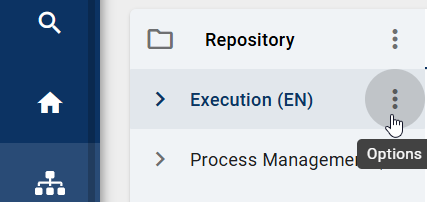
This screenshot shows an example of a context menu. You can recognize it by the three dots stacked on top of each other, which are used to open it.

There are different context menus for diagrams, categories, favorites, catalog items, and repositories. The context menus look similar but contain different content. This means that the options displayed are not always the same. They depend on which item you click. A context menu shows you the most important actions you can perform on the selected item.

How can I zoom?

You can zoom in or out to make content bigger or smaller. This helps you see details more clearly.

In the new user interface of GBTEC Process Design, you can zoom the entire window in or out. To do this, hold down the Ctrl key and scroll with the mouse wheel. Alternatively, hold down the Ctrl key and press + or -.

When you view a diagram, you can zoom by scrolling with the mouse wheel. The mouse pointer must be inside the diagram because the mouse position defines the zoom focus.

How can I navigate through my browsing history?

You can return to pages you visited before and go forward again.

In GBTEC Process Design, you can navigate through your browsing history. To use this feature, you need to be logged in to the portal. The header contains the Back and Forward buttons. These buttons are usually disabled.

When you navigate through elements in GBTEC Process Design, the Back button becomes active. You can use it to go back in your browsing history. After that, the Forward button becomes active, allowing you to move forward again. Both buttons react to your actions and adjust to your browsing history.
This screenshot shows the option to navigate through the browsing history.

After the session ends, the entire browsing history in GBTEC Process Design is deleted, including backward and forward navigation.

How can I navigate in the list of categories and diagrams?

You can navigate between categories and diagrams. This helps you quickly find the content you want.

In the list of categories and diagrams, you can display the content of a category or diagram by clicking it. The currently selected path is shown in the header. If you have navigated through several categories, you can return to a higher category by clicking the corresponding name in the header.

The screenshot shows the navigation within categories in the header.

You can switch to a higher category in the same way when viewing a diagram.

The screenshot shows the navigation in a diagram to a higher category in the header.

How can I open a diagram in a new browser tab?

You can open diagrams in a new tab. This helps you work with multiple diagrams.

All users can open diagrams in a new browser tab using browser shortcuts. This allows you to work with multiple diagrams at the same time without leaving the current view in the main application.

Navigate to the Diagrams menu item in the left menu bar. A list of all available diagrams in your repository opens. To open a diagram in a new browser tab, at least one diagram must exist in the application.

To open a diagram by using a browser shortcut, hold down the Ctrl key and click the desired diagram, or use the middle mouse button. The diagram opens in a separate browser tab. The URL is the same as when opening the diagram in the main application. The original browser tab remains unchanged and keeps unsaved changes and filter settings.

Note

Opening a diagram in a new browser tab is possible from different areas of the application. These include, for example:
  • the diagram list,

  • assigned diagrams within an attribute,

  • assigned diagrams displayed on the canvas with associated menus,

  • assigned diagrams in SVG views with corresponding menu options,

  • the task list,

  • the audit trail of a workflow in the Governance Cockpit,

  • the occurrences list or

  • the MyGBTEC area.

Hint

Please note that a diagram opened in a new browser tab behaves the same as a diagram opened in the main tab. All interactions work as usual without any limitations in functionality or user experience.

How can I navigate the diagram?

You can move around freely in the diagram. This is helpful when working with large diagrams.

In the diagram view, you can navigate by holding down the left mouse button and dragging the diagram. Similar to Google Maps, scrolling zooms in or out, and no scrollbars are displayed.

The diagram view also contains a navigation bar at the bottom right of the editor. It offers the following options:
This screenshot shows the navigation bar.

Adjust content to window size: By clicking on the first button the diagram will be zoomed and scrolled, so that you can see the whole diagram in the editor.

Scroll selection into view: If you have selected a symbol, clicking on the second button places the diagram so that the symbol is displayed in the upper left corner. If no symbol is selected, this function scrolls the diagram to 0/0 position.

Zoom level: The third function allows you to set different zoom levels in percent. Preset levels appear when you click on the arrow. You can then select one of the zoom levels from the list. Furthermore, it is possible to set your own zoom level between 25% and 800%. To do this, click on the displayed number, enter a new percentage and confirm with the Enter key or click on the diagram.

Tip

If you want to scroll horizontally in your diagram, hold down the Shift key and move the mouse wheel up or down at the same time.

Which keystroke combinations can I use?

You can use keyboard shortcuts to navigate and work faster.

Navigation in the application

You can navigate through the application using the following keyboard shortcuts.

Shortcut

Action

Tab

Focus in application changes to the next button.

Enter

Selection of the button on which the focus is located.

Shift + Tab

Focus in application changes to the previous button.

Arrow keys in Explorer

Focus in application switches between diagrams, categories and favorites in Explorer. For this, the focus must first be in the respective area of the Explorer.

For stronger highlighting, you can toggle the high contrast theme.

Diagram view

These functions are available when a diagram is open in the diagram view. They support navigation, especially in large diagrams.

Shortcut

Action

Mouse wheel

Zoom in, Zoom out

Pressed left mouse button

Diagram scrolling

Navigation in the designer

These functions are available when a diagram is checked-out and opened in edit mode. They support navigation in large diagrams and allow faster modeling without using the mouse.

Shortcut

Action

Ctrl + + or Ctrl + Mouse wheel

Zoom in the whole page

Ctrl + - or Ctrl + Mouse wheel

Zoom out the whole page

Pressed right mouse button

Diagram scrolling

Ctrl + A

Select all objects

Shift + left mouse click

Select several objects one after the other

Ctrl + C

Copy selected objects

Ctrl + pressed left mouse button

Copy selected objects and paste by releasing mouse button

Ctrl + V

Paste selected objects

Ctrl + X

Cut selected objects

Del

Delete selected objects

Ctrl + Z

Undo the last modelling step

Ctrl + Y

Redo the last undo

Shift + pressed left mouse button

Move selected object only vertically or horizontally

Alt + pressed left mouse button

Move selected object when alignment lines are disabled

Arrow keys

Move selected object

Shift + Arrow key

Move selected object in big steps

Alt key

Indicator for the visualization of the same distance when at least three objects are being moved

Ctrl + B

Description bold

Ctrl + I

Description italicize

Ctrl + U

Description underlined

Ctrl + Enter

Create the first element of the mini symbol palette of a selected object (inplace edit not active)

Ctrl + <number from 1 to 9>

Create the corresponding element of the mini symbol palette of a selected object (inplace edit not active)

F2

Access to the text field of a selected object (inplace edit)

Alt + Enter

Insert a line break in the text field of a selected object (inplace edit active)

Enter

End edit mode in text field with saving (inplace edit active)

Esc

Cancel edit mode in text field without saving (inplace edit active)

Ctrl + S

Save and then check in the modeling

How do I open a subprocess?

You can navigate directly from one diagram to another via linked diagrams.

You can jump directly from a diagram with a subprocess attribute to the linked diagram.

Open a diagram that contains an activity with a subprocess diagram. Click the highlighted attribute symbol below the object. Alternatively, double-click the activity.
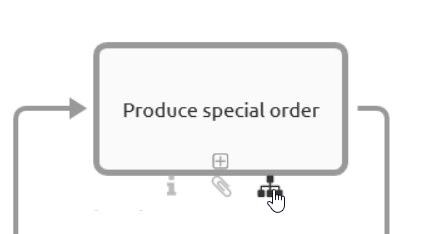
An activity with the filled hierarchy symbol is displayed here.

Note

If you view the published version of a diagram with a subprocess or variant attribute in another diagram, the attribute symbol is not highlighted if the linked diagram has not yet been published. If you perform the steps above, you will receive a corresponding message.

Note

Subprocesses also display diagrams to which you have no access. If you navigate into these diagrams, you will get a corresponding message and can not see the content of the diagram.

Tip

If no subprocess or attachment is stored for a symbol, the attribute tab opens when you double-click the symbol.

How do I open a subprocess when multiple ones are maintained?

If multiple subprocesses exist, you can also select from multiple linked diagrams.

GBTEC Process Design allows you to maintain multiple variants in the attributes. Opening them works in the same way as opening a single subprocess. When you click the diagram icon below the object, an alphabetically sorted list of all subprocesses appears. The first entry shows the subprocess field, followed by the variants. Select the required subprocess to follow the link.
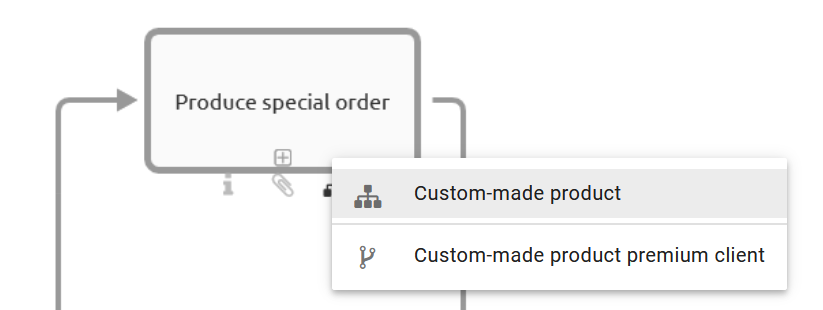
An activity with its list of linked diagrams is displayed here.

Note

A similar list is also displayed in a checked-in diagram when you double-click the object, provided you have maintained several subprocesses and variants. This allows you to quickly see which links have been set and to navigate through them accordingly.

How can I edit a locked diagram?

When working with diagrams, a diagram may already be checked out by another user and therefore locked.

In general, you cannot edit diagrams that are checked out by another user. These diagrams are marked with a lock symbol.

The screenshot shows the lock symbol for a locked diagram.

However, you can contact the editor by email. Click the lock symbol and select the Contact [email] option. Your email program opens with the locking user’s email address pre-filled. Inform the user that you would like to work on the diagram.

Note

Your administrator can unlock diagrams for editing. This may be necessary, for example, if a modeler did not check in a diagram before being absent and another user needs to edit it during that time. This process can cause data loss and is therefore permitted only for administrators.

What happens if a diagram is not available?

When navigating in the application, a diagram may not be available to you.

If you navigate to a diagram that is not available to you in the current stage, a corresponding message is displayed. If an archived version exists, you can use the link to open the latest archive entry.
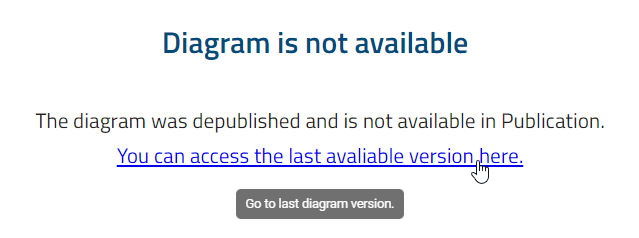
The message "The diagram is not available." is displayed here. It contains a link to navigate to the latest archive item.

Diagrams may be unavailable for different reasons. This message often appears when you follow a subprocess in the publication stage to another diagram that has not yet been published. When navigating via linked diagrams, the system switches to the publication stage if you are not already there.

What happens if a catalog item is not available?

Similar to diagrams, a catalog item may also not be available to you.

If you navigate to a catalog item that is not available to you in the current stage, a corresponding message is displayed. If an archived version exists, you can use the link to open the latest archive entry.
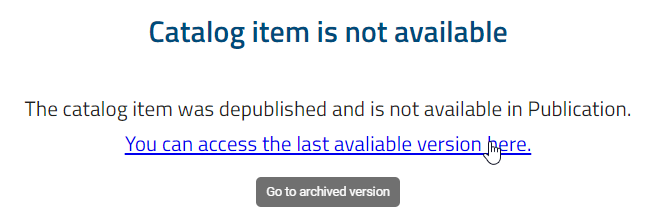
The message "The catalog item is not available." and the link to the last archive item are displayed here.

What happens if I use an invalid subdomain?

A subdomain is a part of a web address. It precedes the actual domain and is used to distinguish between different sections of an application.

If you try to access the application without a valid subdomain and no default section has been set, a message will appear. This message informs you that the subdomain is invalid. In this case, you will not be able to access the application.
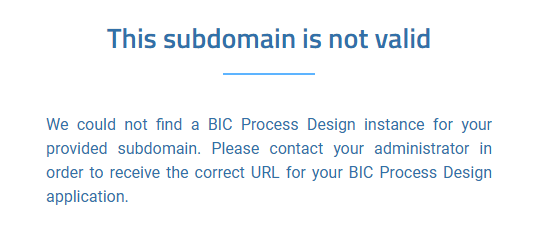
This screenshot shows the error message that appears when an invalid subdomain is entered.

Previous Next

© Copyright 2004 - 2026, GBTEC Software AG. Alle Rechte vorbehalten. / All rights reserved.

Built with Sphinx using a theme provided by Read the Docs.
Read the Docs v: 9.0.1
Versions
9.0.1
Downloads
PDF
On Read the Docs
Project Home
Builds